Amazing Marvin Review (2026): Is the "ADHD Task Manager" Worth $96 a Year?

Amazing Marvin is the task manager people with ADHD either swear by or quietly abandon after one very ambitious weekend. I've been in both camps

The app calls itself "designed specifically for ADHD minds and chronic procrastinators." That's a big claim. So this review answers the only question that matters: will Marvin still be open on your screen in six weeks, or will it join the graveyard next to your bullet journal?
Quick answer: is Amazing Marvin good for ADHD?Yes, if you've tried simple apps, you know exactly why they failed you, and you're willing to spend an hour setting things up once.No, if you get pulled into tinkering, want something that works out of the box, or mostly plan on your phone. Several of its best ADHD features are desktop-only.Price: $96/year billed annually. No free plan. 14-day free trial, no credit card needed. Students get 50% off, and there's a pay-what-you-can option.Best ADHD features: Procrastination Count, Super Focus Mode, Task Jar, the Procrastination Wizard, time estimates and day planning.Biggest risk: configuring Marvin feels productive. It isn't.
What is Amazing Marvin?
Amazing Marvin is a customizable task manager and daily planner that runs on Mac, Windows, web, iOS and Android. Instead of giving you one way to work, it gives you a library of "strategies" (the help center lists more than 100 articles on them) that you switch on and off.
How does Amazing Marvin help with ADHD?
Most task apps assume the hard part is remembering what to do. With ADHD, the hard part is usually starting, and then not drifting into something shinier. Marvin has more features aimed at that second problem than anything else I've tested
Procrastination Count
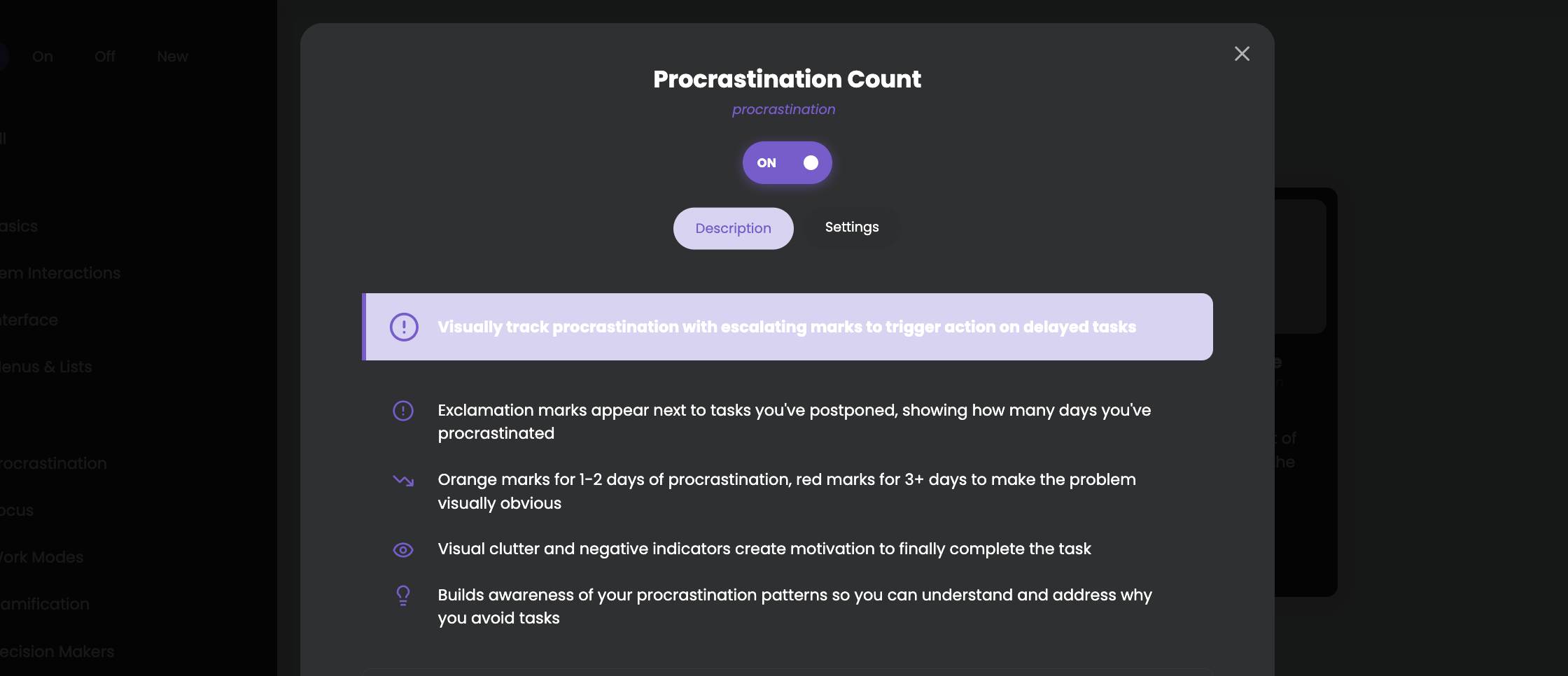
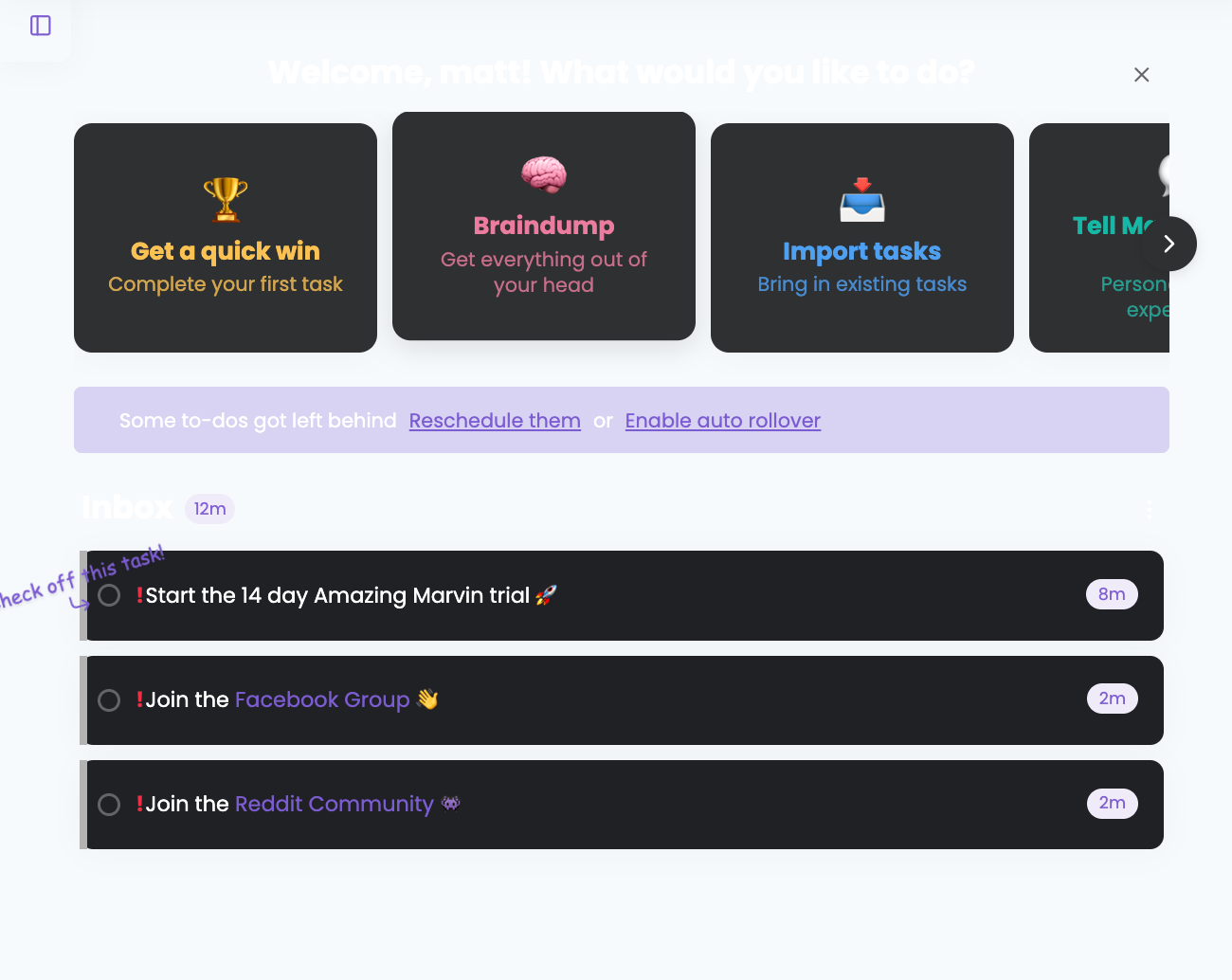
Once you schedule a task, Marvin notes the first date. Every day you push it, an exclamation mark gets added to the front of the task name. They start orange and turn red after three days. According to Marvin's help center, the only way to clear them is to finish the task. Unscheduling it doesn't reset the count.
Why it helps: ADHD brains are bad at noticing slow-building problems. A task you've dodged for 11 days looks exactly like a task you added this morning in most apps. Here it looks like it's yelling at you. Which it is, politely.
Tip: If the red marks make you feel ashamed instead of nudged, switch to the "Count" display (one mark plus a number). Shame is a terrible productivity tool.
Super Focus Mode
Press "F" and you see one task at a time. That's it. No list, no sidebar, no 43 other things staring at you. It can also start time tracking automatically.
This is my favorite feature for ADHD paralysis. When a list of 30 things freezes you, a list of one thing is often the only way back in.
Task Jar
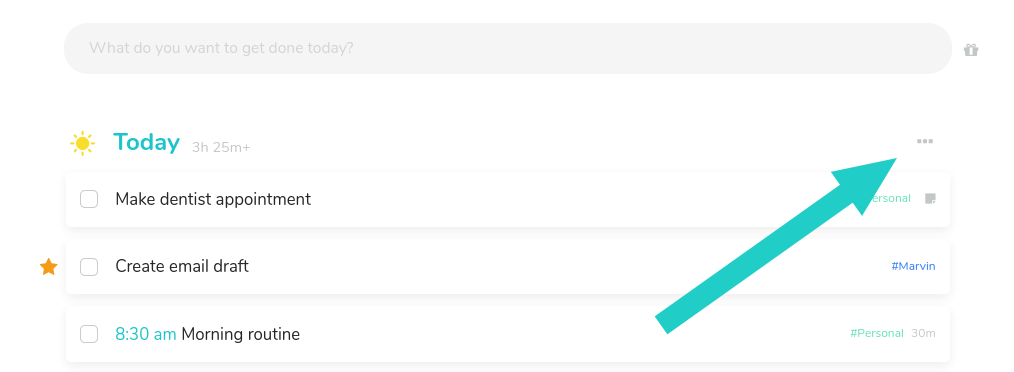
Click the jar and all of today's open tasks go in. Click again and it pulls one out at random. For the days when every task feels equally important and equally impossible, handing the decision to a jar removes the exact step you're stuck on. It's desktop-only, though (more on that below).
The Procrastination Wizard
The Procrastination Wizard is Marvin's guided tool for the task you keep avoiding. Marvin's help center points you to it when a nagging task still isn't getting done. Pair it with the tactics in ADHD task initiation: make the first step smaller, clearer, or less scary. Also desktop-only.
Time estimates, time tracking and Pomodoro
You can estimate every task and see if your day actually fits. If you have time blindness, this is where Marvin earns its money. Seeing "you've planned 11 hours into a 6-hour day" at 9 a.m. beats discovering it at 4 p.m.
There's a built-in Pomodoro timer too. If you're new to that, our Pomodoro for ADHD guide covers how to make the technique fit an ADHD brain.
Rewards and gamification
With Reward Points, you give tasks points based on how hard they are, earn them when you finish, and spend them on rewards you define yourself. Marvin suggests a daily goal of 20 points, with about 1 point for easy tasks and 5 for hard ones. This one has some science behind it. A meta-analysis of 21 studies (3,913 participants) by Jackson and MacKillop (2016, Biological Psychiatry: CNNI) found people with ADHD discount delayed rewards more steeply than controls, with a medium effect size. A reward that shows up now competes better with the ADHD brain's pull toward the immediate than a payoff that shows up "someday."
That doesn't mean a pixel confetti burst will fix your motivation. It means small, immediate rewards are working with your wiring instead of against it.
Calendar sync
Marvin syncs with Google Calendar, Apple iCal, Yahoo, Outlook and CalDAV, in one-way or two-way mode. That matters if you time block, because your tasks and meetings live in one view.
What does Amazing Marvin cost?
| Plan | Price | What you get |
|---|---|---|
| Marvin Pro (annual) | $96/year | Everything, unlimited tasks and projects, web + desktop + mobile, email support |
| Marvin Pro (monthly) | Monthly billing available (check the pricing page; the annual plan is advertised as 33% cheaper) | Same features |
| Students | 50% off with email verification | Same features |
| Pay what you can | Available on request for people facing financial barriers | Same features |
| Free plan | None | 14-day free trial, no credit card |
Source: Amazing Marvin pricing page, checked September 2026.
Two things to know before you pay:
- There are no refunds. Marvin says so on its pricing page, but it will extend your trial if you ask. Use the whole 14 days before committing.
- One tier, no upsells. You never hit a paywall mid-task. For an ADHD brain that gets derailed by "upgrade to unlock," that's a quiet win.
Is $96 a lot? It's more than TickTick and less than several "AI planner" apps. The real cost question is whether you'll use it. An unused $96 subscription is a textbook case of the ADHD tax.
What's it like to use day to day?
Here's a realistic weekday with Marvin set up sensibly [VERIFY: replace with Matt's actual routine]:
- Morning (5 minutes): Open the day view. Pull 3 to 5 tasks from the backlog. Add time estimates and check whether the total actually fits your day.
- Start work: Press "F" for Super Focus Mode. One task on screen. Timer starts.
- Midday slump: Can't choose? Task Jar picks something.
- The dreaded task: It now has four red exclamation marks. You open the Procrastination Wizard, shrink it to a 10-minute first step, and do that.
- End of day: Reschedule whatever's left. Its Procrastination Count keeps going.
When it works, it feels like the app is quietly doing the executive function part for you. That's the pitch, and on good days it's true.
Where Amazing Marvin falls short for ADHD
The setup trap
This is the big one. With 100+ strategies, it's very easy to spend a pleasant Saturday building the perfect system and finish zero actual tasks. We said it in our best ADHD task management apps roundup and it's still true: configuring a productivity system is itself a task, and it feels productive while you avoid the real work.
Fix: Turn on a maximum of five strategies in week one. Write down which five. Don't touch settings again for 14 days.
Several of the best ADHD features don't work on mobile
Marvin's own help article (last updated July 2025) lists features not yet available on mobile. The list includes the Procrastination Wizard, Task Jar, Beat the Clock, the Week Scheduler, Planning Ahead, Goals and the Dashboard.
If your phone is where you actually plan, you'll be paying for features you can't reach. Check that list against the strategies you care about before the trial ends.
The interface is busy
Marvin is functional, not pretty. If an app's visual clutter makes you avoid it, try Tiimo or Saner.AI instead. Our Tiimo review covers the visual-planner approach.
No built-in AI planning
Marvin is a toolbox you run. It won't read your inbox, build tomorrow's plan from your notes, or nudge you with a check-in unless you set that up yourself. Some people love that control. Some people need the app to take the first step.
The switching-app habit won't fix itself
A common ADHD pattern is switching apps every few weeks, chasing the buzz of a fresh system. The research on habits suggests that's a problem. In a study led by Phillippa Lally at UCL, it took people a median of 66 days for a new behavior to become automatic, and individuals ranged from 18 days to a forecast of 254 days (UCL Behavioural Science and Health summary; original paper: Lally et al., 2010, European Journal of Social Psychology). That study wasn't about ADHD specifically. But the takeaway fits: if you switch apps at week three, no app ever becomes automatic.
Marvin's upside here is that when you get bored, you can change how it works instead of leaving it. That's the one app-hopping habit that doesn't cost you your task history.

Who should get Amazing Marvin, and who should skip it?
Get it if you:
- Have already bounced off Todoist, TickTick or a paper planner and can name exactly why.
- Procrastinate on specific tasks for days or weeks and want the app to make that visible.
- Plan mostly on a laptop or desktop.
- Like adjusting tools to fit you, and can stop adjusting once it works.
Skip it if you:
- Want an app that works the moment you open it.
- Plan mostly on your phone.
- Know that settings menus are your favorite hiding place.
- Want AI to build your plan for you.
Marvin itself is refreshingly honest here. Its help center says that "simply storing your tasks in Marvin is not going to transform you into a productivity monster overnight". I'd trust an app that admits that more than one promising to fix your brain.
Amazing Marvin alternatives for ADHD
| App | Best for | Why pick it over Marvin |
|---|---|---|
| TickTick | Simple, cheap, great on mobile | Works out of the box; full-featured phone app; built-in Pomodoro and habits |
| Saner.AI | People who want AI to do the planning | Turns notes, email and calendar into a daily plan and checks in with you |
| Sunsama | Calm daily planning ritual | Guided morning and evening routine; fewer choices |
| Tiimo / Structured | Visual thinkers | Timeline view that makes time visible at a glance |
| Todoist | Clean, fast capture | Less to configure, huge integration library |
Saner.AI takes the opposite approach to Marvin. Marvin gives you 100 switches and trusts you to pick the right ones. Saner.AI tries to remove the setup: you dump notes, emails and calendar events in, and it proposes a daily plan and checks in with you. If the setup trap is what killed Marvin for you, that's the trade to consider. If you love control, Marvin wins.
For deeper comparisons, our ranking of the best AI task managers for ADHD.
How to set up Amazing Marvin for ADHD in 30 minutes
If you're starting the trial, use this setup and resist the urge to explore everything on day one.
- Import or dump your tasks (10 minutes). Get everything out of your head and into the inbox. Don't organize yet.
- Turn on exactly five strategies (5 minutes):
- Day Planning
- Time Estimates
- Procrastination Count (Count display if the red marks stress you out)
- Super Focus Mode
- Calendar sync
- Plan tomorrow only (5 minutes). Pick 3 to 5 tasks. Add estimates. If the total is over 70% of your free hours, cut something.
- Write your rule on a sticky note (1 minute): "No new strategies until [date 14 days from now]."
- Book a weekly review (5 minutes). A recurring 20-minute block for Friday or Sunday. The routine in our how to plan a week with ADHD guide drops straight into Marvin.
- Add one reward (4 minutes). Something small and immediate: coffee, a short walk, one episode. Attach it to your hardest task tomorrow.
After two weeks, add one new strategy at a time. Task Jar and Rewards are good second-round picks. If you're a student, the same setup works for coursework and pairs well with our guide on how to study with ADHD.
FAQ: Amazing Marvin for ADHD
Is Amazing Marvin free?
No. There's no free plan. You get a 14-day free trial with full features and no credit card. After that it's $96/year on the annual plan. Students get 50% off, and there's a pay-what-you-can option if cost is a barrier.
Is Amazing Marvin good for ADHD?
It's one of the best task managers for ADHD if you already know what you need and can resist over-configuring. Features like Procrastination Count, Super Focus Mode and Task Jar target task initiation, which is where many ADHD adults get stuck. It's a poor fit if you want something simple or plan mainly on your phone.
Does Amazing Marvin have a mobile app?
Yes, on iOS and Android. But several ADHD-focused features, including the Procrastination Wizard, Task Jar and Goals, were desktop and web only as of Marvin's July 2025 help article.
Amazing Marvin vs TickTick: which is better for ADHD?
TickTick is better if you want something simple, cheap and strong on mobile. Marvin is better if you need deeper procrastination tools and are willing to set them up. Try TickTick first if you've never used a task manager. Move to Marvin if TickTick feels too blunt.
Does Amazing Marvin sync with Google Calendar?
Yes. It syncs with Google Calendar, Apple iCal, Yahoo, Outlook and CalDAV, and you can choose one-way or two-way sync per calendar.
Can an app treat ADHD?
No task app is an ADHD treatment, and Marvin doesn't claim to be one. Apps can support the executive-function tasks that ADHD makes harder, like starting, estimating time and staying on one thing. If you're struggling a lot, talk to a clinician. See our medical disclaimer.
The bottom line
Amazing Marvin is the most flexible ADHD task manager available, and the flexibility is both the reason to buy it and the reason people quit. If you can set it up once and then leave the settings alone, it's worth $96 a year.
Your next step:
- Start the 14-day trial today. Put "decide on Marvin" in your calendar for day 12.
- Run the 30-minute setup above. Five strategies, no more.
- Use Super Focus Mode on your most-avoided task tomorrow morning.
- On day 12, answer one question honestly: did I open it every workday? If yes, keep it. If no, try TickTick or Saner.AI and don't feel bad about it.
This article is for general information and isn't medical advice. See my medical disclaimer and editorial policy.