I found the Best AI Task Manager for ADHD (An Honest Review)

If you clicked this because you've tried six task managers in the last year and none of them stuck, well, you're not broken. Most task managers are built for a brain that doesn't lose its keys, its train of thought, and the entire afternoon in the same twenty minutes.
Short answer: Saner.AI is the best AI task manager for ADHD. It's combines your notes, tasks, calendar, and email into one workspace and does the organizing for you instead of asking you to build a system. It's one of the better options for ADHD brains right now, mostly because it doesn't require you to maintain it.
Here's what it actually does, what it costs, and where it falls short.
Why your task manager keeps failing your ADHD
Before I get into the tool, it's worth being clear about what's actually going on, because it isn't a discipline problem.
ADHD is best understood as a disorder of executive function, the set of mental processes that let you plan, initiate a task, hold information in working memory, and regulate your attention toward a goal (Barkley, 1997, Journal of Developmental & Behavioral Pediatrics). That's a clinical way of saying the part of your brain that's supposed to say "start now" and the part that's supposed to say "remember this for later" don't reliably talk to each other.
A few things this means in practice:
- Task initiation is a separate skill from wanting to do the task. You can care deeply about a deadline and still sit there unable to start, because starting draws on executive function, not motivation (CHOP, Executive Functions and ADHD).
- Working memory limits mean a mental to-do list is close to useless. If you don't write it down the moment it appears, there's a real chance it's gone in ninety seconds, not because you don't care, but because that's how the storage works.
- Time blindness is a documented feature, not an excuse. Research from Barkley's lab found people with ADHD show measurably impaired time reproduction compared to peers, meaning the internal sense of "how long has this been going on" runs less accurately (Barkley, Koplowitz, Anderson & McMurray, 1997, Journal of the International Neuropsychological Society).
- Switching tasks costs more than it looks like. Gloria Mark's research at UC Irvine found that after an interruption, people took an average of 23 minutes and 15 seconds to return to the original task at full focus (Mark, Gudith & Klocke, 2008). If you're an ADHD brain that also gets interrupted by your own thoughts, you can see the problem.
This is also just common. An estimated 6.0% of U.S. adults, roughly 15.5 million people, currently have an ADHD diagnosis, and more than half of them were diagnosed as adults (CDC/NCHS Rapid Surveys System, MMWR, October 2024). If you're one of them, you are not the outlier the planner industry designed around.
The research on what actually helps is consistent: externalizing the load, moving planning, prioritizing, and time-tracking out of your head and into something outside you, is one of the better-supported interventions for adult ADHD. A scoping review of assistive technologies for executive function found that memory aids, time-management tools, and prompting or cueing systems are the categories most consistently used to support people with executive dysfunction, ADHD included (Spalla et al., 2024, Assistive Technologies for Cognition). And there's controlled trial evidence that automated reminders specifically reduce the kind of "I forgot I was supposed to do that" failures that eat a whole day (PMC, single-case experimental design review, 2023).
Translation: you're not looking for more willpower. You're looking for a system that remembers, prompts, and re-prioritizes without needing you to maintain it. That's the exact gap Saner.AI is trying to fill.
What Saner.AI actually does
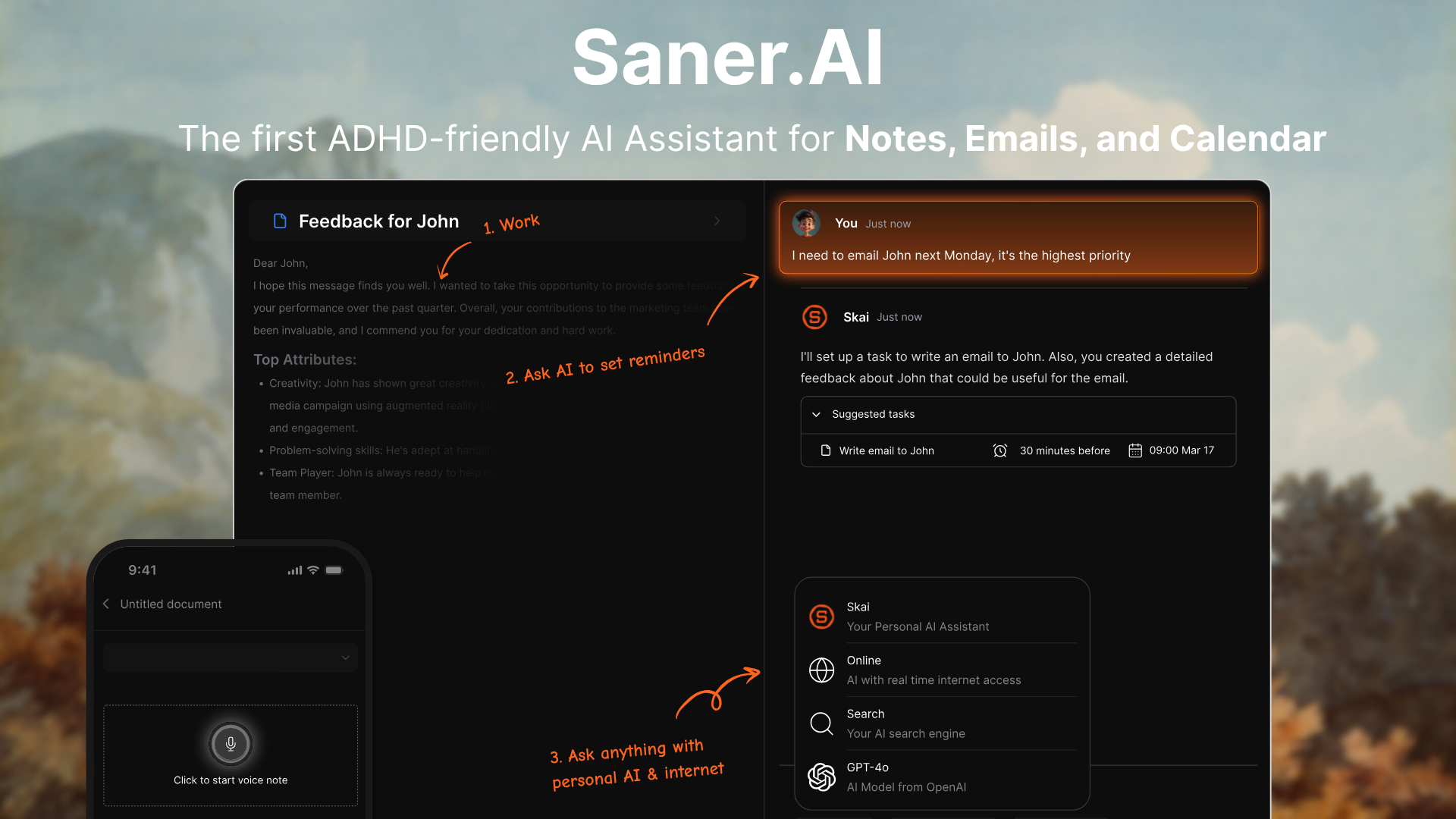
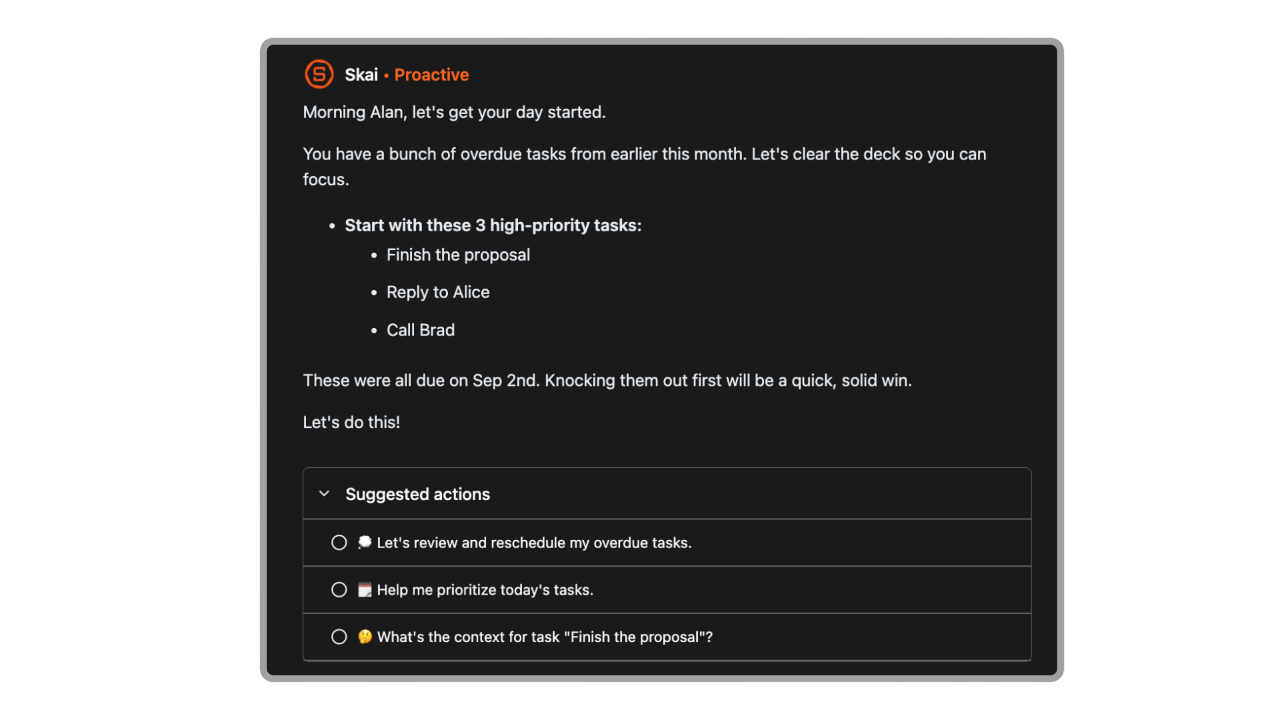
Saner.AI is built around an AI assistant called Skai that sits across your notes, tasks, calendar, and inbox. Instead of you filing things into folders and lists, it auto-tags and connects what you capture and surfaces it when it's relevant.
The core pieces:
- One inbox for everything. Notes, tasks, calendar events, and email live in the same workspace instead of four separate apps you have to remember to check.
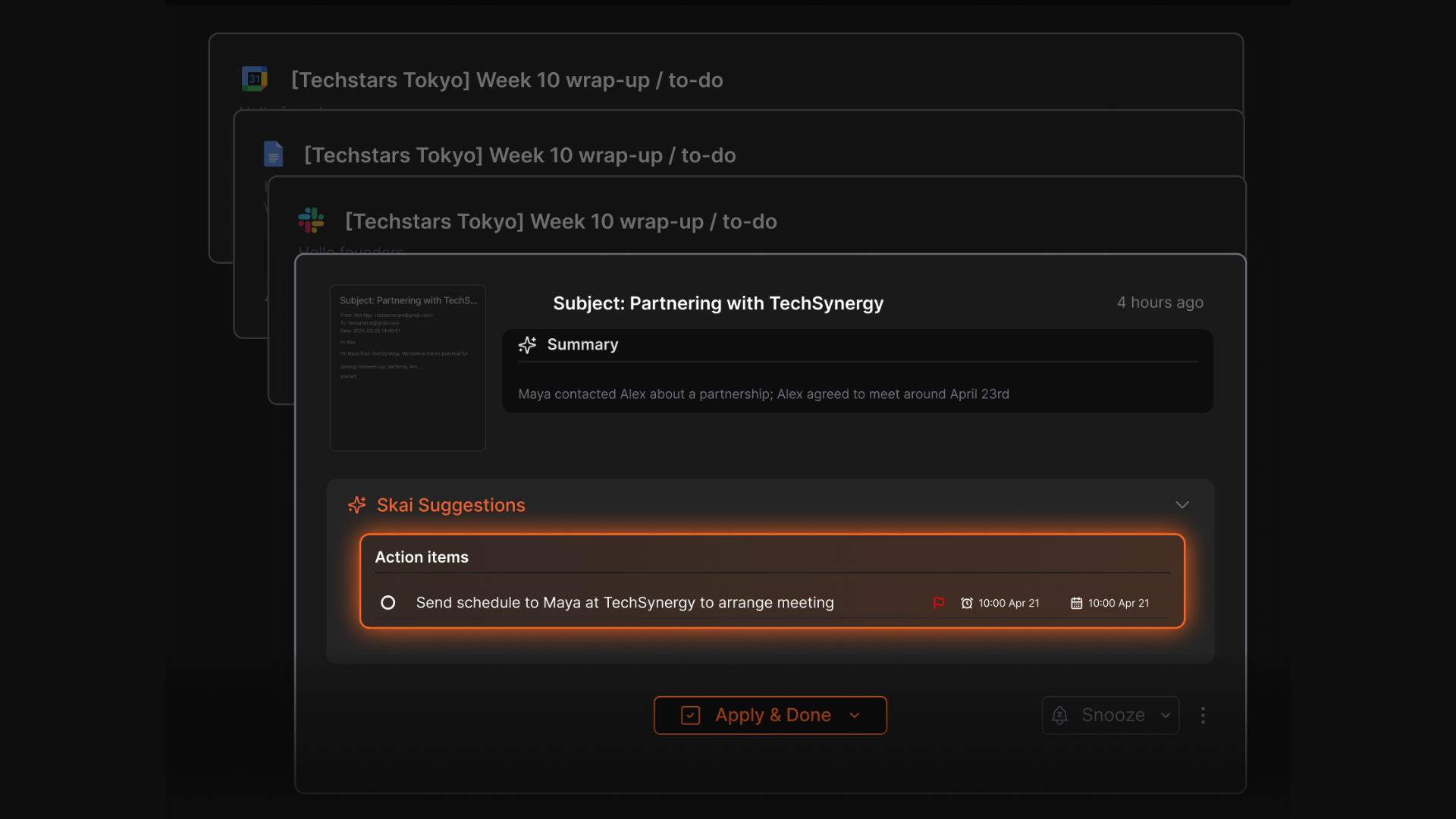
- AI Inbox for Gmail. Skai reviews incoming email, suggests next steps, and can turn a message directly into a task, which matters if email is where your to-do list actually lives and dies.
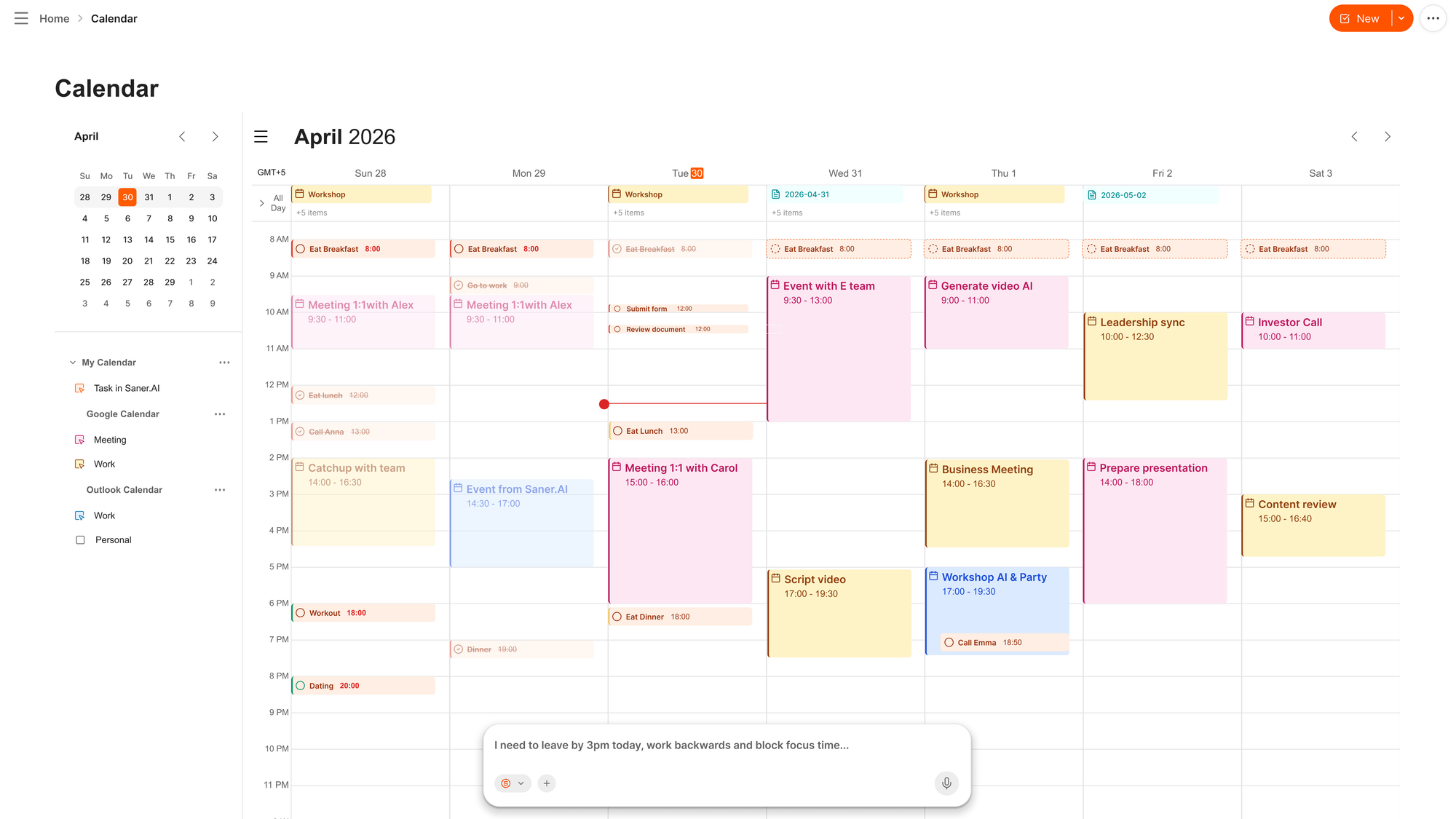
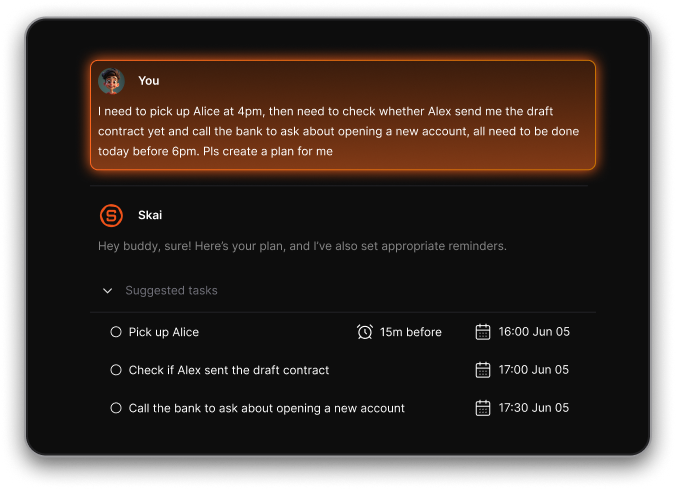
- Chat-to-schedule. You can move or create calendar events by typing or saying what you want in plain language instead of clicking through a calendar UI, which is one less fine-motor, multi-step interaction between you and getting it done.
- Voice capture. It let you dump a thought by voice the second you have it, which matters a lot if your working memory has a habit of dropping things between having them and typing them.
- Daily plan suggestions with check-ins. Instead of a static list, Saner suggests what to work on and nudges you through the day rather than leaving the whole thing up to your memory at 8 a.m.
- OCR and multilingual support, so a photo of a whiteboard or a handwritten note can become searchable, taggable text.
- Integrations with Google Calendar, Gmail, Slack, Google Drive, and Notion, so it can sit on top of tools you already use instead of asking you to abandon them.
On privacy: Saner.AI states it does not train on, sell, or share user data, which is worth knowing if you're capturing sensitive notes into it
What I liked after actually using it
I've spent enough time in this app to have opinions, not just a features list I copied off a landing page.
- Chat-to-schedule is the feature I know I need. Typing "move my 2pm to Thursday morning" is a completely different cognitive load than opening a calendar, finding the event, dragging it, and hoping I dragged it to the right day.
- The daily check-ins feel like a body double, not a nag. That distinction matters more than it sounds like it should.
Where it still falls short
- The free tier's AI usage limits are tight
- Feature breadth still lags more mature tools like Notion. If you need deep custom databases or heavy team collaboration, you'll hit the ceiling faster here.
- It's a solo tool. The pricing and design are built around one person's workspace. If you need a shared task system with a partner or a team, this isn't built for that yet.
- You have to actually capture things into it. No AI assistant fixes the problem of a thought that never made it out of your head in the first place. Pair it with a capture habit, not instead of one.
What it costs
Pricing as of writing, straight from Saner.AI's pricing page:
| Plan | Monthly (billed monthly) | Monthly (billed yearly) | Best for |
|---|---|---|---|
| Free | $0 | $0 | Trying it out, light use |
| Starter | $12/mo | $8/mo ($96/yr) | Most individual ADHD users |
| Standard | $20/mo | $16/mo ($192/yr) | Heavy AI usage, power users |
Should you use it?
Probably yes, if any of this is true for you:
- You've tried "just use a planner" advice and it collapsed within two weeks
- Your notes, tasks, and email currently live in four different apps you don't consistently check
- You lose ideas in the gap between having them and writing them down
- You want something that plans your day for you instead of asking you to build the plan yourself
Probably not the right fit if:
- You need a shared workspace for a team or a partner
- You want deep, fully customizable databases
- You're extremely price-sensitive and the free tier's limits will frustrate you before you get a real sense of the tool
Getting started without overthinking it
If you decide to try it, don't build a system on day one. That's how every previous tool died.
- Sign up for the free plan first, not the paid one
- Spend day one doing exactly one thing: dump everything currently living in your head, your Notes app, and your email drafts into it
- Let Skai organize it. Resist the urge to reorganize what it gives you
- On day two, just check the daily plan suggestion each morning and see if it's close to right
- Decide about upgrading only after you've hit the free tier's limits naturally, not before
FAQ
Is Saner.AI free to use? Yes, there's a free plan with core features and a daily AI usage limit. Paid tiers start at $8/month billed yearly.
Is Saner.AI only for people with ADHD? No. It's designed with ADHD brains in mind, but knowledge workers, founders, and anyone managing a lot of scattered information use it for the same reason: it reduces the manual organizing work.
Does Saner.AI sell or train on my data? Saner.AI states it does not train on, sell, or share user data. Worth confirming current terms directly on their site before storing anything sensitive.
Is this a substitute for ADHD treatment or coaching? No. This is a productivity tool, not a treatment. If you're managing an ADHD diagnosis, this sits alongside care from a clinician, not instead of it.
This post reflects hands-on testing and is not medical advice. ADHD is a clinical diagnosis; if you suspect you have it, talk to a doctor or licensed mental health professional. See our medical disclaimer for more.