The 5 Best ADHD Task Management Apps (Tested, Ranked, and Honest)

The best ADHD task management app is the one that still works on the day you can't build a plan. That's the actual failure point, and it's not the one most apps are designed around.
Standard task managers assume you can look at a list, decide what matters, sequence it, and start. If you have ADHD, the deciding and sequencing part is where you're most likely to be impaired, and the app that hands that job back to you every morning is going to lose.
I've ranked these by how much of the planning they do for you, not by feature count.
Key answer: What are the best task management apps for ADHD people?
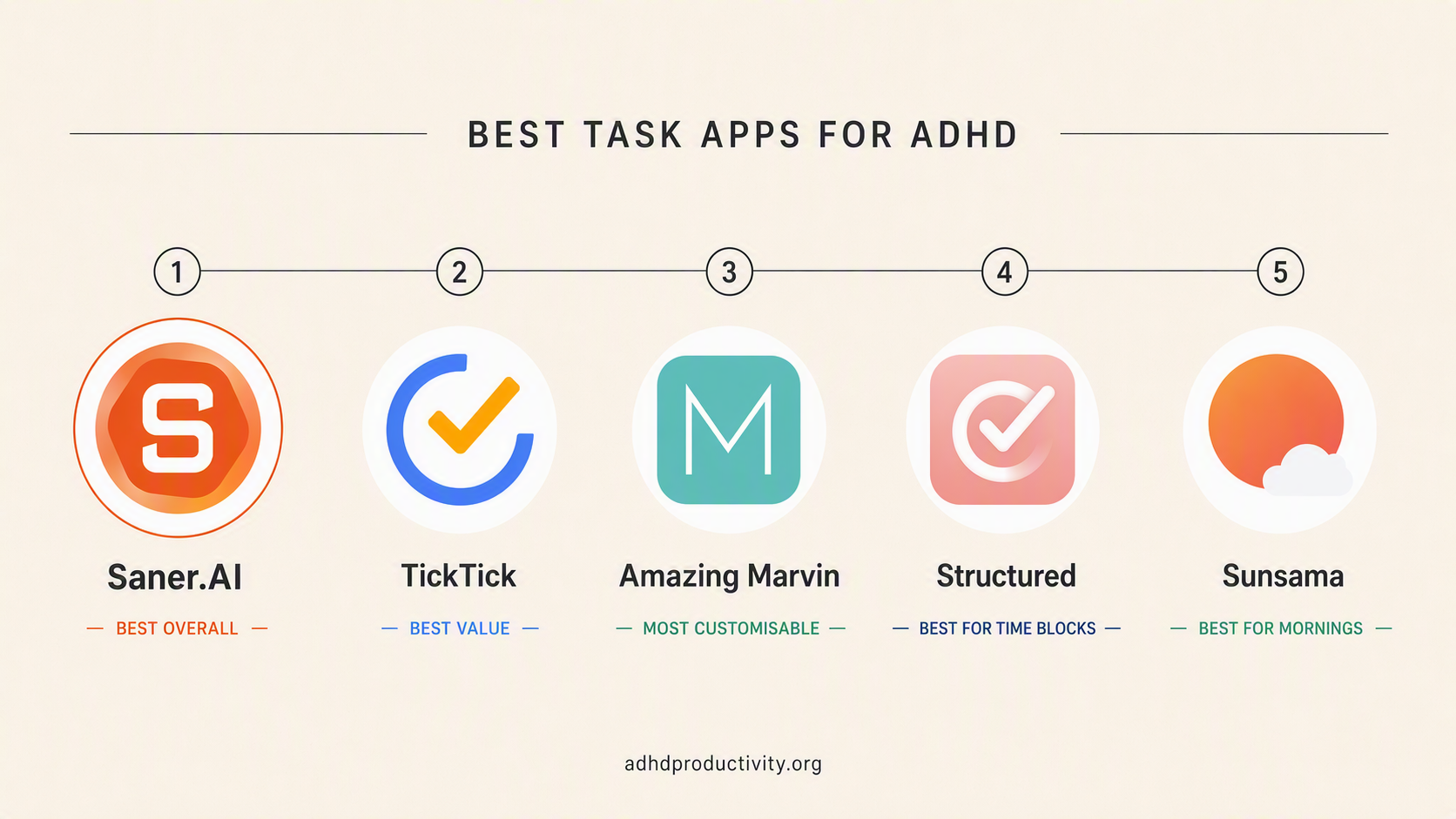
- Best overall, and best if capture and planning both fail: Saner.AI
- Best value if you want tasks, habits, and a timer in one: TickTick
- Most customisable, if building systems is a hobby not a trap: Amazing Marvin
- Cheapest way to see your whole day as blocks: Structured
- Best if you want to plan your morning: Sunsama
My advice: Pick one. Not three.
How I tested these apps
Three weeks minimum in each app, with real commitments in it, on a MacBook and an iPhone. I paid for all of them myself. See the editorial policy for how I handle vendor contact.
The test that mattered most: I ignored each app for four days, then opened it. If the backlog had become a wall of guilt I couldn't face, that's a fail. Every ADHD person reading this knows the app graveyard. What kills apps isn't a missing feature. It's the moment you open one after a bad week and immediately close it again.
What I graded on:
- Capture speed. Seconds from thought to captured, including unlocking the phone.
- Whether it comes to you. Does it surface work, or does it sit there waiting to be checked?
- Planning load. How much sequencing does it do versus demand?
- Neglect survival. What does day five look like?
- Maintenance tax. Tagging, sorting, filing. Every unit of that is a reason to quit.
Those criteria come from the research below
Comparison table of task management apps for ADHD:
| App | What it actually does for you | Plans for you? | Price (verify) | Free tier |
|---|---|---|---|---|
| Saner.AI | Captures anything, sorts it, proposes the day | Yes | ~$8/mo annual | Yes, limited |
| TickTick | Tasks, habits, calendar, Pomodoro in one | No | Free / ~$3/mo | Yes, generous |
| Amazing Marvin | Whatever you configure it to do | Optional | Subscription, check site | 30-day trial |
| Structured | Lays the day out as blocks | No | ~$24/yr | Yes |
| Sunsama | Walks you through planning, caps your day | Guided | ~$17-22/mo | No, 14-day trial |
1. Saner.AI
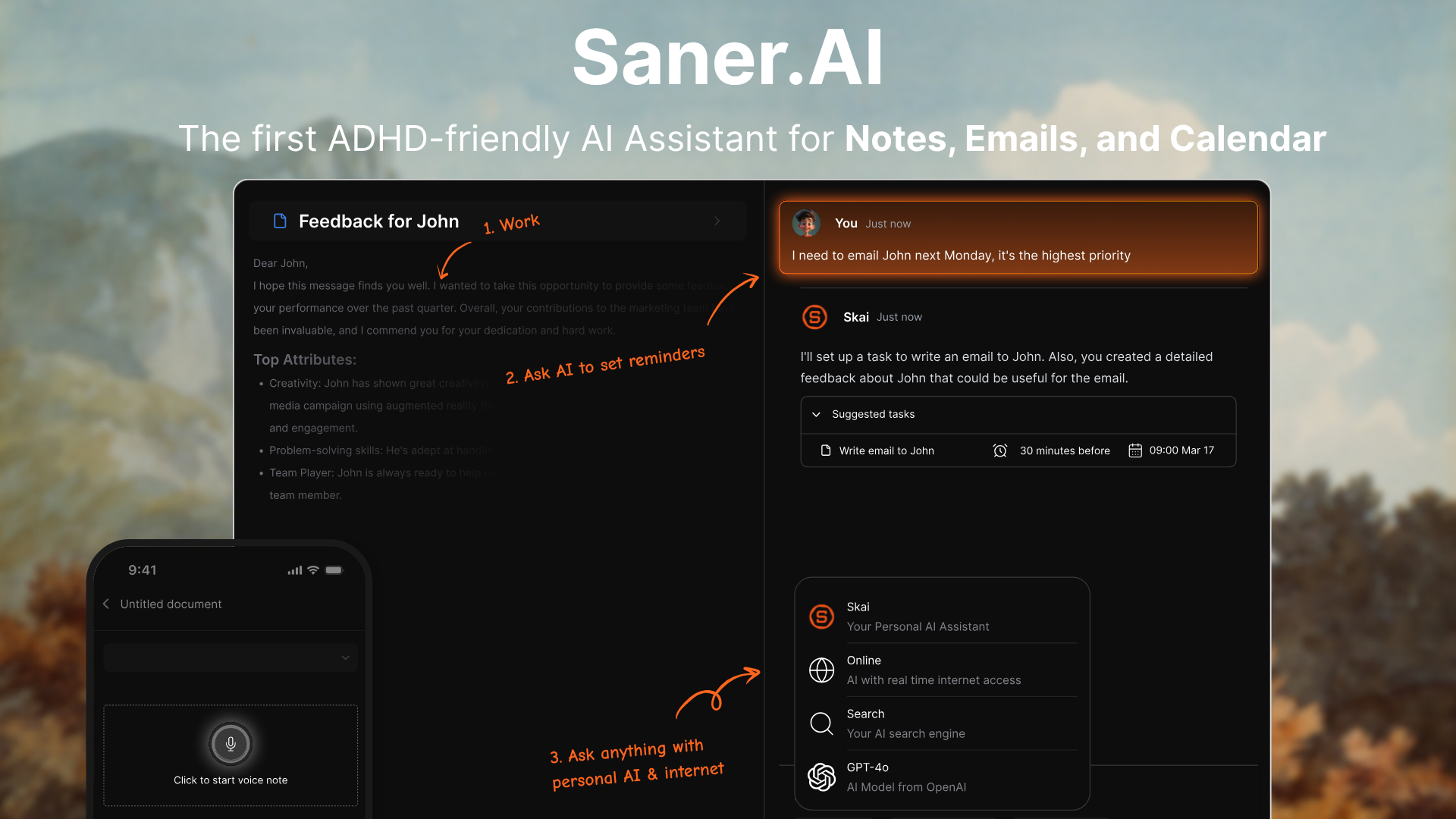
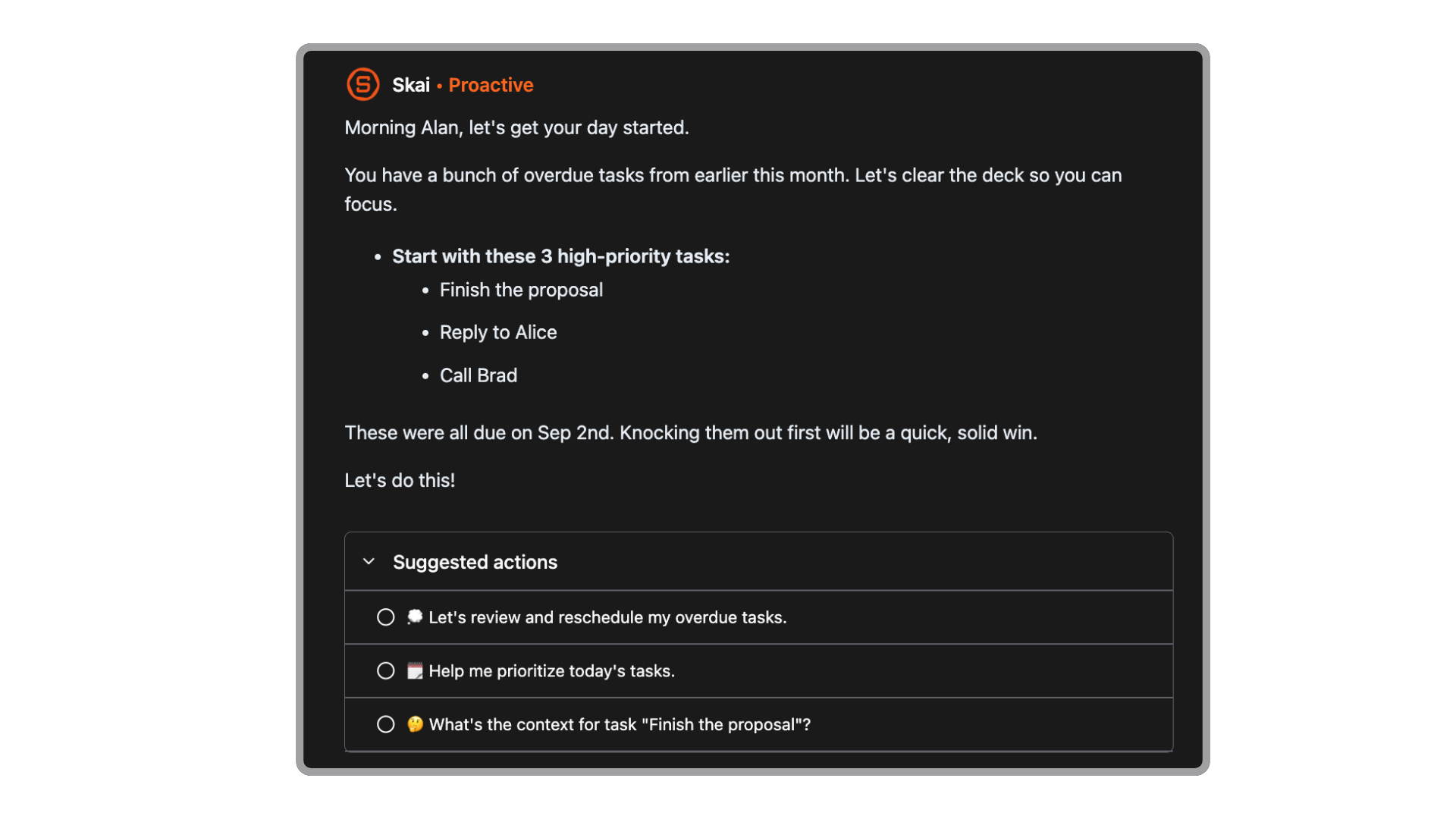
What it does. Pulls notes, tasks, email, and calendar into one workspace with an AI assistant sitting across all of it. You dump things in messily. It sorts them into tasks and notes, breaks vague items into steps, and presents a prioritised view each morning rather than waiting for you to open a list.
Why it's first. If plan construction is the impaired step and plan execution mostly isn't, then the highest-value thing software can do is arrive with a proposed plan. Nothing else on this list does that. Saner proposes.
The other half is capture. Speaking or pasting a mess and having it sorted removes the tagging and filing step, and every unit of maintenance you remove is a reason not to quit in week three.
What I like. It comes to me. I open my laptop and there's a view of what needs attention, including things I wrote down at 11pm and forgot existed. After a four-day gap it didn't feel like a wall. That's rarer than it sounds.
Also, the natural-language search. I can ask a question about my own notes instead of remembering which folder I put something in. Filing is an executive function cost and I stopped paying it.
Where it breaks. It's a younger product and the feature depth lags something like Notion. If you want elaborate filtering, recurring rules, and a decade of integrations, you'll notice the gaps.
Ideal user. You lose thoughts before you write them down, and when you do write them down you can't turn the list into a day.
Pricing. Around $8/month on annual billing, with a free tier.
→ How to start a task when you have ADHD
2. TickTick
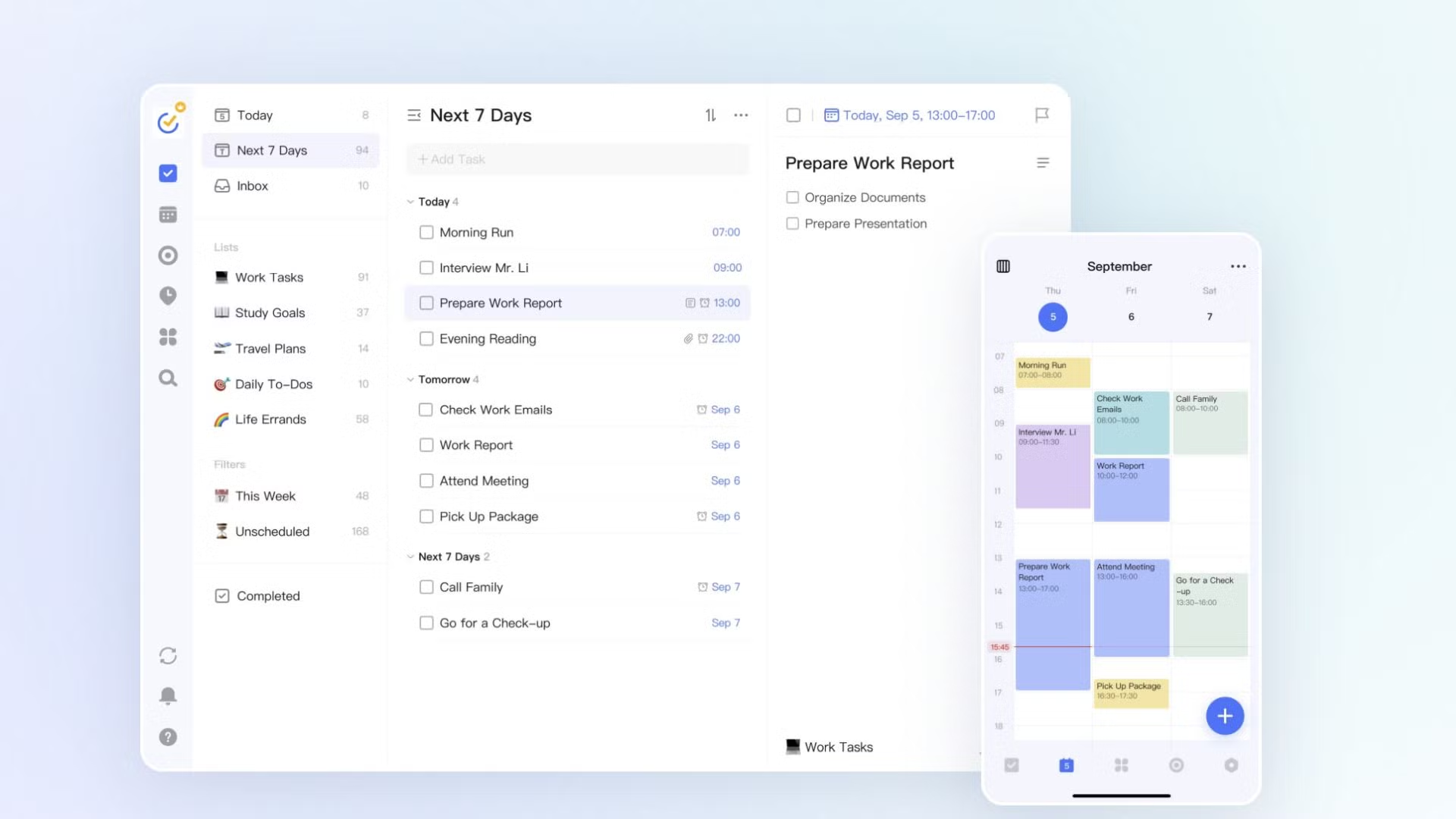
What it does. A fast, reliable task manager with a built-in calendar view, a habit tracker, and a Pomodoro timer bundled in. Type "email Sarah about the invoice Friday 2pm" and it parses the date. Available on essentially every platform.
Why it works for ADHD. Two things. Capture speed, first: a thought you don't record in the first ten seconds is often gone, and the working memory research explains why. TickTick's natural-language input gets from thought to captured about as fast as anything on the market.
Second, fewer apps means fewer places to check, and fewer places to check means fewer chances to lose something. Having the focus timer inside the app where the task lives removes a switch, and every switch is a place to fall out.
What I like. The price. At roughly $3/month it's the cheapest serious option here, and if you've quit six subscriptions in two years, a cheap commitment you might abandon is a different decision from an expensive one.
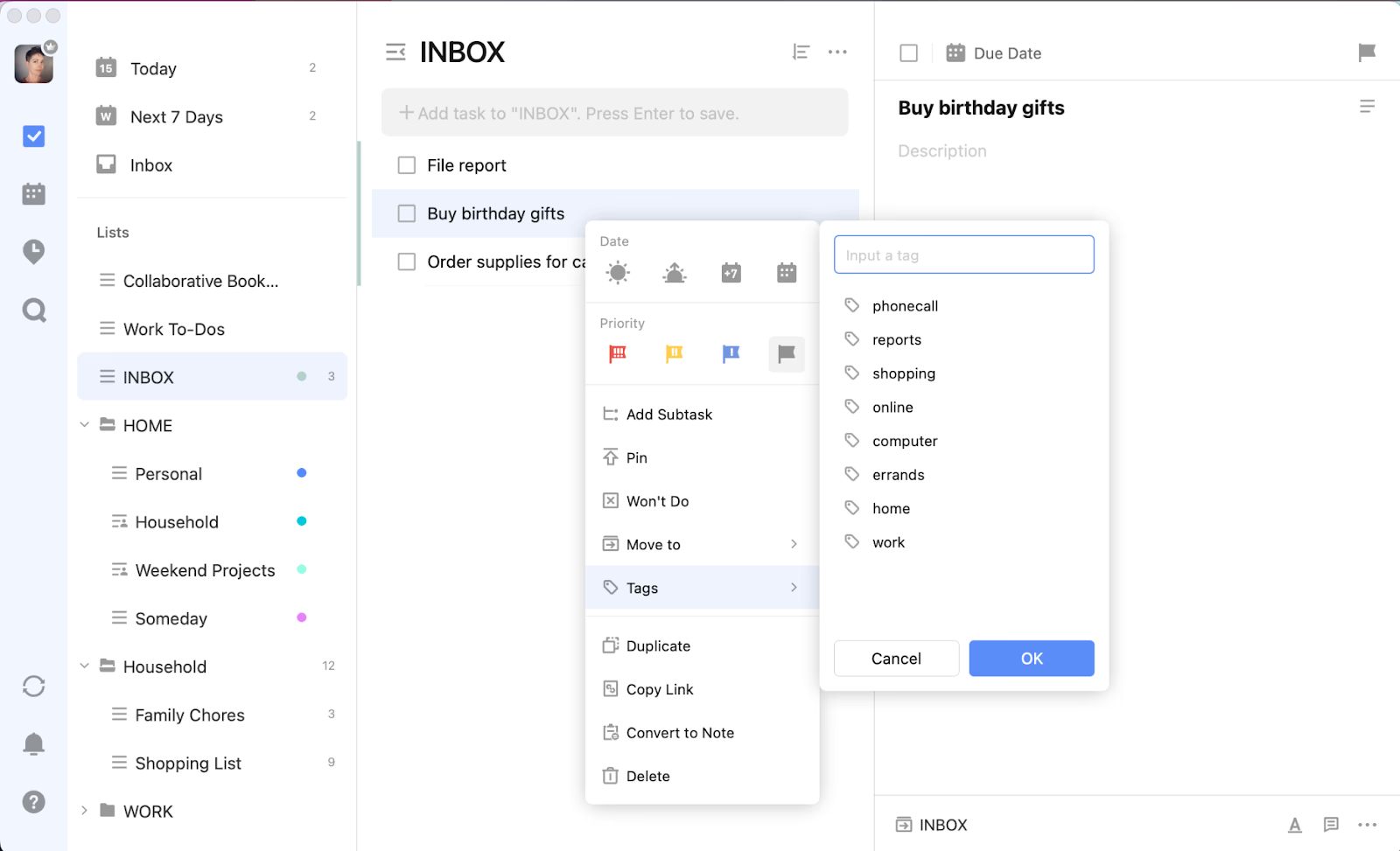
Where it breaks. It stores your plan. It doesn't help you make one. Open TickTick on a bad morning and you get an undifferentiated list, which for a brain that struggles with sequencing is close to useless. The backlog grows without limit, and a 200-item list is functionally the same as no list. The interface is also busier than it needs to be, which is a genuine cost when you're already overwhelmed. Calendar sync runs on a delay rather than instantly.
And I'd skip the streak features entirely. Breaking a nine-day streak is a punishment mechanism, and punishment is a poor lever here.
Ideal user. Your capture is the problem, not your planning. Or you've burned money on planners and want one cheap subscription doing the job of three.
Pricing. Free tier is genuinely usable. Premium around $3/month.
3. Amazing Marvin
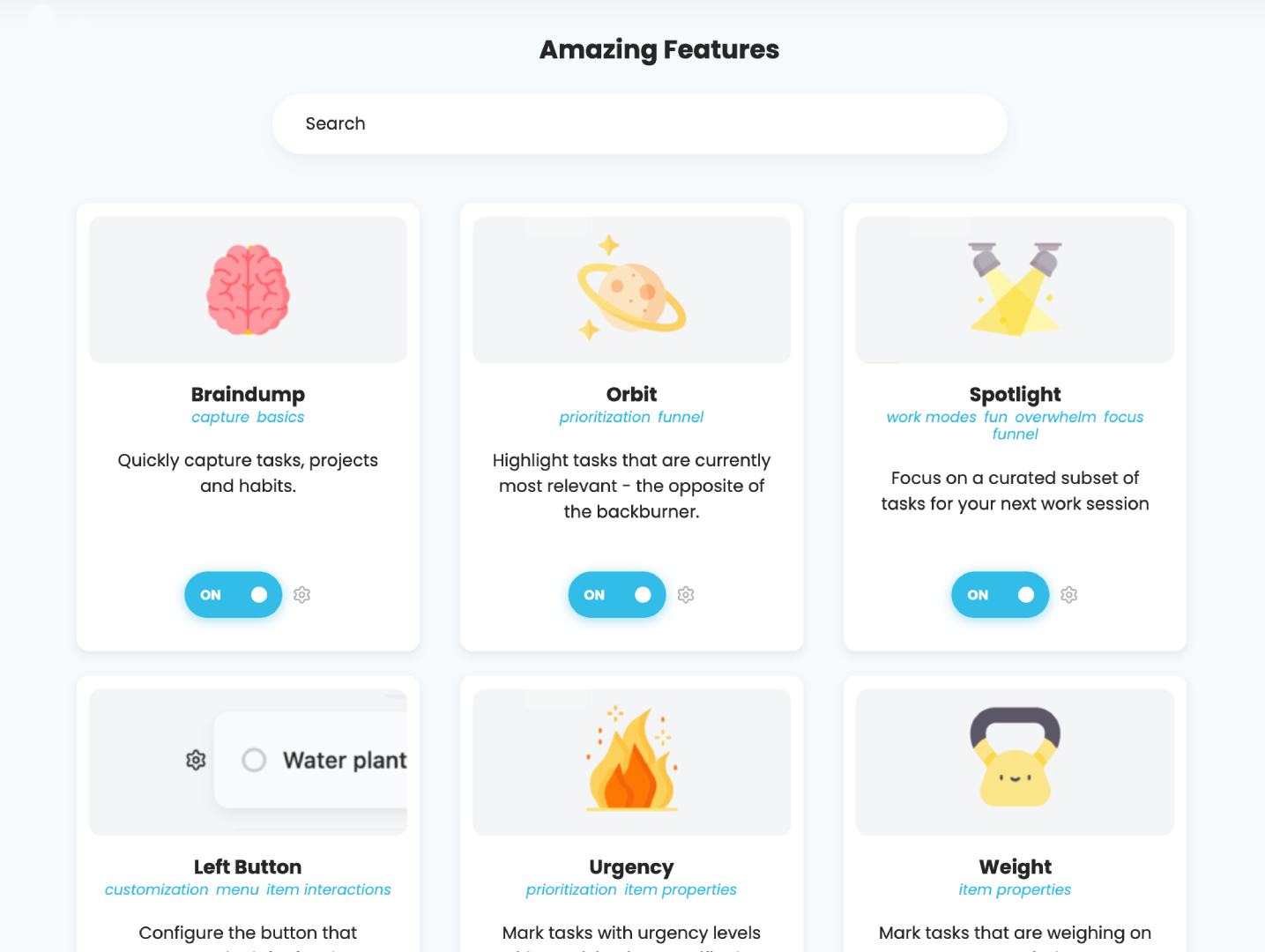
What it does. A task manager built as a library of toggles. Nearly every productivity method you've read about exists as a switch you can turn on. Time estimates, day planning, task stacking, Kanban, prioritisation schemes.
Why it works for ADHD. ADHD isn't one presentation, and the app that fits you may not fit me. Marvin is the only tool here that lets you build for your specific failure mode rather than the designer's assumptions.
What I like. When it clicks, it really clicks. Long-term Marvin users are some of the most loyal people in this category, and they're not wrong.
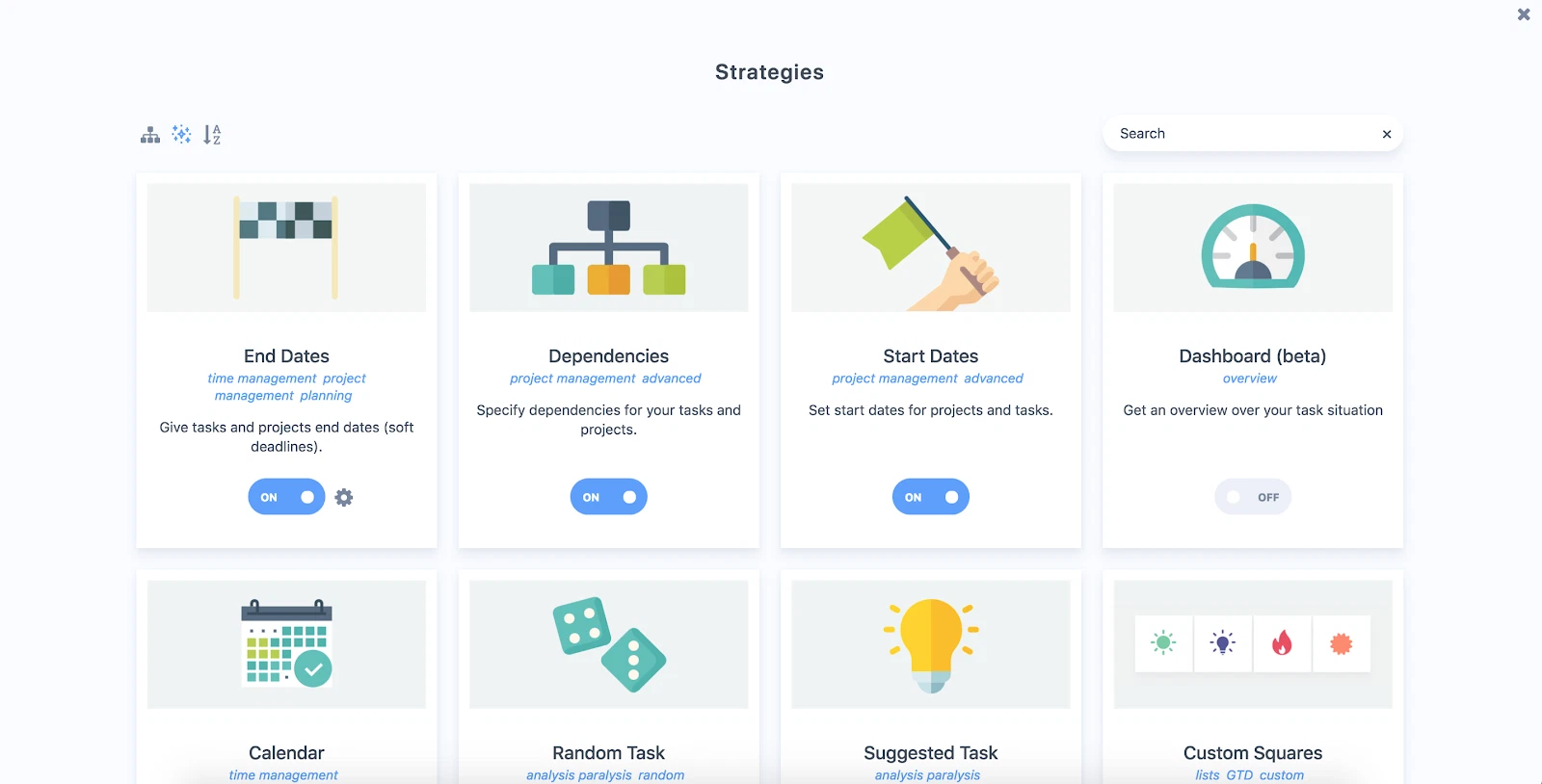
Where it breaks. Configuring a productivity system is itself a task, and it's a task that feels productive while you avoid the actual work. I lost most of a Sunday to Marvin's settings once and finished with a beautifully configured system and zero completed work. If you recognise yourself in that sentence, this is not your app.
Ideal user. You've tried the simple tools, you know precisely what's missing, and you can configure it once and then leave it alone.
Pricing. Subscription with a 30-day trial. Check the site for current rates, I couldn't find a reliable third-party figure.
4. Structured
What it does. One vertical timeline of your day. Tasks and events sit as blocks in sequence, so you see the shape of the day instead of a list.
Why it works for ADHD. It goes straight at time perception. The timeline shows you that four things won't fit before you've promised all four, which is the correction applied at the moment your own estimate would have gone wrong.
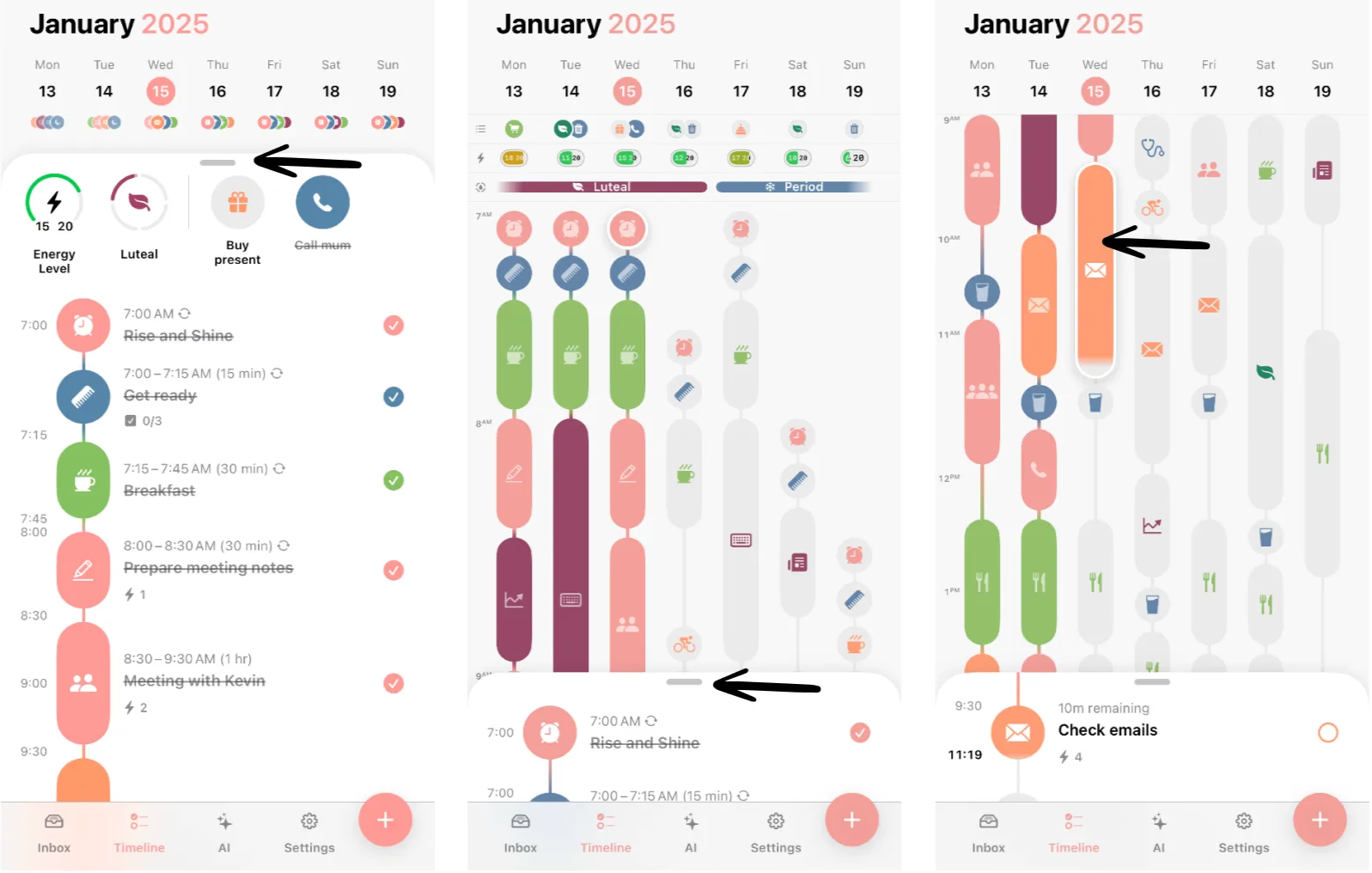
What I like. Around $24 a year. Price is a real ADHD variable that nobody writes about honestly. The guilt of an unused $100 subscription is its own small tax, and a $24 experiment you might quit is a fundamentally different decision.
Where it breaks. It's a day view. Beyond about a week, things stop existing, so you still need somewhere for the backlog. One block slipping cascades through everything after it, which on a bad day means opening the app to a timeline that's already wrong and closing it again.
Ideal user. You want time made visible, you're on iOS, and you don't want to spend real money finding out if it helps.
Pricing. Around $24 a year, with a free tier.
→ ADHD time blindness: what it is and how to work around it
5. Sunsama
What it does. Walks you through a guided daily planning ritual. You pull tasks in from Gmail, Notion, Asana, Trello, and others, estimate how long each will take, and Sunsama shows you the total. If you've overloaded the day, it tells you.
Why it works for ADHD. The capacity warning is the product. Overcommitting isn't a discipline failure, it's downstream of the estimation deficits in the timing research, and Sunsama applies the correction before you've made the promise
What I like. The shutdown routine at the end of the day. It closes the loop, and closing loops is how you stop carrying the whole undone list into the evening.
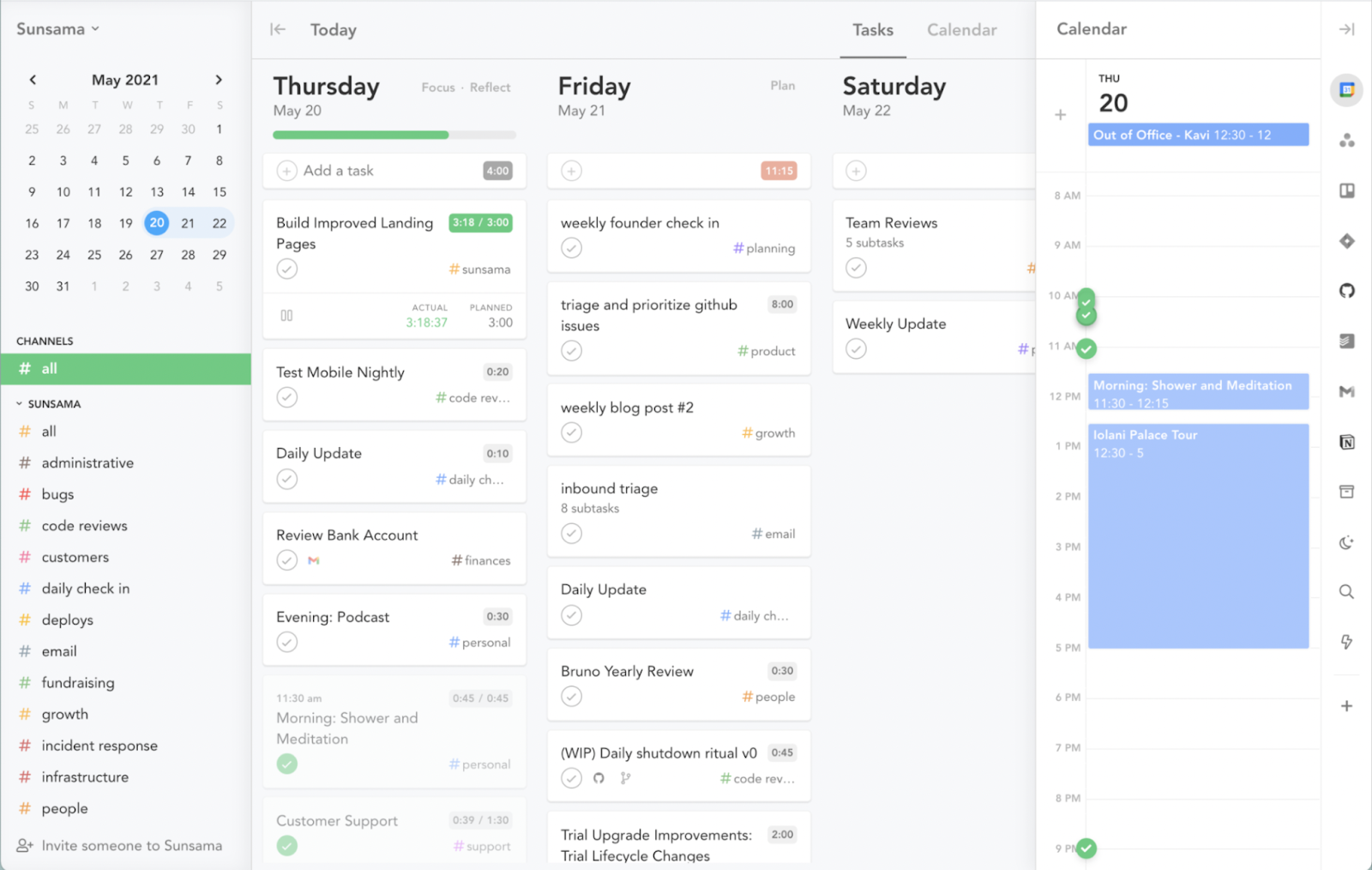
Where it breaks. The ritual takes 10 to 15 minutes every morning. On a good day that's an investment. On the day your executive function is gone, it's another task you'll skip, and once you skip the ritual for three days the app becomes a monument to how you're doing badly. There's no free tier, and $17 to $22 a month is a lot to spend on a tool you might not open.
Ideal user. You reliably overcommit, and you can hold a 10-minute morning ritual most days.
Pricing. Around $22/month or $17/month billed annually. No permanent free tier, 14-day trial.
What I don't recommend
- Notion, for most people with ADHD. Excellent software. Also a system you build and maintain with the exact function you're short of. I have built four Notion systems. I have abandoned four Notion systems. The template you're about to buy will not change this.
- Streak-based habit trackers. Losing a nine-day streak is a punishment, and punishment is an expensive lever to pull here. My opinion, not a finding, and plenty of people disagree with me.
- Any app you're judging in week one. Everything works in week one. Novelty is doing the work and it's about to stop. Judge at day 21, after you've ignored it for a stretch.
How to pick the suitable task management apps for your ADHD
Answer one question. What specifically failed last week?
- The thought vanished before you wrote it down. TickTick or Saner.AI.
- You wrote everything down and still couldn't decide what to do. Saner.AI.
- You planned two hours of work and it took seven. Structured or Sunsama.
- You have a system that mostly works but one specific thing is missing. Amazing Marvin.
- You're broke and need something now. TickTick's free tier.
Then install one thing and give it three weeks. Not five things and three days.
How to Get started tonight
Whichever you picked, do this before you close the laptop:
- Dump everything in. Every commitment sitting in your head, in twenty minutes, unsorted. Bad plans beat held-in-head plans.
- Pick tomorrow's three. Not ten. Three.
- Give the first one a time and a place. Not "work on the report" but "9:15, at the kitchen table, open the report and write the first heading." That's an if-then plan, and it's the format with the most direct experimental support behind it.
- Set one alarm. For the first task only. You are not going to remember to check the app.
- Delete the other task apps. Yes, actually. Two systems means neither one is trusted, and an untrusted system is worse than no system.
Do the same five things next Sunday. That's the whole method.
Frequently asked questions
What is the best task management app for ADHD? Saner.AI, if the planning step is where you break down, because it proposes a day for you rather than storing a list. TickTick if capture speed is your problem and you want something cheap and dependable.
Is there a free task management app that works for ADHD? TickTick's free tier is genuinely usable rather than trial-shaped, and Structured has one too. Saner.AI has a limited free tier. Start free before spending anything.
Why do I keep abandoning task apps? Because week-one novelty supplies the reward and nothing replaces it once it fades. People with ADHD discount delayed rewards more steeply than controls (Jackson & MacKillop, 2016), so a system whose payoff is "you'll be less stressed in a month" is competing on the worst possible terms. Pick tools that survive neglect and give you something today.
Do ADHD-specific apps work better than regular ones? Not automatically. Structured earns the label by making time visible. Some apps just add accessibility language to standard software. Judge by whether it does the planning, shows the time, and survives four days of neglect.
Should I use a to-do list or a calendar? A calendar, if time is your problem. A list shows you what. A calendar shows you when and for how long, and the timing research (Marx et al., 2022) is why that distinction matters more for ADHD than for anyone else.
Can AI actually help with ADHD task management? It's good at the mechanical part, taking a vague task and producing steps. That's the piece the planning research suggests is genuinely impaired. It's poor at knowing what you'll realistically do. More on that in how to use AI to break down overwhelming tasks.
Is Sunsama worth the money for ADHD? Only if overcommitting specifically is what breaks you and you can hold a short morning ritual most days. At $17 or more a month with no free tier, it needs to be replacing a failure that costs you more than that.
Do any of these have clinical evidence behind them? No. Not one consumer task app on this list has controlled trial evidence in ADHD. I'm reasoning from executive function research about what a good tool should do, which is a different claim from proof that any of these work.
Should I use an app instead of getting treated? No. The strongest evidence for adult ADHD is medication and structured CBT, including a randomised trial of 86 medication-treated adults where CBT beat an active control and held at 12 months (Safren et al., 2010, JAMA). Apps are scaffolding under that, not a substitute for it.
Sources
Alderson RM, Kasper LJ, Hudec KL, Patros CHG (2013). ADHD and working memory in adults: a meta-analytic review. Neuropsychology, 27(3), 287-302.
Fuermaier ABM, Tucha L, Koerts J, Aschenbrenner S, Westermann C, Weisbrod M, Lange KW, Tucha O (2013). Complex prospective memory in adults with attention deficit hyperactivity disorder. PLOS ONE, 8(3), e58338.
Gawrilow C, Gollwitzer PM (2008). Implementation intentions facilitate response inhibition in children with ADHD. Cognitive Therapy and Research, 32, 261-280.
Jackson JNS, MacKillop J (2016). ADHD and monetary delay discounting: a meta-analysis of case-control studies. Biological Psychiatry: Cognitive Neuroscience and Neuroimaging, 1(4), 316-325.
Marx I, Cortese S, Koelch MG, Hacker T (2022). Meta-analysis: altered perceptual timing abilities in attention-deficit/hyperactivity disorder. JAACAP, 61(7), 866-880.
Safren SA, Sprich S, Mimiaga MJ, Surman C, Knouse L, Groves M, Otto MW (2010). CBT vs relaxation with educational support for medication-treated adults with ADHD. JAMA, 304(8), 875-880.
Written by Matt Elior. I have ADHD and I tried every app on this page. This article is not medical advice, and no app here is a treatment for ADHD. See the medical disclaimer and the glossary.
Related: the complete ADHD productivity guide · all the best ADHD apps by job · the best AI tools I use for ADHD · best planner apps for ADHD adults · body doubling · executive dysfunction vs. laziness · ADHD and remote work