Reclaim AI Review for ADHD: Can an AI Calendar Protect Your Time?

Most calendar apps assume you'll do the planning. You open them, drag some blocks around, feel organized for eleven minutes, and then a meeting lands on top of your "deep work" block and the whole thing quietly dies.
Reclaim is built on the opposite assumption. You tell it what you want to protect (gym three times a week, two hours of focus a day, that report due Friday) and it finds the time, defends it, and moves it when your week changes.
It's close. It's also not for everyone, and the reasons it fails are very specific. Here's the full breakdown.
Quick answer: is Reclaim good for ADHD?
Yes, if your problem is that other people's meetings eat your time and you already have a task list somewhere.
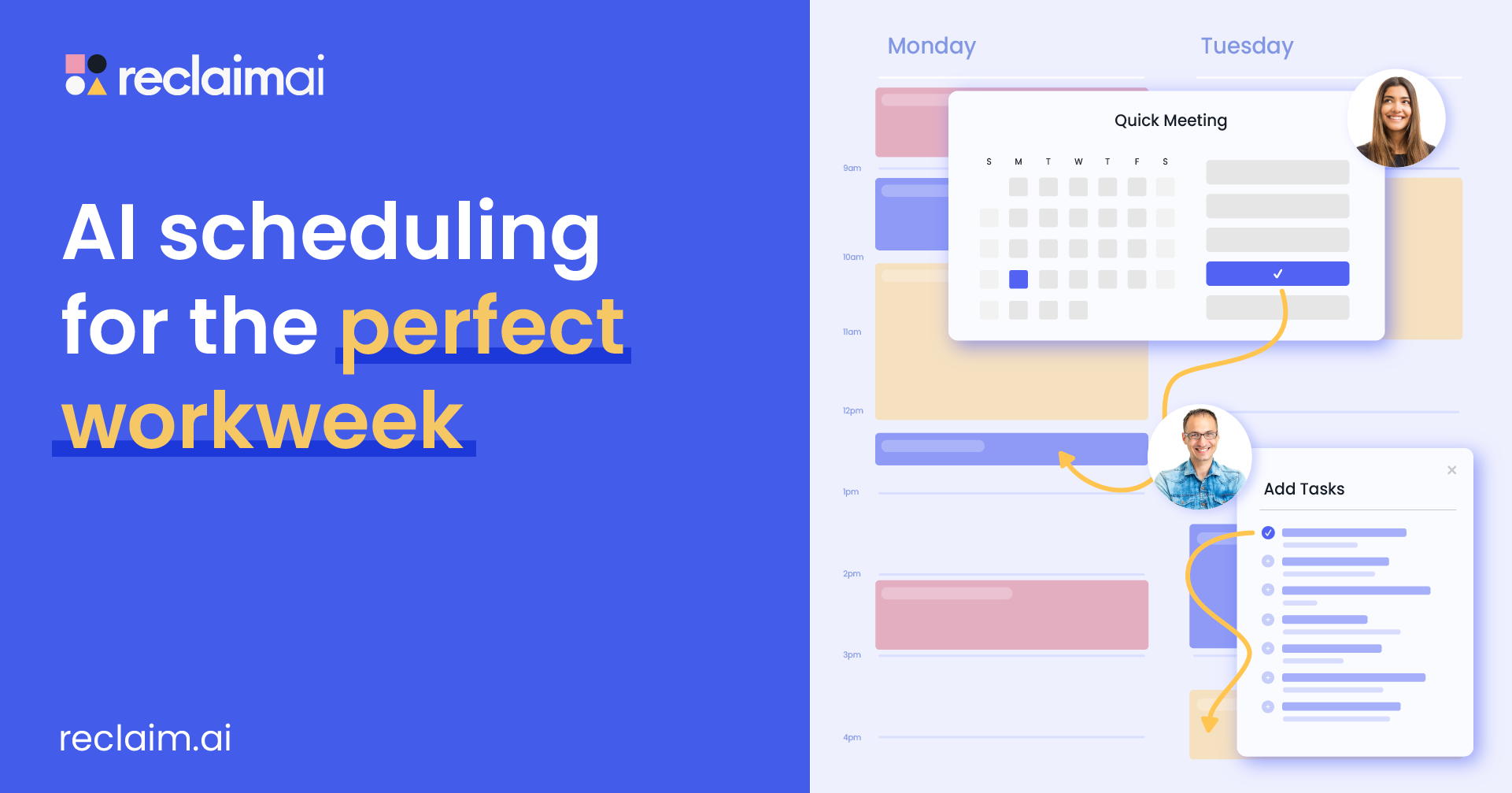
Reclaim is an AI calendar assistant that runs on top of Google Calendar or Outlook. It auto-schedules habits, tasks, focus time and breaks around your meetings, then reshuffles them when things change.
It's a weaker fit if:
- Your day is mostly unscheduled and nobody books meetings with you
- You need a phone app (there is no native iOS or Android app)
- You don't keep a task list anywhere, because Reclaim schedules tasks, it doesn't help you figure out what they are
- Being told where to be by software makes you want to do the opposite
What is Reclaim?
Reclaim.ai is an AI scheduling layer for Google Calendar and Outlook Calendar.
If you signed up after May 2026, you're on what Reclaim calls Reclaim 2.0, which added:
- An AI Assistant you can chat with to schedule, fix conflicts and analyze your calendar
- A Planner with Preview Mode, so changes get staged before they hit your real calendar and nobody gets a meeting notification until you approve
- Agents, which are background automations for habits, buffers, focus time, smart meetings and meeting overload
- MCP support, so you can use Reclaim from ChatGPT, Claude, Gemini and similar tools
How does Reclaim actually work?
There are four pieces worth understanding. Everything else is decoration.
Habits: recurring things that move instead of breaking
You create a habit like "Gym, 3x a week, 60 minutes, ideally mornings." Reclaim finds slots for it based on your preferred windows and days, and per its Habits page "automatically reschedules your habits" when a meeting runs long or your day shifts.
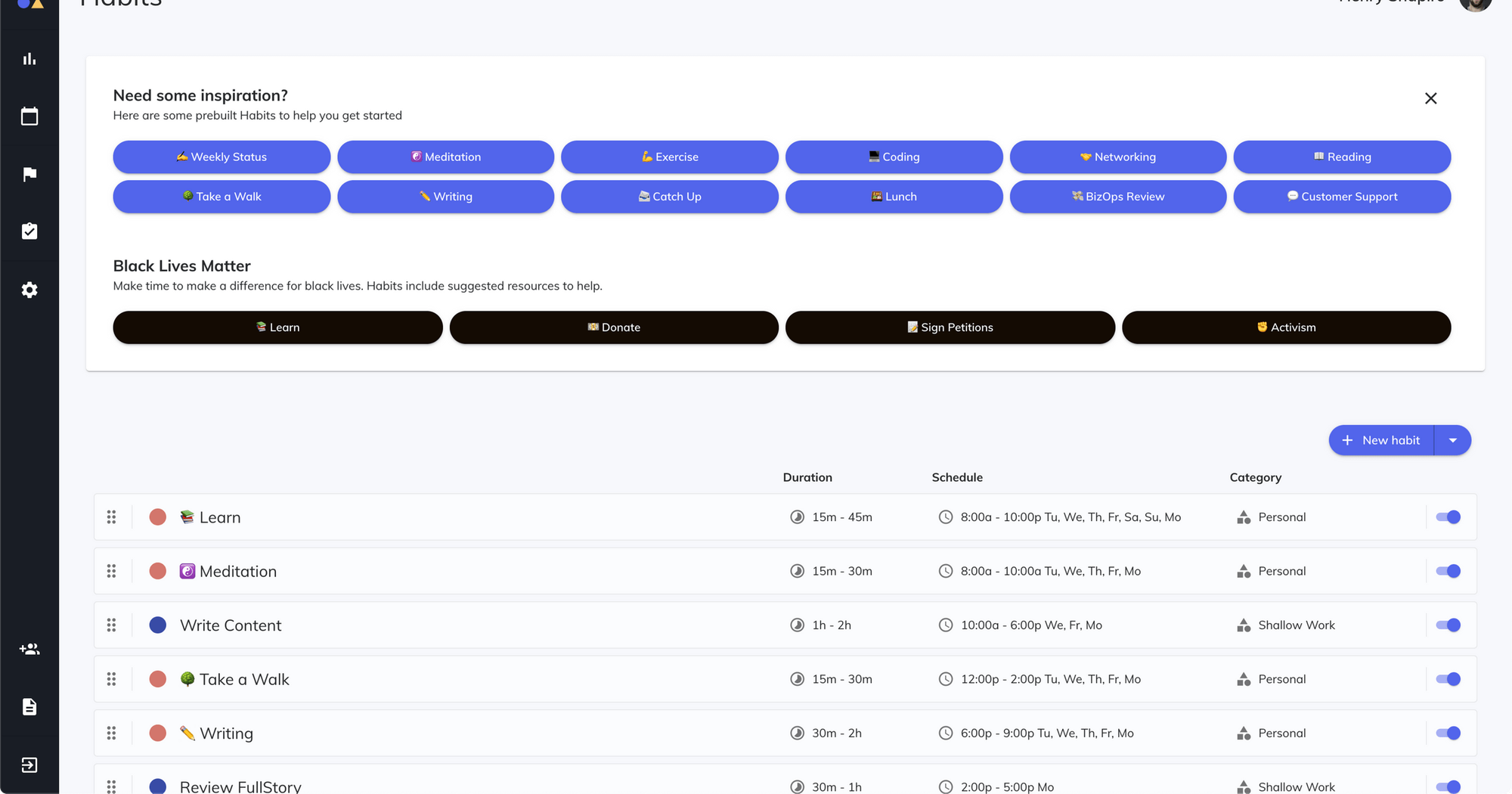
Normal recurring events are brittle. The 7am gym block gets skipped once, then twice, and by week three you're deleting it out of shame. A habit that slides to 11am instead of disappearing survives contact with real life.
Tasks: your to-do list, turned into calendar time
Reclaim doesn't want to be your task manager. It connects to one you already use (Todoist, Asana, ClickUp, Jira, Linear or Google Tasks) and turns tasks into scheduled blocks based on duration, priority and due date.
The clever part is chunking.
Free vs Busy: the defense mechanism
A task block shows as Free while there are still several ways to fit it in before the deadline. Colleagues can book over it. Once there's only one slot left, it flips to Busy and gets protected.
For ADHD that's double-edged. It means your calendar doesn't look like a fortress on Monday, which is nice. It also means the defense kicks in late, which is exactly when an ADHD brain is already panicking.
Focus Time and buffers
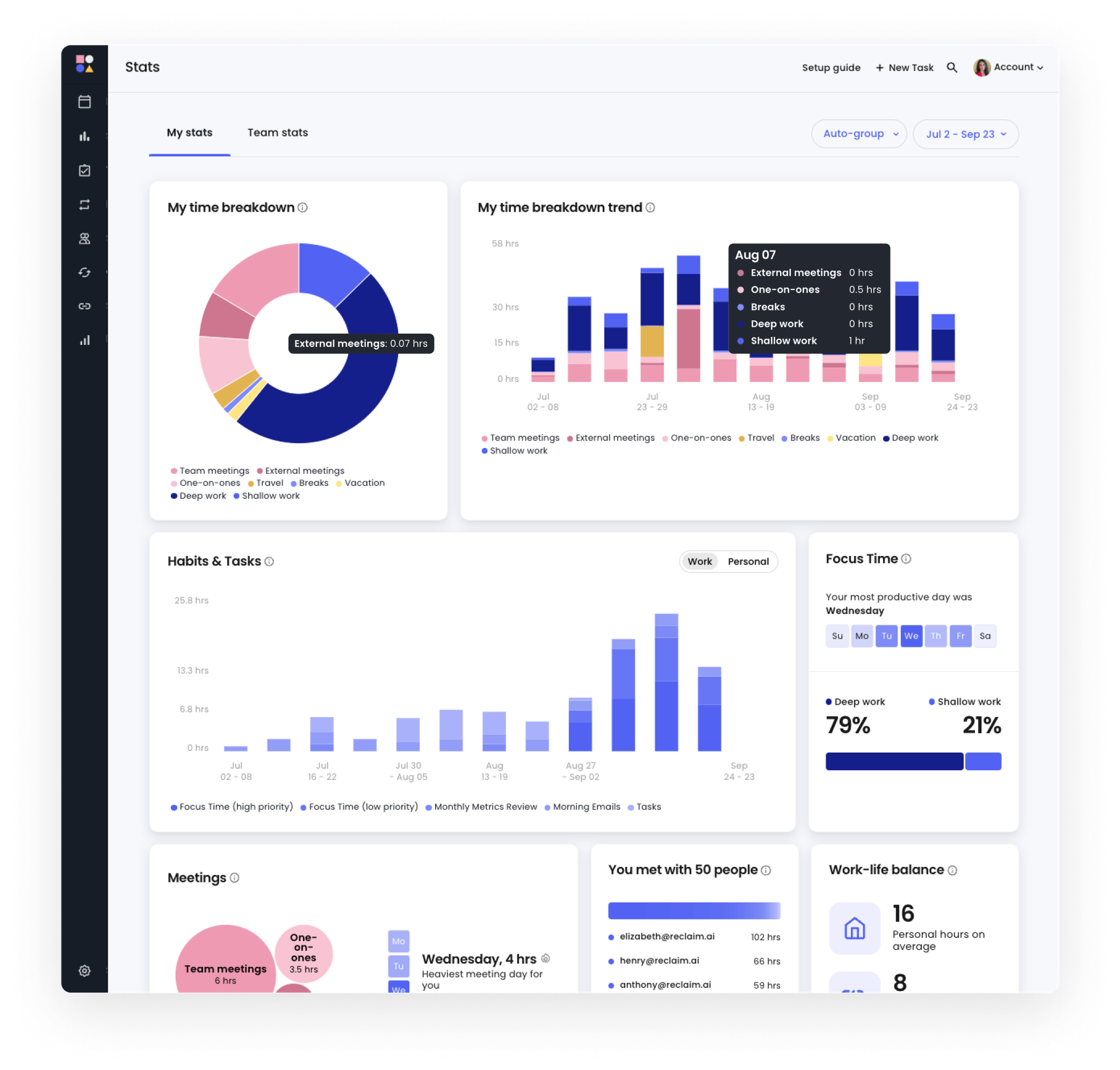
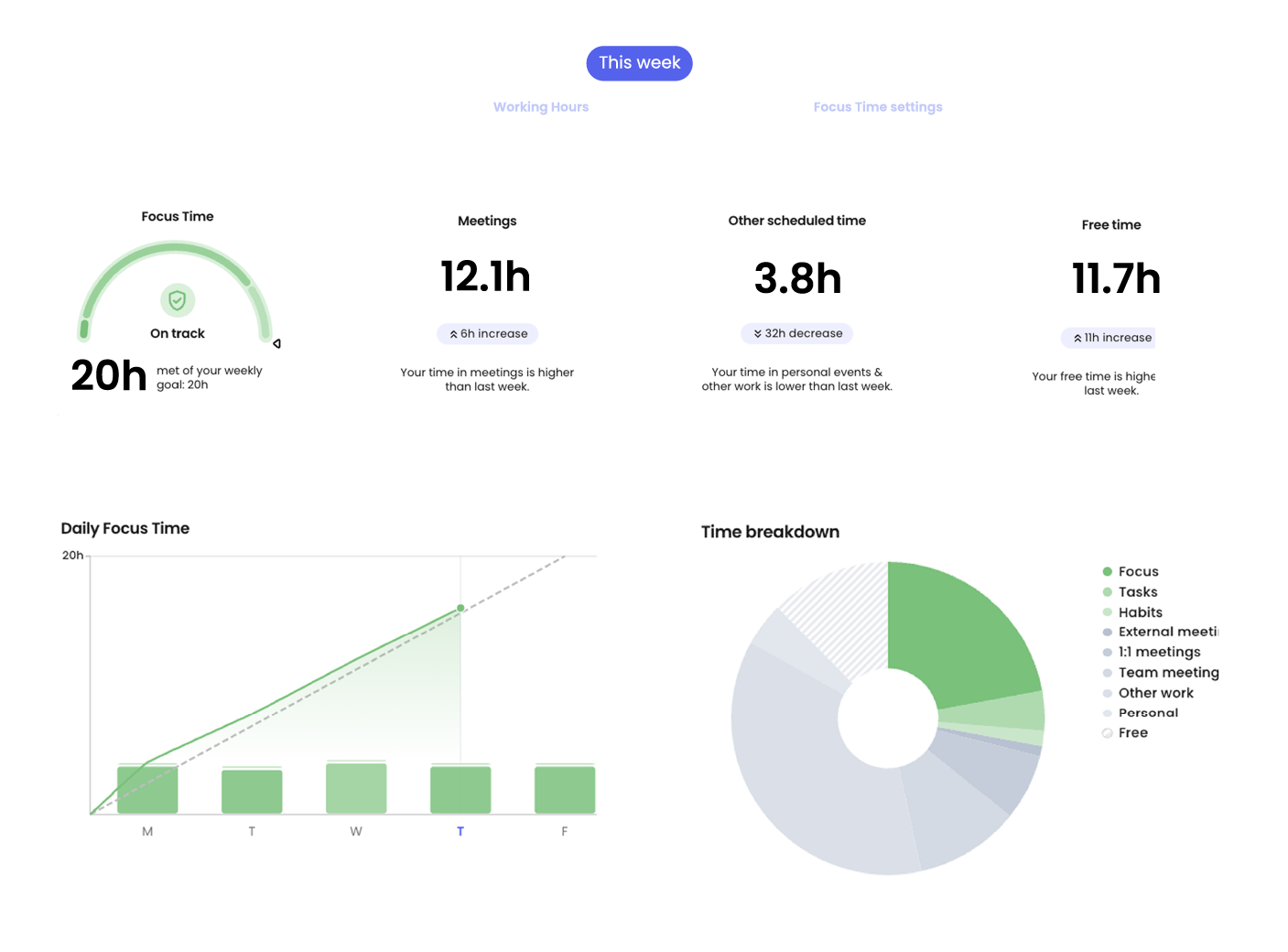
You set a weekly focus goal (say, 10 hours) and Reclaim carves out blocks to hit it. Buffer Time adds breaks and travel time between meetings
Where Reclaim shines for ADHD
It catches the "meetings ate my week" problem
If you work at a company with shared calendars, your biggest enemy probably isn't procrastination. It's the 30-minute gaps between meetings that are too short to do anything real.
Pair it with the advice in meetings with ADHD and you get your afternoons back.
The free plan is good
Lite costs nothing, needs no credit card, and gives you habits, focus time and task scheduling for a one-week horizon. Most AI schedulers either have no free plan (Motion) or a trial that expires right when you've built the habit of using it.
Preview Mode lowers the "what did it just do" panic
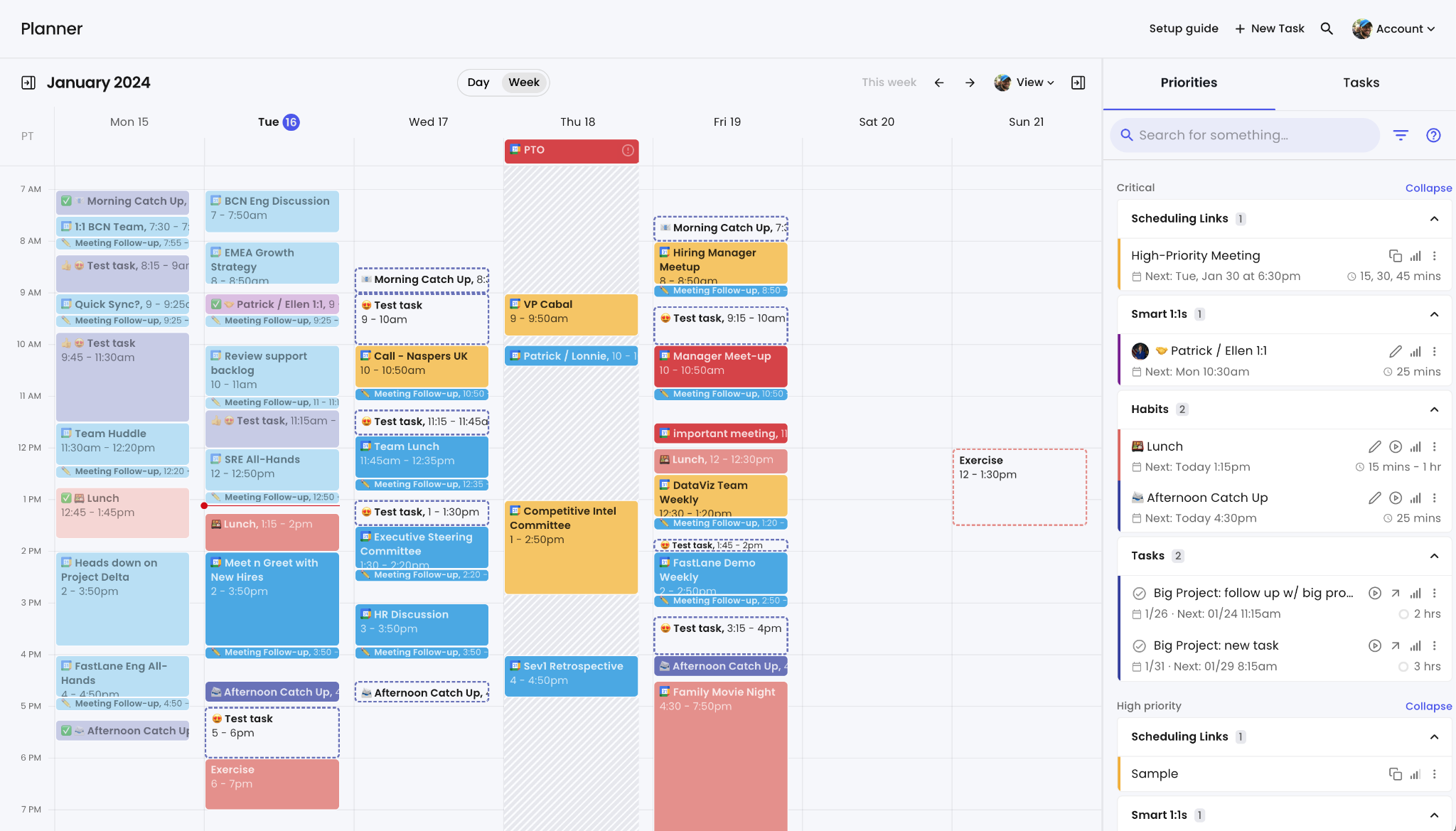
An AI that rearranges your calendar without asking can feel like someone moving the furniture while you slept. Reclaim 2.0's Planner stages changes so you see them before they apply.
Where Reclaim falls short for ADHD
No native mobile app
Reclaim's own help center says it has no native iOS or Android app. You can add the web app to your home screen, or edit Reclaim's events in the Google Calendar app. For a lot of ADHD folks the phone is the planner, so this is a real issue.
It schedules tasks but doesn't help you start them
Reclaim will happily put "Write Q4 report (2h)" on Thursday at 2pm. When Thursday at 2pm arrives, you're still staring at a blank doc with the same brain you had on Monday.
Reclaim does nothing about task initiation, and a calendar block is not a first step. You still need to break that task down. (Write the first physical action in the event title. "Open doc, paste last quarter's headings" beats "Q4 report" every time.)
Your task list has to already exist and be clean
Garbage in, garbage scheduled.
Setup has a lot of knobs
Working hours, meeting hours, personal hours, habit windows, priorities, chunk sizes, buffer rules, sync settings, agents. Every one of them is reasonable. Together they're a weekend of configuration, and an ADHD brain will either hyperfocus on tweaking them for six hours or abandon the whole thing at step four.
How much does Reclaim cost?
Prices from reclaim.ai/pricing, checked October 16, 2026:
| Plan | Yearly billing | Monthly billing | Key limits |
|---|---|---|---|
| Lite | Free | Free | 1 user, 1-week scheduling range, 1 calendar sync, 2 connected calendars, 1 scheduling link, limited integrations, 5 AI agents |
| Starter | $10/seat/mo | $12/seat/mo | Up to 10 seats, 8-week range, 3 calendar syncs, unlimited integrations |
| Business | $15/seat/mo | $18/seat/mo | Up to 100 seats, 12-week range, unlimited syncs and links |
| Enterprise | $22/seat/mo | Not offered | 100+ seats, SSO and SCIM |
Reclaim vs other ADHD planners: which should you pick?
Reclaim isn't the only app that will plan your day. Here's how it compares with the ones I've covered on this site.
| Reclaim | Motion | Sunsama | Saner.ai | |
|---|---|---|---|---|
| Core idea | AI defends time on your existing calendar | AI schedules your whole day from tasks | You plan your day by hand with a guided ritual | Chat-based assistant that plans your day from notes, email and calendar |
| Free plan | Yes (Lite) | No | See review | Yes, with low AI limits |
| Starting price | $10/mo yearly | See Motion review | See Sunsama review | $8/mo (Starter) |
| Native mobile app | No | See review | See review | Yes |
| Best for | People whose week is shaped by meetings | People with lots of deadlined tasks | People who need a daily reflection habit | People who don't know what's on their plate yet |
| Biggest ADHD risk | Late defense, setup overload | Packs days too tight | Daily planning ritual is easy to skip | Free tier caps, newer product |
A quick way to choose:
- Reclaim if the calendar is the battleground and you already have a task list.
- Saner.ai if your bottleneck is tasks scattered across email, Slack and notes, and you can't even see what needs doing.
- Motion if you want the AI to make every decision and you can afford it. More in Saner.ai vs Motion for ADHD.
- Sunsama if you need the act of planning to be the routine.
Where Saner.ai and Reclaim actually differ: Saner says it pulls information from Gmail, Calendar, Drive and Slack and "proactively plans your day and checks in," with a timeline view of your tasks.
For the full field, see the best AI calendars for ADHD roundup.
Common Reclaim failures (and what to do about them)
"My calendar is a wall of colored blocks and I feel sick looking at it."
Cut habits to two and focus time to six hours. Set personal habits to show as limited detail. A full calendar is not a productive calendar.
"I ignore the blocks."
That's normal for the first two weeks. Change task titles to start with a verb and a first action. If you still ignore them, the problem might be energy, not scheduling.
"Reclaim keeps pushing my important task to Thursday night."
Raise its priority and set an earlier "schedule after" or due date. A fake due date two days early is the oldest ADHD trick there is, and it still works.
"I stopped opening it."
You don't need to. That's kind of the point. If your blocks still show up in Google Calendar, Reclaim is working. Just keep the Friday review.
Who should use Reclaim, and who should skip it?

Use Reclaim if:
- You live in Google Calendar or Outlook at work
- Meetings, not motivation, are what steal your focus time
- You already keep tasks in Todoist, Asana, ClickUp, Jira, Linear or Google Tasks
- You want a free plan that's actually usable
Skip it if:
- You're freelance or student with few booked meetings (try deep work methods instead)
- You plan mostly from your phone
- Your real struggle is ADHD paralysis or not knowing where to start
- You hate automation making choices for you
FAQ
Is Reclaim AI free?
Yes. The Lite plan is free forever for one user, with no credit card. It's limited to a one-week scheduling range, one calendar sync, one scheduling link and limited integrations. Paid plans start at $10 per seat per month billed yearly.
Does Reclaim have a mobile app?
No. Reclaim's help center says there are no native iOS or Android apps. You can install the web app to your home screen, and you can edit Reclaim-created events in the Google Calendar app.
Does Reclaim work with Todoist?
Yes. Reclaim syncs with Todoist, Asana, ClickUp, Jira, Linear and Google Tasks, and schedules those tasks as calendar blocks based on duration, priority and due date. If you're still choosing a list app, pick one from that list so the sync actually works.
Can an AI calendar treat ADHD?
No. No AI calendar has been tested as an ADHD treatment. External planning systems are part of evidence-based CBT for adult ADHD, and an app can make those habits easier, but it doesn't replace medication, therapy or a clinician's advice.
The bottom line
Your action step for today:
- Sign up for Lite and connect one calendar
- Set working hours an hour shorter than reality
- Add exactly two habits
- Book a Friday review block
- Check back in two weeks. If you're ignoring every block, the tool isn't your bottleneck