The 5 Best AI Calendar for ADHD (Tested by Someone Who Has It)

💡 Quick answer: The best AI calendar for ADHD Saner.AI is the best fit for most ADHD brains because you can talk to it in plain language and it replans your day for you. Reclaim.ai is the best free option. Motion is the most aggressive automation, and that is both the selling point and the problem.
Why do normal calendars fail people with ADHD?
Because a normal calendar assumes you can do three things that ADHD makes harder.
It assumes you can feel time passing. You can't, reliably. A 2022 meta-analysis in the Journal of the American Academy of Child & Adolescent Psychiatry pooled 55 studies and found people with ADHD were consistently worse at discriminating, estimating, producing, and reproducing time intervals compared to neurotypical participants (Marx et al., 2022). This is the thing people call time blindness. It isn't a personality quirk. It shows up on tasks in a lab.
It assumes you can hold the plan in your head. Also harder. A meta-analytic review of 38 studies of adults with ADHD found moderate-magnitude working memory deficits across both verbal and visuospatial tasks compared to controls (Alderson et al., 2013). So the "I'll just remember to move that meeting" plan has a known failure rate.
It assumes you'll remember to do the thing at the right moment. This is prospective memory, and it's where it really falls apart. A study of 45 unmedicated adults with ADHD versus 45 matched controls found large impairments in task planning on a complex prospective memory task (Fuermaier et al., 2013, PLOS ONE). The same paper notes that time-based prospective memory, the "call the dentist at 3pm" kind, is impaired in both children and adults with ADHD, while cue-based remembering holds up better.
So a good calendar for ADHD is when
- Make time visible instead of felt.
- Keep the plan outside your head.
- Turn "at 3pm" into something that interrupts you.
That's the whole job. An AI calendar does it by taking the scheduling decision away from you, which is the part that costs the most executive function. If you want the manual version of the same idea, I wrote about ADHD time blocking separately.
This is not medical advice. I have ADHD and I write about tools. I am not a clinician and this article can't diagnose or treat anything. See the full medical disclaimer.
What separates an "AI calendar" from a normal one?
Every calendar app slapped "AI" on its landing page in the last two years. Most of them mean autocomplete.
Here's the line I use. An AI calendar has to do at least one of these without being asked twice:
- Auto-schedule. You give it a task and a deadline. It picks the slot.
- Auto-reschedule. Your 2pm runs long, and the rest of the day rearranges itself instead of silently becoming wrong.
- Defend time. It blocks focus time and moves it when meetings land, rather than letting a static block get steamrolled.
- Understand plain language. You type "move everything after lunch to tomorrow" and it does that.
If a tool only offers natural-language event creation ("lunch with Sam Thursday 1pm"), that's a nice input method. Google Calendar has done that for a decade. It's not doing the thinking for you.
Everything in this post clears that bar. If you want the wider list including non-AI options, that's over in the best calendar apps for ADHD.
How I evaluated these AI calendar
I use a calendar layer daily because I have ADHD and I stopped pretending I could hold a week in my head sometime around 2019. For this roundup I looked at every tool that meets the AI definition above, checked pricing directly against each company's own pricing page in September 2026, and read through user complaints on G2, Reddit, and app stores rather than only the marketing.
I have no affiliate relationships with any tool in this post and nobody paid to be included or ranked. If that changes, it'll say so at the top. Full editorial policy here, and more about who I am here.
Quick comparison table
| Tool | Free tier | Paid from | What the AI actually does | Best for |
|---|---|---|---|---|
| Saner.AI | Yes, real one | $8/mo yearly ($12 monthly) | Plans your day, replans on request, pulls tasks out of notes and email | ADHD brains who want to talk to their calendar |
| Reclaim.ai | Yes, Lite plan | $10/seat/mo yearly ($12 monthly) | Auto-schedules tasks and habits, defends focus time, chat assistant | The best free AI scheduling you can get |
| Motion | No, 7-day trial | $12.73/mo yearly ($19 monthly) | Aggressively auto-schedules everything and reshuffles constantly | People with a lot of discrete deadlines |
| Morgen | No, 14-day trial | $15/mo yearly ($30 monthly) | Suggests a full plan that you approve before it lands | Multi-calendar chaos, and people who hate being overruled |
| Trevor AI | Yes | Low-cost Pro tier | Suggests slots and durations as you drag tasks in | A cheap, low-commitment start |
These companies change pricing constantly, so confirm on their own pricing pages before you buy.
The 5 best AI calendars for ADHD
1. Saner.AI — best overall for ADHD
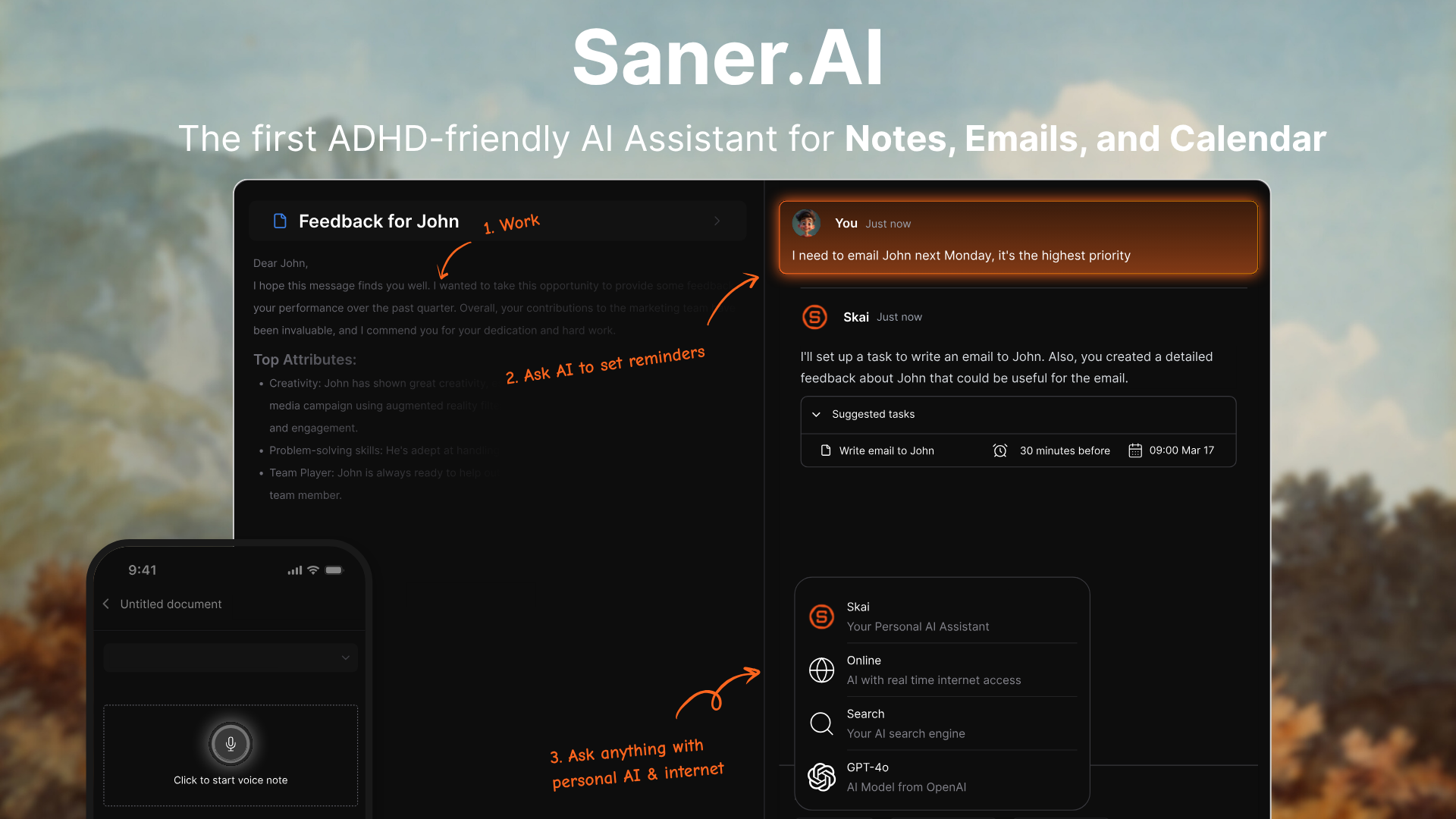
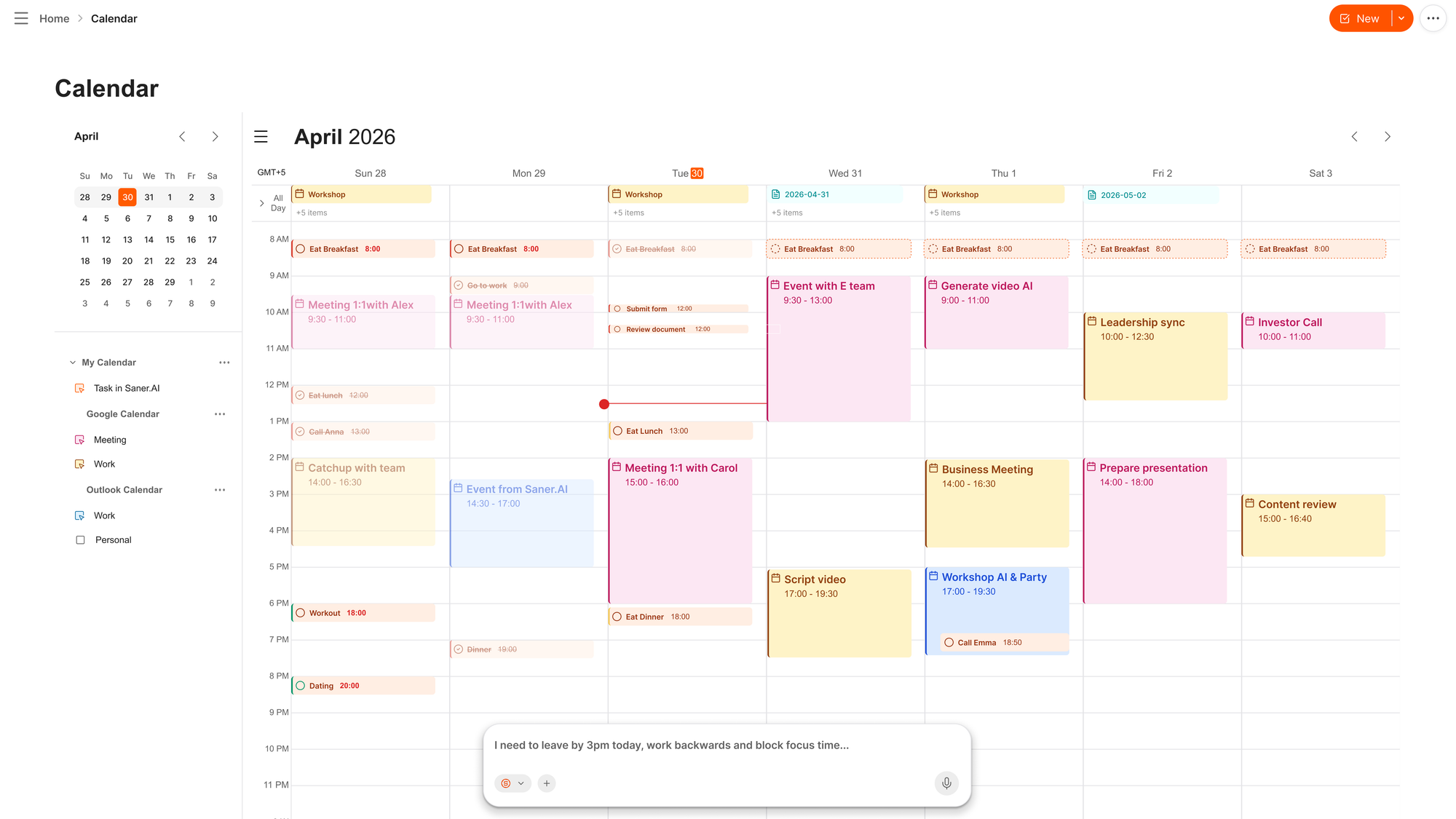
Saner.AI is the only tool here that was built for ADHD from the start rather than having ADHD marketing applied afterward. The core interaction is a chat box. You say what's going on, and it handles the calendar mechanics.
What it does well:
- Connects Google Calendar, Outlook Calendar, Gmail, Outlook Mail, Slack, and Google Drive, so tasks that arrive by email don't need re-typing.
- Breaks a vague task into steps and schedules them. Useful on the days when "prepare the deck" is a wall you can't climb. More on that in using AI to break down overwhelming tasks.
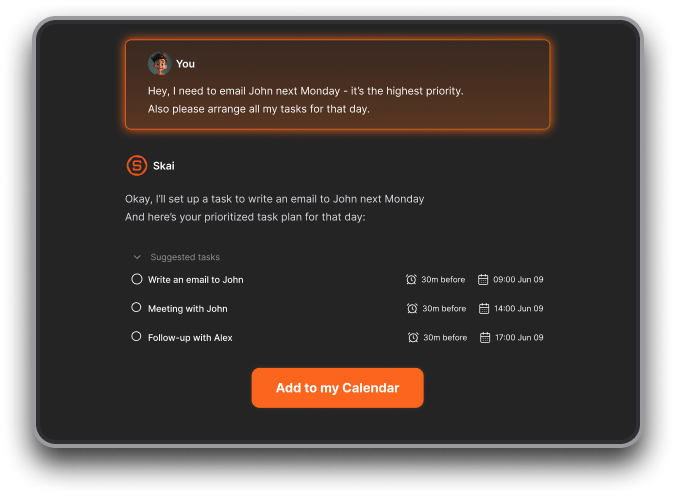
- Proactive daily planning and check-ins, so the plan comes to you rather than waiting behind an app icon you forgot exists.
- Replanning by request. "I lost the morning, redo today" is a complete instruction.
What's annoying:
- The free tier has real caps
- External model usage (GPT, Claude, Gemini) is metered separately from your subscription.
- Newer product, so occasional rough edges.
Pricing: Free tier. Starter $8/month billed yearly, $12 monthly. Standard $16/month yearly, $20 monthly.
Get started: Connect your calendar and Gmail, then spend one week only using the chat box to move things. Don't touch the calendar grid. You're testing whether talking beats dragging for your brain, and for most ADHDers it does.
2. Reclaim.ai — best free AI calendar
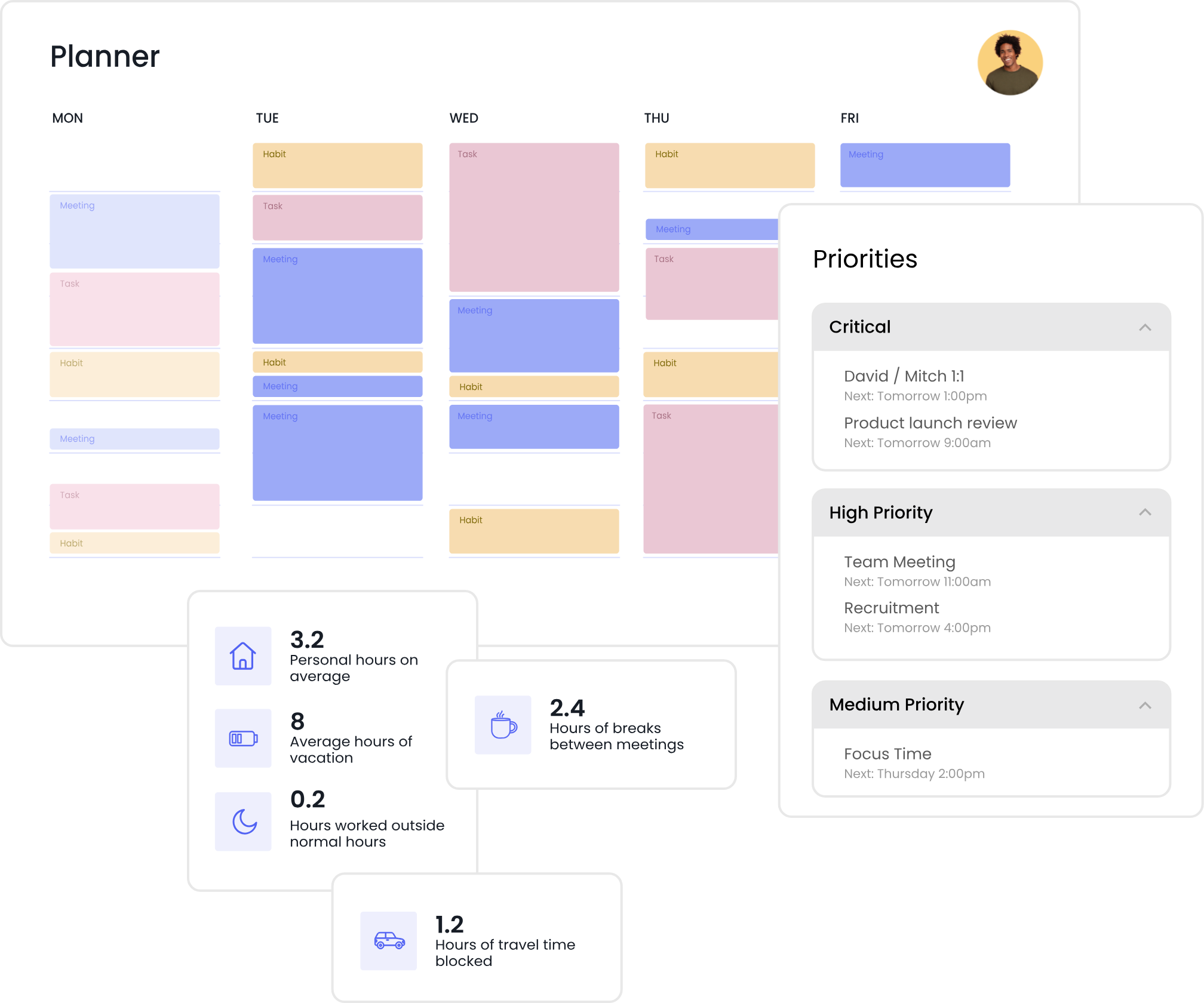
Reclaim is the one I'd hand to someone who says "I'm not paying for a calendar." The free Lite plan is genuinely usable, which is rare.
What it does well:
- Habits are the standout feature for ADHD. You tell it you want to exercise three times a week, and it finds the slots and moves them when meetings land. It doesn't just delete the block and leave you to feel bad about it.
- Focus Time defense with a nice touch: blocks show as free when your week is light and lock up as it fills. So you're not falsely unavailable on a quiet Tuesday.
- Two-way task sync with Todoist, Asana, ClickUp, Jira, Linear, and Google Tasks, with priorities and durations carried over.
What's annoying:
- No native mobile app, just a web app you can install. For a tool whose whole job is telling you what's next, that's a real gap.
- The free Lite plan only looks one week ahead and syncs one calendar.
- Full automation can feel like being managed by a stranger. Several reviewers with ADHD specifically say they'd rather steer.
Pricing: Lite free forever. Starter $10/seat/month billed yearly ($12 monthly). Business $15 ($18 monthly). There's a 50% education discount if you're a student or faculty.
Get started: Set up exactly two habits and one focus time goal. That's it. Reclaim rewards restraint. People who load it with fifteen habits end up with a calendar that looks like a ransom note.
3. Motion — most automation, highest cost, real risk
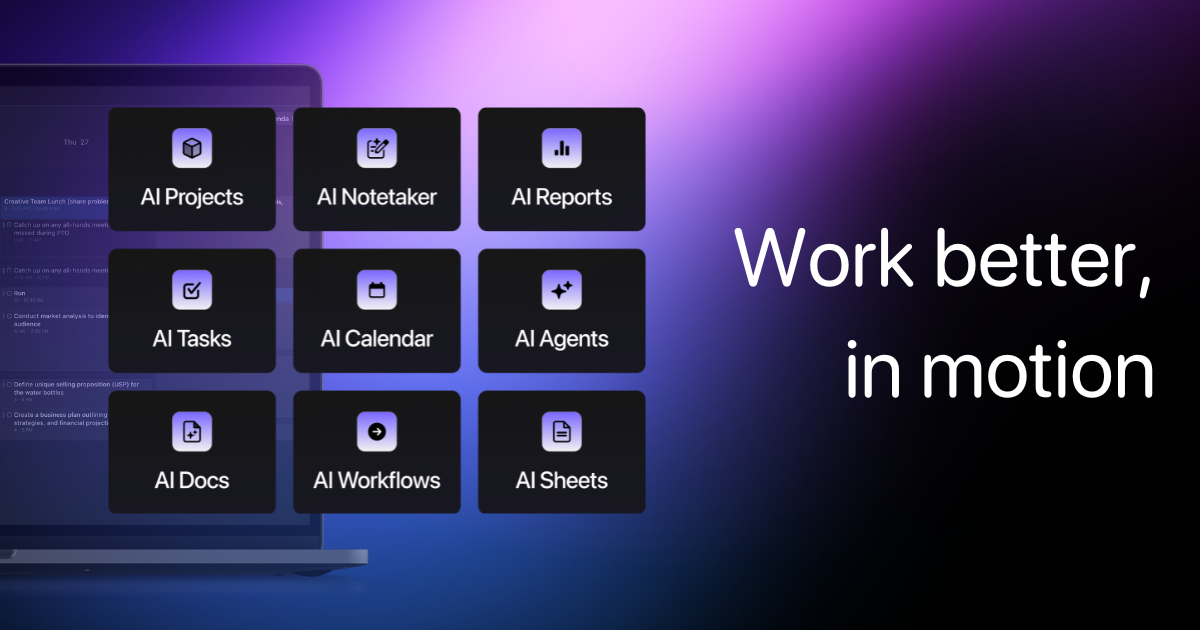
Motion auto-schedules everything you give it and reshuffles in real time as deadlines shift and meetings appear. The algorithm is legitimately impressive.
What it does well:
- H-off scheduling. You add tasks with durations and deadlines, and it builds the day.
- "Reschedule all" when your week detonates, which it will.
- Two-way sync with Google Calendar, Outlook 365, and iCloud.
What's annoying:
- It packs your day too tightly by default. This is the most common complaint and it's the one that matters most for ADHD. A schedule with no white space is a schedule you will abandon by Wednesday. You can configure buffers, but you have to go do that deliberately.
- No free plan. Seven-day trial with a credit card required.
- Motion has expanded into an "AI SuperApp" with docs, sheets, wikis, and AI credits. Long-time users report the interface got heavier. If you only want the calendar, you're paying for a lot of rooms you'll never enter.
Pricing: Pro AI $49/month monthly. No free tier.
Get started: If you try it, set your working hours 90 minutes shorter than they actually are before you add a single task. Let the AI fill a smaller box. Otherwise you're going to get a beautiful, optimal, completely unlivable Tuesday.
4. Morgen — the AI that asks permission first
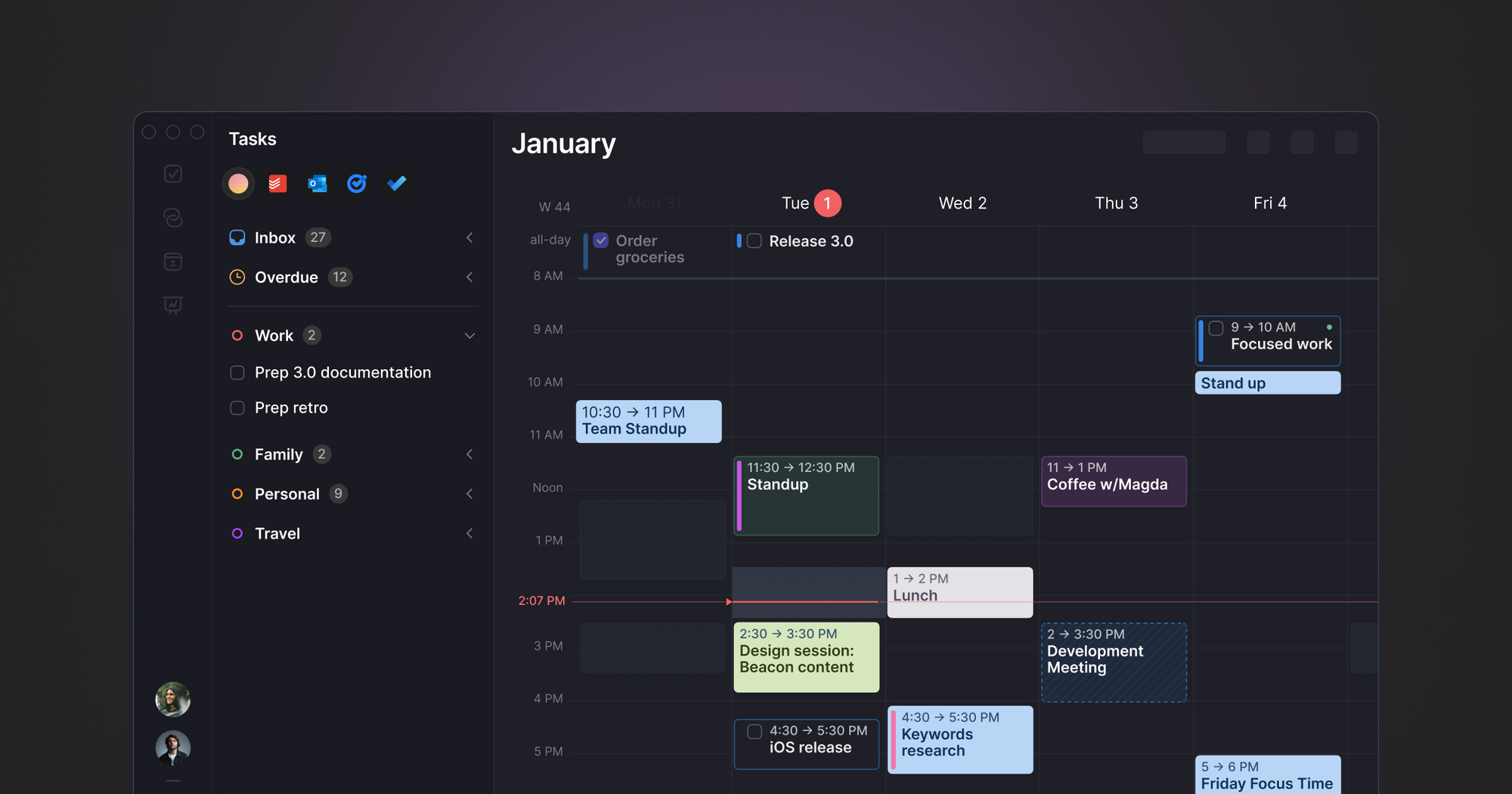
Morgen's AI Planner builds a proposed schedule and shows it to you. You accept, edit, or reject it before anything hits your calendar.
What it does well:
- Human-in-the-loop planning. You keep the veto.
- Best multi-calendar support here: Google, Outlook, iCloud, and other CalDAV accounts in one view. If your life is split across a work calendar, a personal one, and a shared family one, this is the fix.
- Runs on Windows, Mac, Linux, and mobile. It's one of the few decent planners that supports Linux.
What's annoying:
- Morgen killed its free plan in March 2026. It's a 14-day trial now, no card required, then you pay.
- The AI Planner has been in beta and it shows in how inaccurate it can be.
- The price is steep for what is fundamentally a calendar.
Pricing: Pro $30/month
Get started: Use the trial to connect every calendar you own, including the ones you've been ignoring. Half of Morgen's value shows up in the first ten minutes when you finally see everything in one grid.
5. Trevor AI — the cheap way in
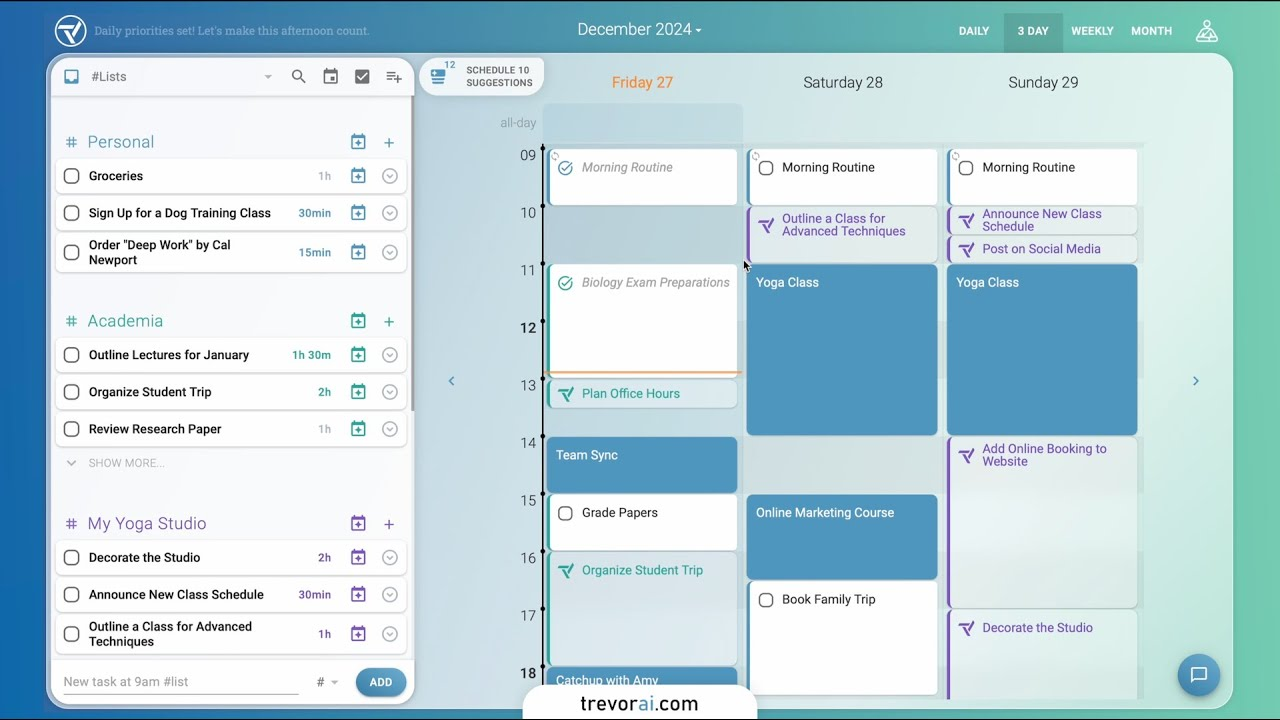
Trevor is a to-do list you drag onto a calendar, with AI suggesting when things should go and how long they'll take.
It's the least automated tool here, and that's the point. Some people don't want a robot running their week. They want a slightly smarter surface to plan on.
What it does well:
- A real free tier with one connected calendar account, not a countdown timer.
- Works with Google Calendar, Microsoft Calendar, Google Tasks, Microsoft To-Do, and Todoist.
- Focus Mode pairs a timer with an AI-generated breakdown of the task, which helps with task initiation.
What's annoying:
- Web-only as of mid-2026, no dedicated desktop app.
- Suggestions rather than autonomy. If your problem is that you never sit down to plan at all, Trevor won't save you.
- Minimal team features.
- The design doesn't look good for me
Pricing: Free tier, then a low-cost Pro plan. Cheapest paid option in this roundup.
Get started: Do one five-minute session tomorrow morning. Drag your three real tasks onto the day and accept whatever durations it suggests. Compare to reality at 5pm. That comparison is worth more than any app.
How do I actually set this up?
Picking the tool is 20% of it. Here's the setup that makes any of these work, in about twenty minutes.
1. Put your fixed commitments in first. Meetings, school runs, appointments, the standing therapy slot. AI schedulers work by filling gaps, and if the gaps are fictional the plan is fictional.
2. Set your working hours shorter than the truth. If you work 9 to 6, tell it 9:30 to 5. Every one of these tools will use every minute you give it. You're building in the buffer the software won't.
3. Give every task a duration, and inflate it. My rule is add 50%. This isn't pessimism, it's correcting for a documented estimation problem. Most of these tools learn your real durations over time if you let them.
4. Set exactly three protected blocks. Lunch, one focus block, one shutdown block at the end of the day. Not eight. Three.
5. Turn on notifications that actually interrupt. This is the single highest-value setting and most people skip it. Given that time-based remembering is the weak spot, a calendar you have to remember to check is solving the wrong problem. Make the reminder arrive on your phone, with sound, five to ten minutes before.
6. Write your two hardest transitions as if-then plans. "If it's 2pm and the reminder goes off, then I close Slack and open the doc." Making a specific if-then plan improved response inhibition in children with ADHD to the level of children without it in two experiments (Gawrilow & Gollwitzer, 2008). Honest caveat: that work is in children, and a 2026 meta-analysis of implementation intentions in children found the overall picture is mixed across studies (Breitwieser et al., British Journal of Psychology). I use it because it's cheap and it works for me, not because it's settled science for adults.
7. Book a fifteen-minute weekly reset. Same slot every week. This is where you tell the AI what changed. Mine is Sunday evening, and I have skipped it more times than I've done it, which is exactly why it's on the calendar. More detail in how to plan a week with ADHD.
One more thing. Breaking big tasks into small scheduled steps isn't a hack somebody invented on TikTok. It's a component of the CBT protocol for adult ADHD that beat an active control condition in a randomized trial of 86 medication-treated adults published in JAMA (Safren et al., 2010). The AI is just doing the mechanical part faster.
Where AI calendars actually fail
I'd be doing you a disservice if I stopped at the good parts.
- They over-schedule. Every one of these tools optimizes for fitting everything in. None of them optimizes for a day you can survive. You have to impose that yourself.
- They can't find your tasks. Motion, Reclaim, Morgen, and Trevor all schedule tasks you give them. They don't dig through your inbox and find the thing you forgot. Saner.AI is the exception here, and it's the main reason it tops my list.
- A schedule you don't trust is worse than no schedule. If the AI moves something important without telling you, you'll start double-checking everything, and now you have two calendars: the app's and the anxious one in your head.
- They don't fix the initiation problem. A perfectly scheduled 2pm block still requires you to start at 2pm. The calendar puts you at the door. It doesn't push you through it.
- The tool might just vanish. In March 2026, Salesforce acqui-hired the team behind Clockwise, one of the best-known AI calendar tools, and shut the product down eight days later. User accounts and data were deleted. Prepaid customers got prorated refunds, which is small comfort if your entire week ran through it. Forty thousand organizations, gone in a week. Whatever you pick, keep your actual events in Google or Outlook and treat the AI layer as removable.
Which one should you pick?
- You want the least friction and you'd rather talk than click: Saner.AI.
- You want to spend zero dollars: Reclaim.ai Lite, or Saner.AI free plan
- You have twenty deadlines and no idea when to do any of them: Motion, with shortened working hours.
If you're not sure, start with Saner.AI free plan. It costs nothing, it does the two things that matter most (habits and focus defense), and if it doesn't stick you've learned something for free.
FAQ
What is the best AI calendar for ADHD? Saner.AI, for most people. It combines calendar, tasks, notes, and email in one chat interface, it plans your day proactively, and it starts at $8/month billed yearly with a free tier to test on. Reclaim.ai is the strongest free alternative.
Is there a free AI calendar for ADHD? Yes. Reclaim.ai's Lite plan is free forever and includes focus time defense and habit scheduling, though it only looks one week ahead. Trevor AI also has a real free tier. Saner.AI has a free plan with usage caps. Motion and Morgen have no free plan at all, only trials.
Does an AI calendar actually help with ADHD? It helps with specific parts. It externalizes the plan, makes time visible, and removes the repeated decision of what to do next, which maps onto measurable ADHD difficulties with time perception, working memory, and time-based remembering. It does not help with starting tasks, and it will not compensate for a schedule that was never realistic. No calendar app treats ADHD. If you haven't explored diagnosis or treatment, start there, not in an app store.
Sources
- Marx, I., Cortese, S., Koelch, M. G., & Hacker, T. (2022). Meta-analysis: Altered Perceptual Timing Abilities in Attention-Deficit/Hyperactivity Disorder. Journal of the American Academy of Child & Adolescent Psychiatry, 61(7), 866–880.
- Alderson, R. M., Kasper, L. J., Hudec, K. L., & Patros, C. H. G. (2013). Attention-deficit/hyperactivity disorder (ADHD) and working memory in adults: A meta-analytic review. Neuropsychology, 27(3), 287–302.
- Fuermaier, A. B. M., et al. (2013). Complex Prospective Memory in Adults with Attention Deficit Hyperactivity Disorder. PLOS ONE, 8(3), e58338.
- Safren, S. A., Sprich, S., Mimiaga, M. J., Surman, C., Knouse, L., Groves, M., & Otto, M. W. (2010). Cognitive Behavioral Therapy vs Relaxation With Educational Support for Medication-Treated Adults With ADHD and Persistent Symptoms. JAMA, 304(8), 875–880.
- Gawrilow, C., & Gollwitzer, P. M. (2008). Implementation Intentions Facilitate Response Inhibition in Children with ADHD. Cognitive Therapy and Research, 32, 261–280.
- Breitwieser, J., et al. (2026). The effectiveness of implementation intentions in children: A systematic review and meta-analysis. British Journal of Psychology.
Related reading: ADHD Time Blindness · ADHD Time Blocking · The Best AI Tools for ADHD · The 5 Best ADHD Task Management Apps · How to Increase Productivity with ADHD · Glossary