The 5 Best Calendar Apps for ADHD (Tested by an ADHDer)

I have ADHD. I also advise knowledge workers who do.
A calendar is not a productivity tool for us. It's a prosthetic. So this list is ranked by one question only: does this app reduce the number of times per day you have to remember something on your own?
Quick answers: What are best calendar apps for ADHD?
| App | Best for | Free tier | Paid from |
|---|---|---|---|
| Saner.AI | Having your day planned for you across notes, email and calendar | Yes | ~$12/mo ($8 annual) |
| Google Calendar | The free baseline everything else plugs into | Yes | Free |
| Structured | Seeing your day as a visual timeline instead of a text list | Yes | ~$2/mo annual |
| Reclaim.ai | Auto-defending focus blocks from meeting creep | Yes | ~$10/mo |
| Sunsama | A slow, deliberate daily planning ritual | Trial only | ~$20/mo |
Why ADHD brains should use a calendar?
The calendar isn't a nice-to-have organizational preference. It's an external replacement for a function that isn't firing.
And in the Safren et al. randomized trial published in JAMA in 2010, starting and maintaining a calendar and task list system was an explicit component of the CBT protocol that beat an active control for medicated adults with persistent symptoms. Two thirds of the CBT group hit a 30% symptom reduction versus about a third of the comparison group.
How I tested these apps
I don't trust app roundups that don't tell you this part, so here's mine.
How long. I used each app as my only calendar for 3weeks, on my real schedule, with real consequences for missing things. Not a demo account with three fake meetings in it. If an app failed, I was late to something that mattered.
What I paid. I bought my own subscriptions for them. No company on this list reviewed, approved, or saw this post before publication.
What I was measuring. Four things, in this order:
- Did I still open it on day 10? This is the only metric that predicts anything. Every app is great in week one. Abandonment is the actual failure mode for ADHD users, not missing features.
- Capture friction. How many seconds and taps between having a thought and it being safely stored somewhere. Anything over about five seconds and the thought is gone, which is a working memory problem, not a discipline problem.
- Did it surface things without me asking? The prospective memory research above is the reason for this. An app I have to remember to check is an app that has outsourced the hard part back to me.
- How bad was the recovery? Every ADHD user blows up their own system eventually. What happens after three days of ignoring it? Some apps greet you with a wall of overdue red and you never open them again.
What I ignored. Feature counts, integrations I'd never use
Who else I asked. Around a dozen of the knowledge workers I talked to were using one of these apps during this period, and their experience is reflected in the weaknesses I've listed. Where my experience and theirs diverged, I've said so in the entry.
Limits of this, stated plainly. This is structured first-hand testing by one person with ADHD plus feedback from a small number of clients. It is not a controlled trial, the sample is not representative, and my brain is not your brain. Treat it as an informed starting point for your own two-week experiment, not a verdict. Full details of how I select and review tools are in my editorial policy.
1. Saner.AI — best overall for ADHD
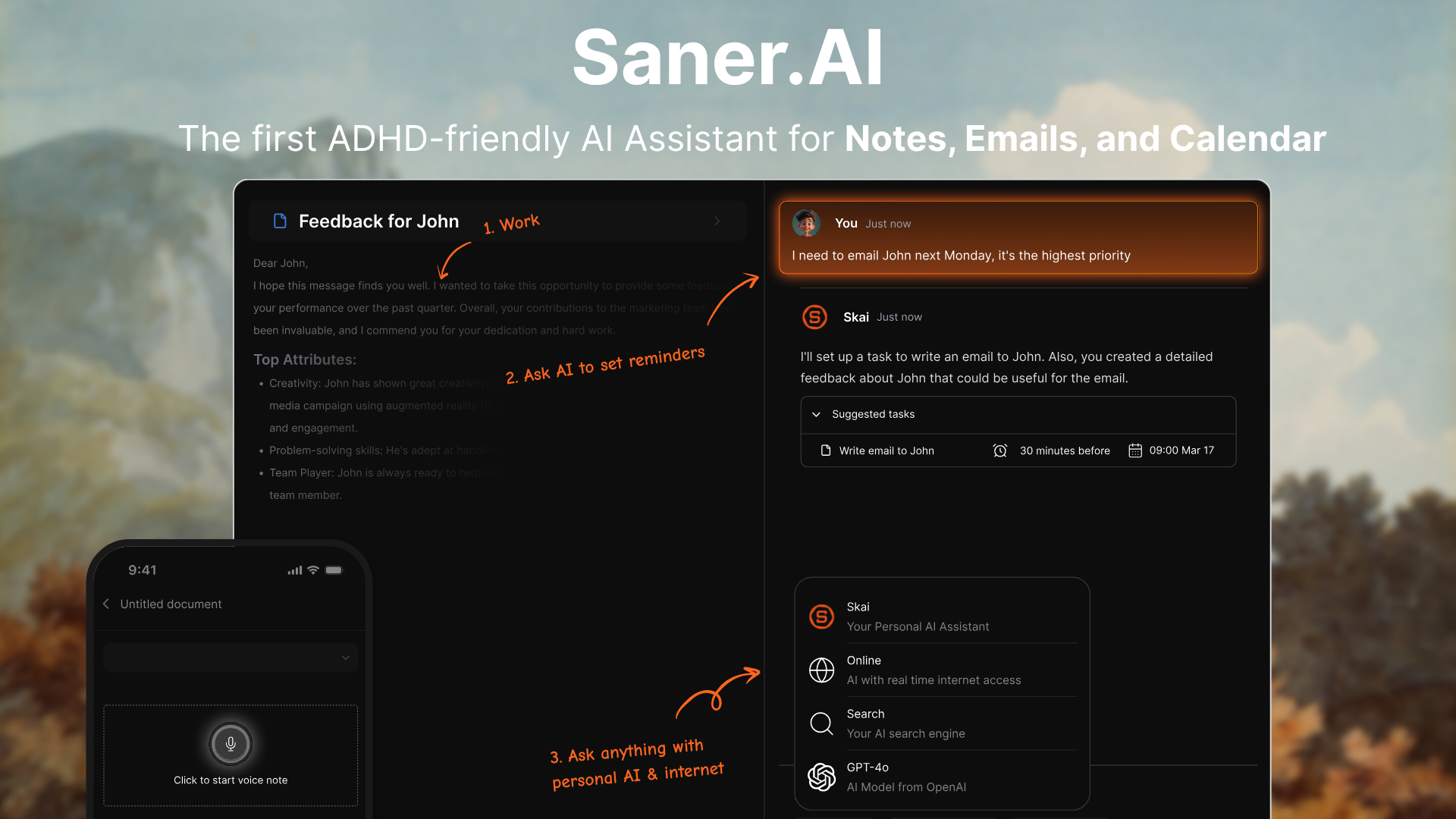
Saner.AI wins because it does the part I'm worst at, which is deciding.
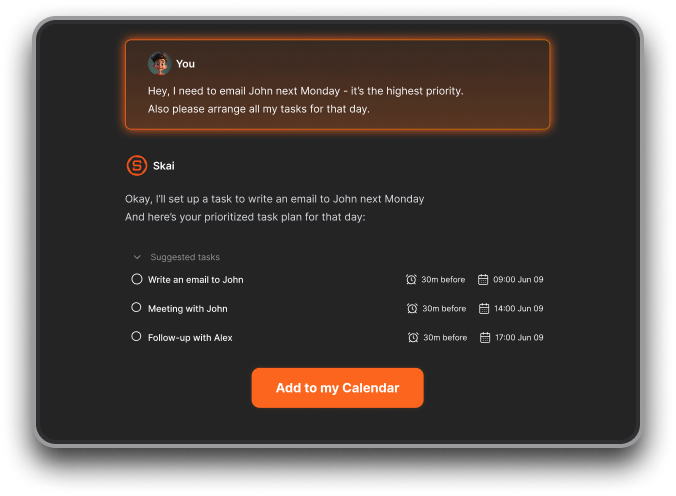
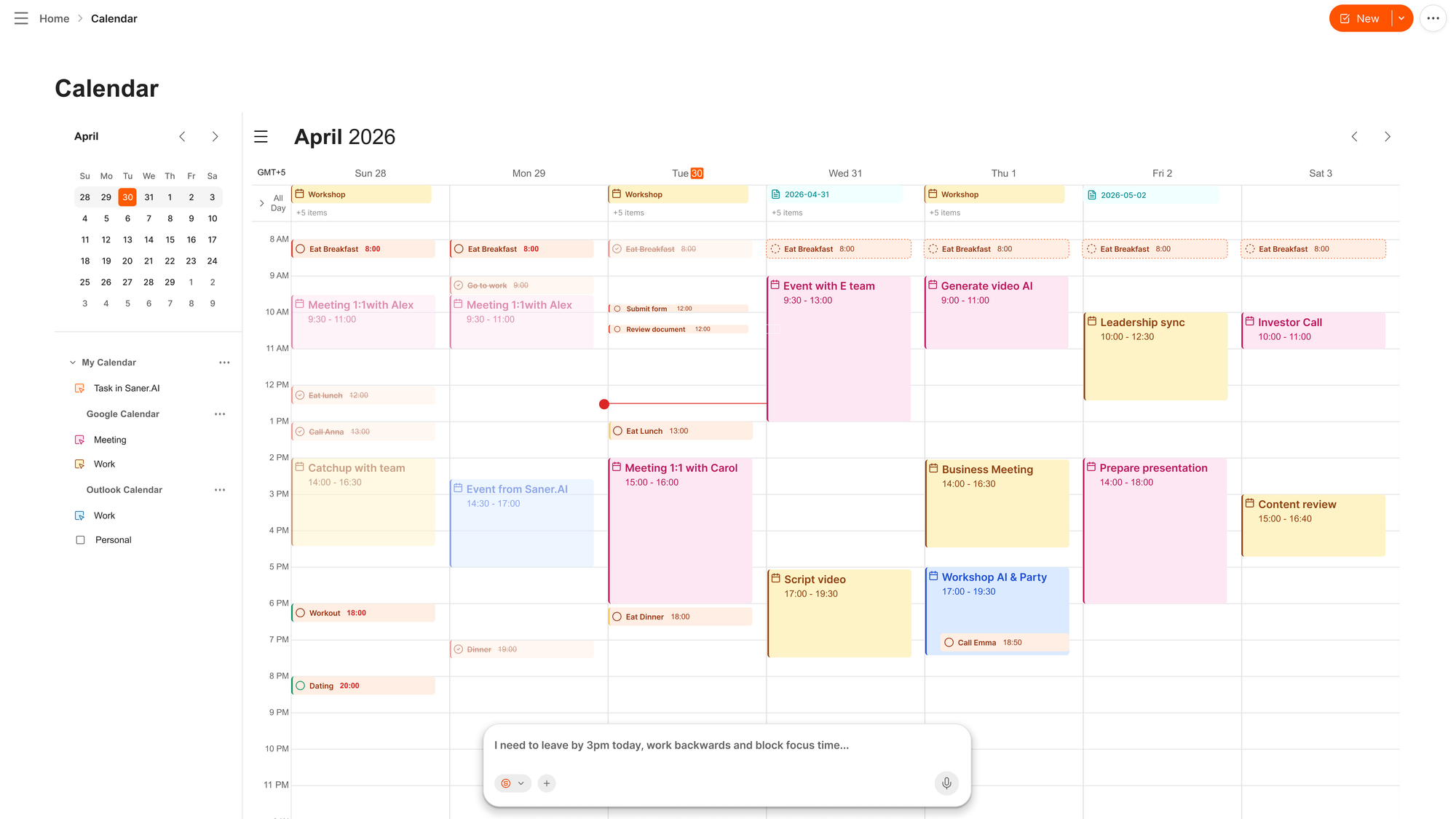
Most calendar apps are a container. You still have to open them, look at the mess, and choose. Saner.AI connects your notes, tasks, email and calendar, then proactively hands you a plan for the day and checks in on it. The gap between "my commitments weeks ago" and "What I'm doing at 2pm" is where my week usually dies, and this is the only tool on the list built specifically to close it.
What it does well:
- Proactively plans your day instead of waiting for you to plan it
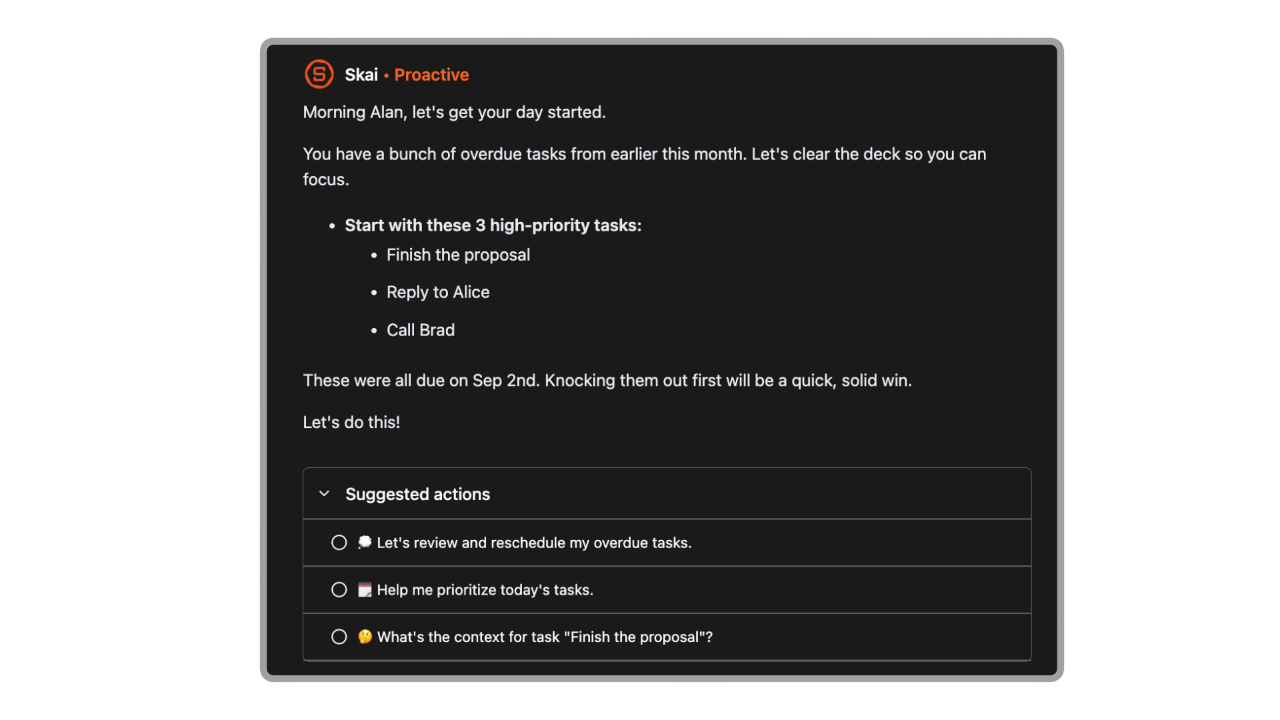
- Pulls commitments out of email and notes automatically, so things you agreed to in a Thursday reply don't vanish
- Natural language input, so you can type like a person instead of filling in a form
- Connects Google Calendar, Outlook Calendar, Gmail, Outlook Mail, Google Drive and Slack, with connectors available even on the free tier
- Built by people with ADHD, which shows in the design: fewer fields, fewer decisions, no guilt mechanics
Where it falls short:
- The free tier caps AI messages and requests monthly, so if it becomes your main system you'll hit the paywall
Try it if: the problem isn't your calendar, it's that nothing ever makes it onto your calendar. Pair it with my guide to using AI to break down overwhelming tasks, which covers the prompt side of the same workflow.
2. Google Calendar — the free baseline
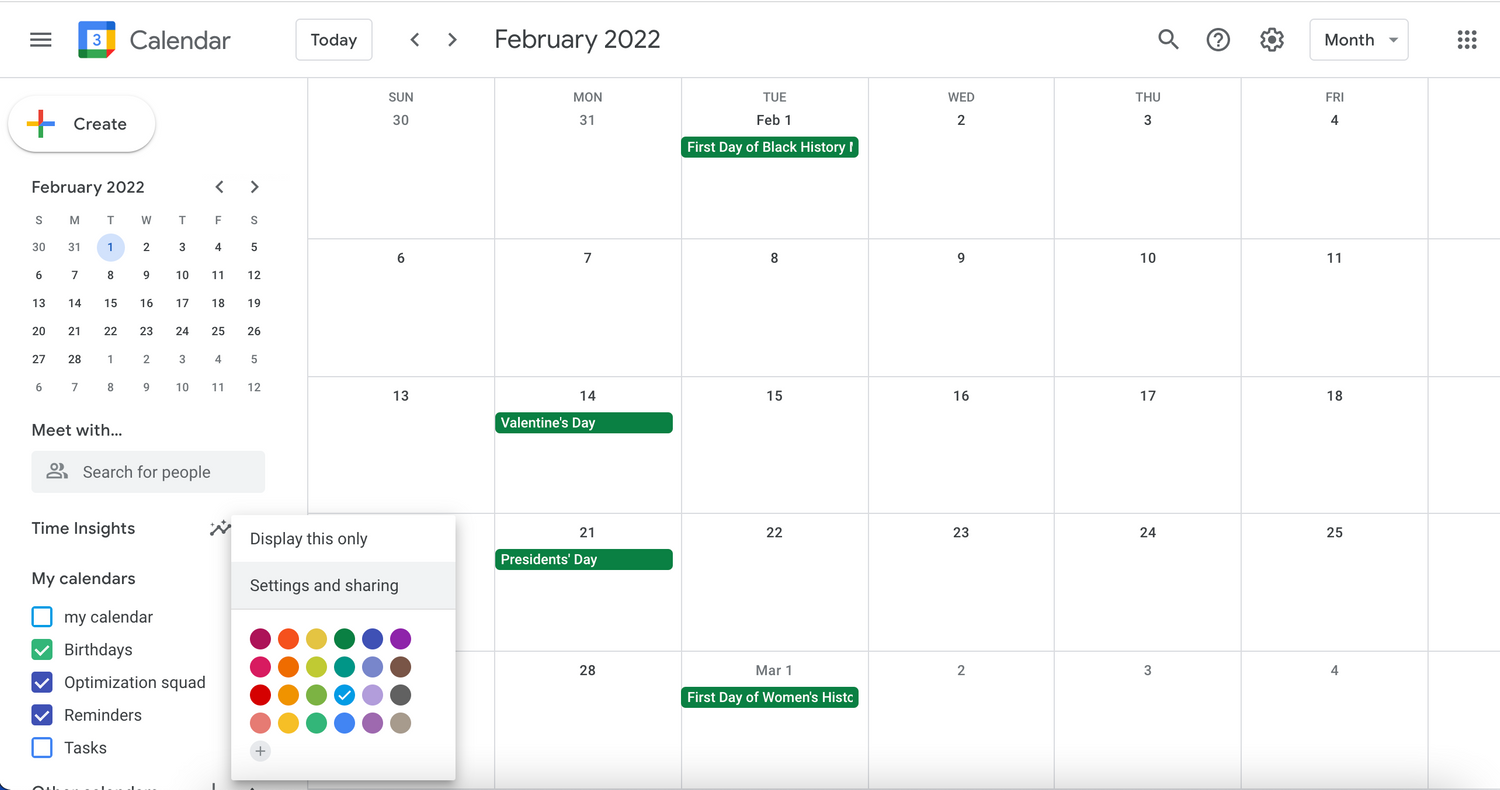
Boring. Free. Everything integrates with it. If you're currently using nothing, start here before you spend a cent, because the tools below are largely a smarter face on top of this.
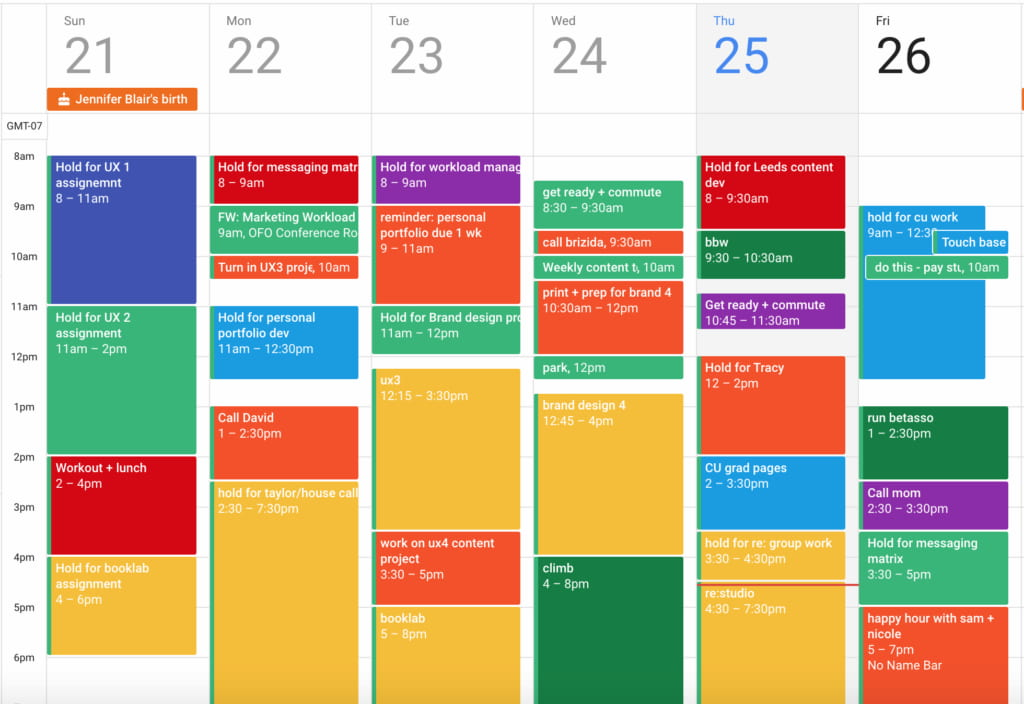
- Week view gives you the visual time blocks that make time blocking work
- Free forever, cross-platform, syncs everywhere
- Notifications are configurable down to the minute, which matters more than it sounds
- Weakness: it does absolutely nothing on its own. It's a grid. It will let you schedule four things at 3pm and say nothing.
Do this today: turn on two notifications for every event, one at 10 minutes and one at 1 minute. The 10-minute alert tells you to stop. The 1-minute alert exists because you ignored the first one.
3. Structured — best visual timeline
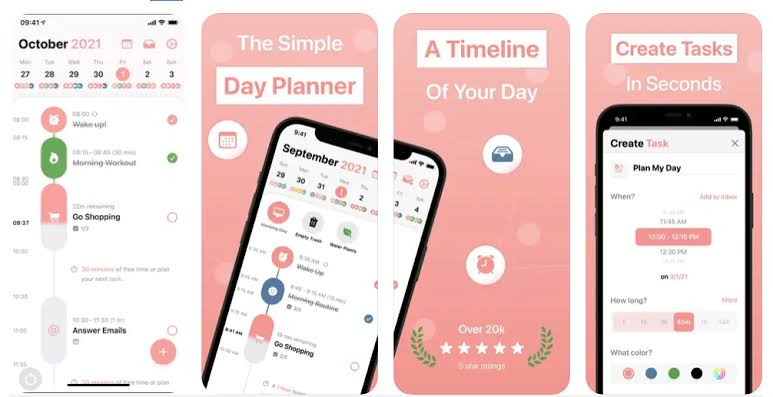
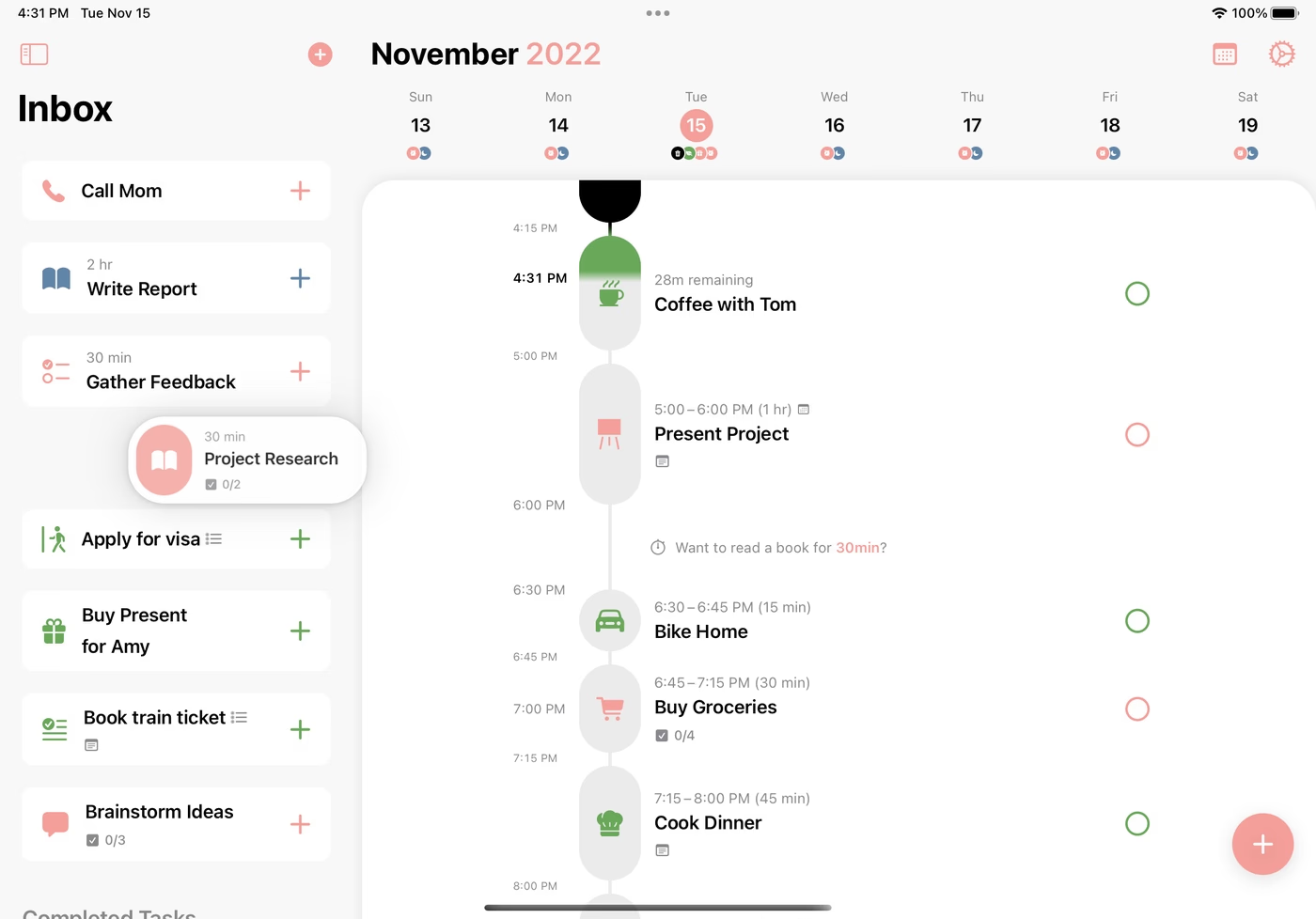
Structured lays your day out as a vertical timeline of colored blocks with icons. For people who read "2:00 PM Dentist" and feel absolutely nothing, seeing the day as a shape does something a text list never will.
Given the time-perception research above, this is the most underrated feature category in the whole market. You are not bad at reading your calendar. You are bad at converting text into a felt sense of how much day is left. A timeline does that conversion for you.
- Asable free version, and one of the cheapest annual prices in the category
- Lock-screen widget showing now-and-next, which is where a calendar earns its keep
- Clean enough that opening it doesn't cost you anything emotionally
- Weakness: Apple-centric, thinner routine features than dedicated neurodivergent planners, and it structures days rather than projects. You'll still want somewhere for your task backlog to live.
4. Reclaim.ai — best for defending focus time
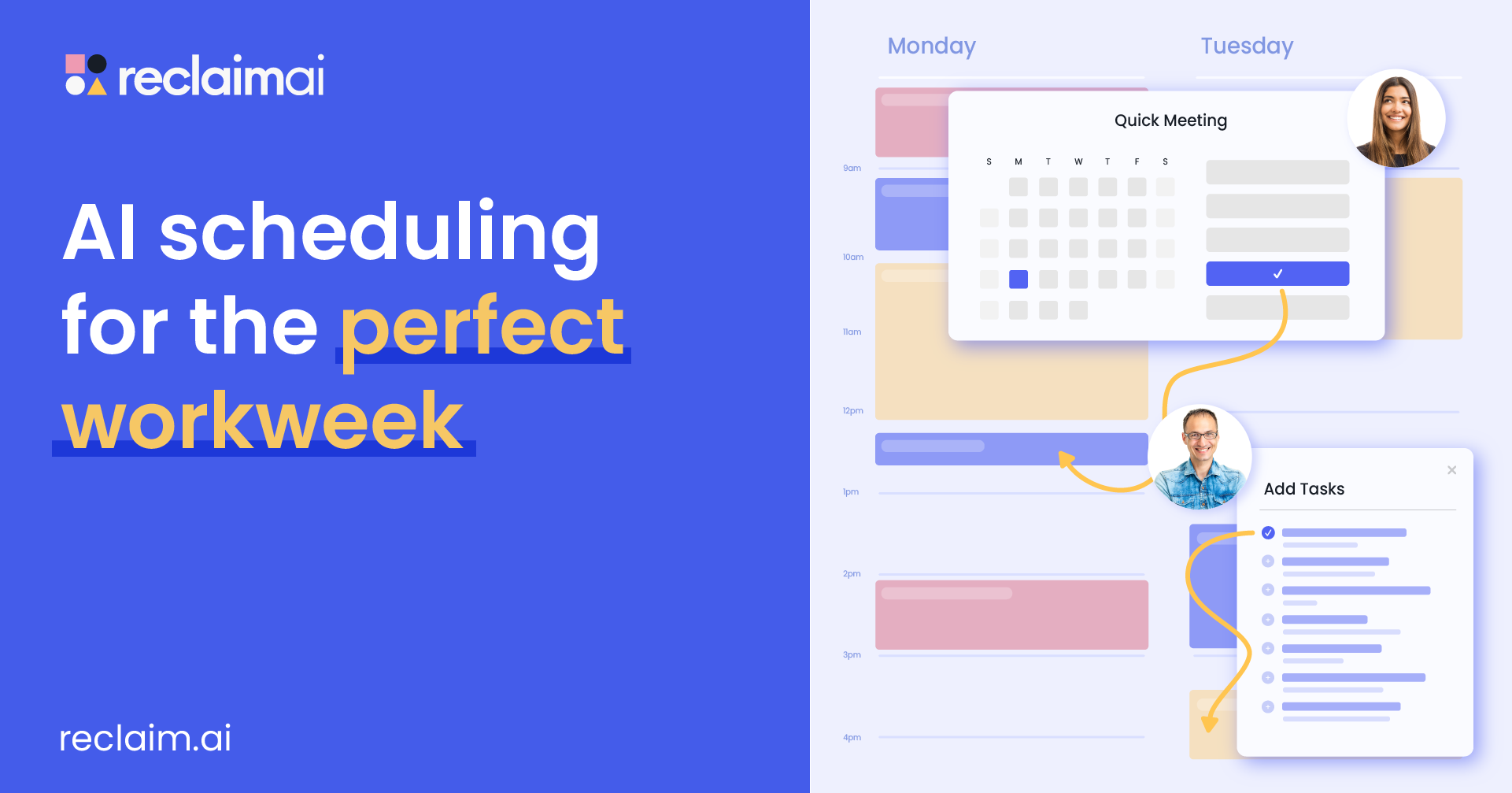
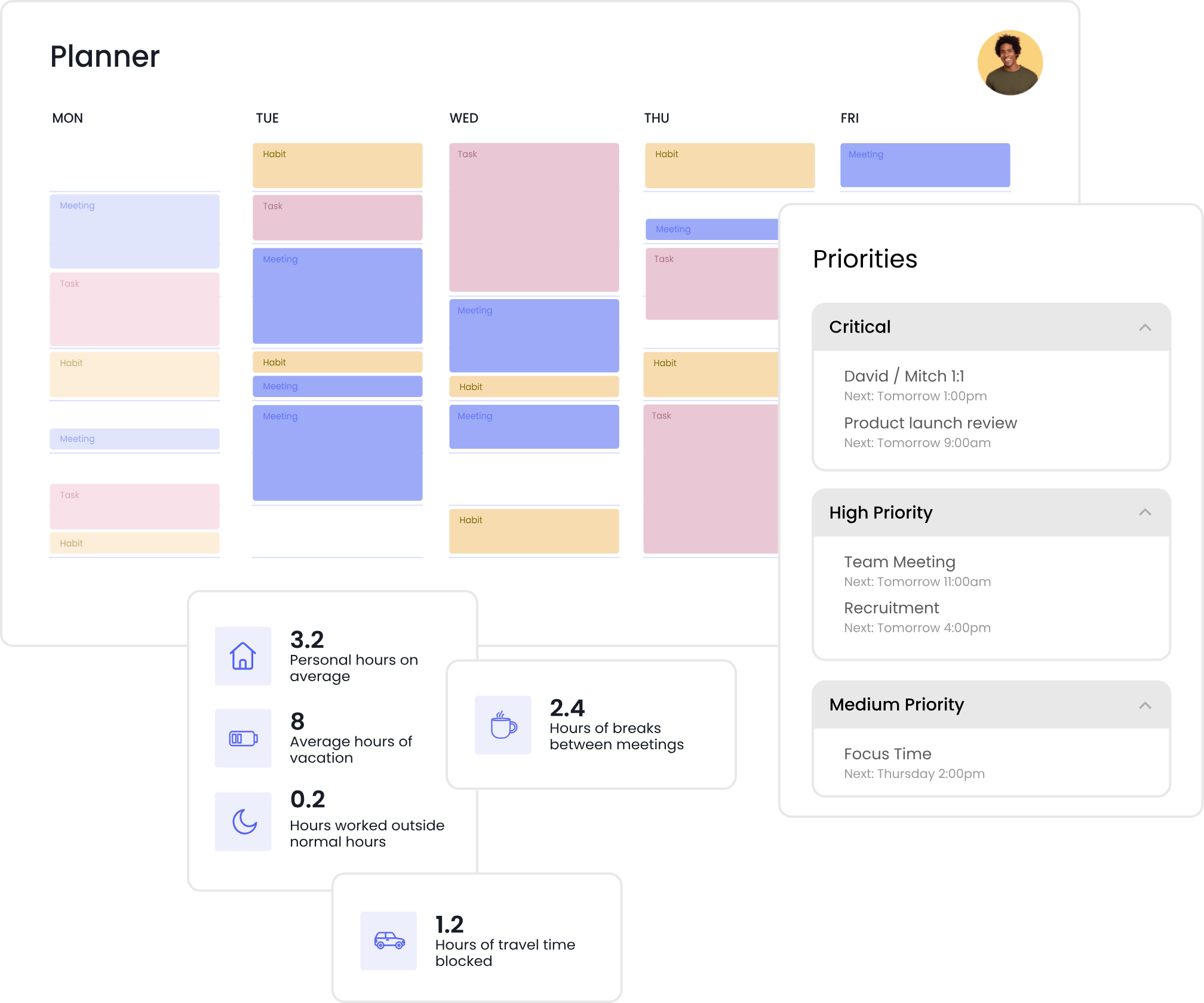
Reclaim automatically finds slots for your tasks and habits and reshuffles them when a meeting lands on top. It's the answer to a specific problem: your focus block keeps getting eaten and you never notice until Friday.
- Free plan for one user that is actually useful, not a demo
- Auto-schedules habits, which is quietly great for things like lunch
- Google Calendar and Outlook support
- Weakness: task management is basic, and the free plan limits you to a one-week scheduling range. If you don't have meetings, you don't need this.
5. Sunsama — best planning ritual
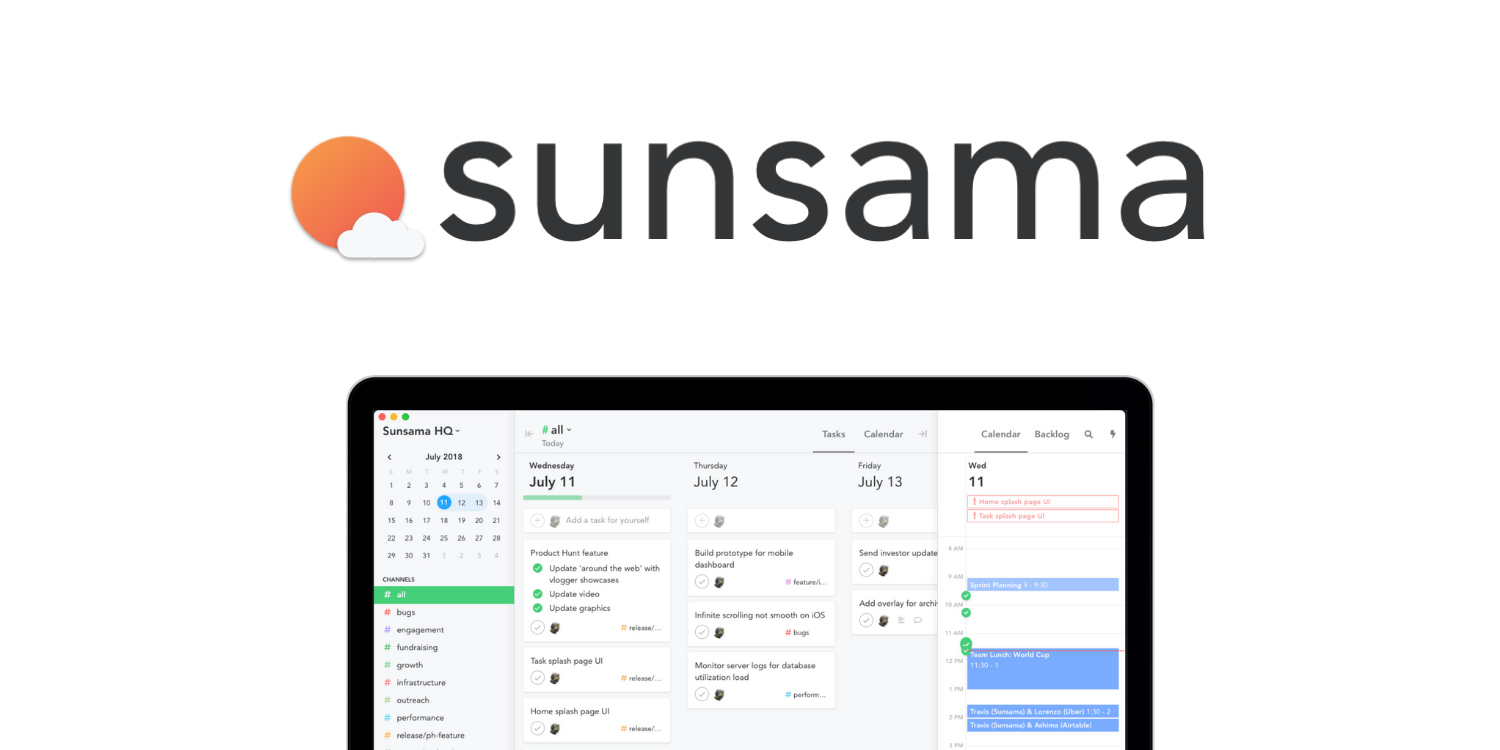
Sunsama makes you sit down each morning, look at yesterday, pull in today's tasks, estimate how long they'll take, and place them. It's slow on purpose.
- The estimating step is the valuable one. Deliberately guessing durations and then seeing how wrong you were is the closest thing to time-perception training available in an app.
- Warns you when you're cramming too much into a day
- Imports from Notion, Asana, Jira, Trello, GitHub and Linear
- Weakness: it requires you to show up to a daily ritual, which is a hard ask for the exact population it's marketed to. No permanent free plan. Around $20/mo.
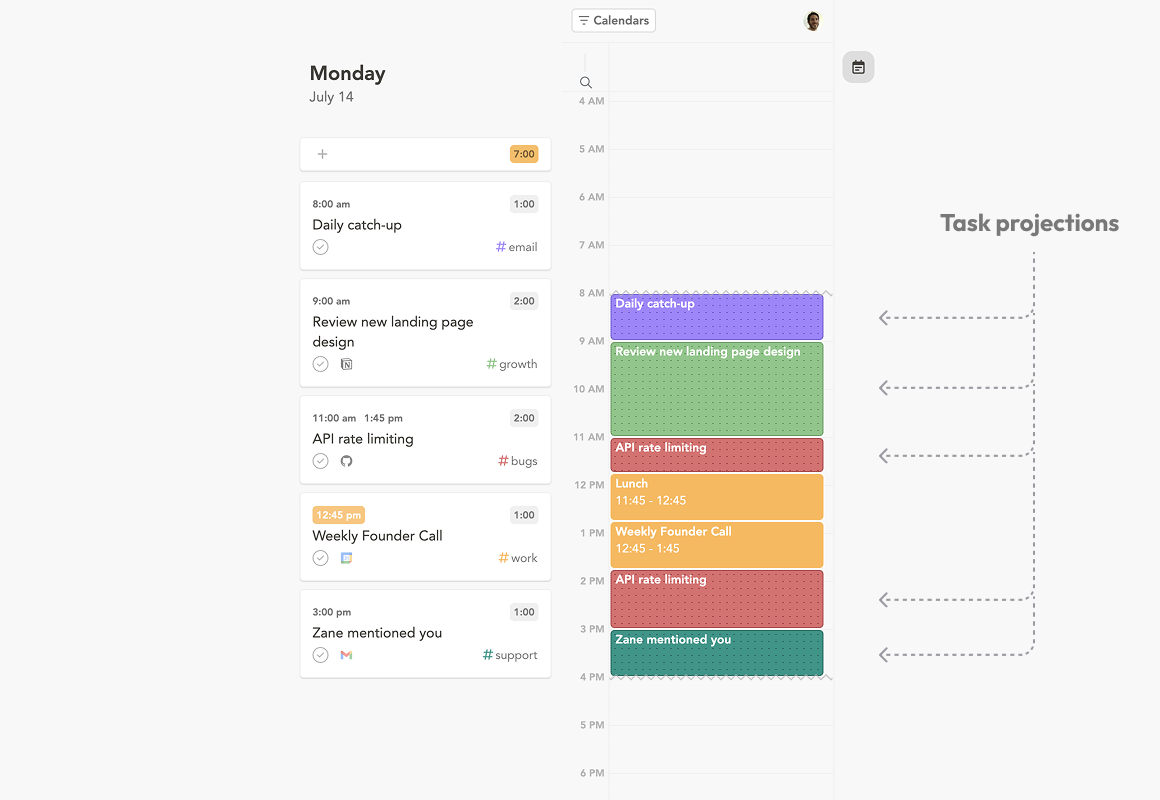
I'm split on this one. When I keep the ritual, it's the best tool here. But I do not always keep the ritual.
How to actually set this up this week
Reading a list of apps and installing four of them is how most people end up back where they started, but with more notifications. Do this instead.
Day 1: Pick one app. If you don't know which, pick Saner.AI if your problem is capture and deciding, Structured if your problem is seeing time, Reclaim if your problem is meetings eating your day.
Day 2: Put in only your hard commitments. Meetings, appointments, school pickup. Nothing aspirational. Resist the urge to schedule "gym 6am" on day two.
Day 3: Add transitions. Fifteen minutes before and after anything that requires leaving the house. This one change fixes more lateness than any app feature, because the thing that makes you late is rarely the event. It's getting started on leaving.
Day 4: Add one recurring block for your worst task type. One. Guard it.
Day 5: Estimate durations on three tasks before you do them, then write down what they actually took. You will be wrong. That's the point, and it's the cheapest self-calibration available.
Day 7: Review. Keep whatever you actually used. Delete the rest without guilt.
If you work from home, the transition blocks matter more, not less, which I get into in ADHD and remote work.
Who should skip calendar apps
Some honesty, since every other roundup always tells you the answer is always "buy an calendar app." 🤣
- If you already have three planning apps and use none of them, the problem isn't tool choice. Delete two and use the survivor for a month.
- If your issue is starting rather than remembering, a calendar won't touch it. Body doubling will help you more.
- If your calendar is full and you're still drowning, the fix may be structural rather than technological. See ADHD accommodations at work.
- If a color-coded grid makes you want to lie down, use paper. Paper is a legitimate calendar. Nobody is grading you.
FAQ
What is the best calendar app for ADHD? Saner.AI, because it proactively plans your day from your notes, tasks and email instead of waiting for you to remember to plan it. If you want a purely visual day view, Structured. If you want free, Google Calendar.
Is there a free calendar app for ADHD? Yes. Google Calendar, Structured and Reclaim.ai all have real free tiers, and Saner.AI's free plan includes every connector. Sunsama offers a trial only.
Do calendar apps actually help ADHD? There's no randomized trial of any specific app. What there is: strong evidence of working memory, time perception and prospective memory differences in ADHD, a NICE guideline recommending environmental modifications for adults, and a JAMA trial in which building a calendar and task list system formed part of a CBT protocol that outperformed an active control. Externalizing the plan is well supported. Which app you use to do it is your call.
Why do I keep abandoning calendar apps? Usually because the setup cost exceeded the payoff before the habit formed. Start with hard commitments only, for one week, in one app. Aspirational scheduling on day one is the most common failure mode I see in clients.
Should I use a calendar app or a planner app? A calendar holds time-bound commitments. A planner structures how you'll spend the day around them. Most people need both, and several tools here do both. I've covered the planner side separately in the best planner apps for ADHD adults.
The bottom line
Your calendar's job is not to make you organized. It's to be the thing that remembers so you don't have to, at the precise moment you'd otherwise forget.
Pick one. Put your hard commitments in it. Add transition blocks. Ignore everything else on this page for a week.
If it's still on your phone next Monday, it's the right app.
Written by Matt Elior. See how I test and select tools in my editorial policy, and terms used in this post in the ADHD productivity glossary. For the wider system this fits into, start with How to increase productivity with ADHD.
Sources
- Meta-analysis: Altered Perceptual Timing Abilities in ADHD. Journal of the American Academy of Child & Adolescent Psychiatry, 2021. https://www.jaacap.org/article/S0890-8567(21)02045-1/abstract
- Alderson RM, Kasper LJ, Hudec KL, Patros CHG. ADHD and working memory in adults: a meta-analytic review. Neuropsychology, 2013;27(3):287-302. https://pubmed.ncbi.nlm.nih.gov/23688211/
- Altgassen M, et al. Prospective memory (partially) mediates the link between ADHD symptoms and procrastination. 2019. https://pubmed.ncbi.nlm.nih.gov/30927231/
- Fuermaier ABM, et al. Complex Prospective Memory in Adults with ADHD. PLOS ONE, 2013. https://journals.plos.org/plosone/article?id=10.1371%2Fjournal.pone.0058338
- Safren SA, Sprich S, Mimiaga MJ, et al. Cognitive Behavioral Therapy vs Relaxation With Educational Support for Medication-Treated Adults With ADHD. JAMA, 2010;304(8):875-880. https://pmc.ncbi.nlm.nih.gov/articles/PMC3641654
- National Institute for Health and Care Excellence. ADHD: diagnosis and management (NG87). https://www.nice.org.uk/guidance/ng87/chapter/recommendations