The Best AI Tools I use for my ADHD: What Actually Helps

Key takeaways
- The best AI tools for ADHD in 2026 are Saner.AI to automatically manage your day, Goblin Tools for breaking down tasks, ChatGPT voice mode for thinking out loud, and Granola for meetings.
- All four have usable free tiers. Paid plans run $3 to $20 a month.
- Treat these as memory and initiation aids, not treatment.
I have ADHD, I work in AI, and I paid for all four myself.
Pick by problem, not by feature list:
| If you say | Use | Cost |
|---|---|---|
| "I can't start this" | Goblin Tools | Free, Pro $3/mo |
| "I can't think straight" | ChatGPT voice | Free, Plus $20/mo |
| "My head is full and my day is a mess" | Saner.ai | Free, from $8/mo |
| "I don't remember that meeting" | Granola | Free, Business $14/mo |
Do AI tools actually help ADHD, or is that just marketing?
There is one peer-reviewed study worth citing. Researchers ran a seven-day diary study plus interviews with 13 adults with ADHD who use ChatGPT regularly, and found they used it to bridge communication gaps between neurotypical and neurodivergent perspectives, and to support executive function and emotional regulation (Pinto et al., 2025, OzCHI).
A meta-analysis of 38 studies found moderate-magnitude working memory deficits in adults with ADHD across verbal and visuospatial domains, and concluded those deficits persist into adulthood (Alderson et al., 2013, Neuropsychology).
Key takeaway: The evidence supports the problem, not the products. Anything that holds information outside your head is working with the research. That's a prosthetic, not a treatment.
1) Which AI tool helps when your day feels overwhelming? Saner.ai
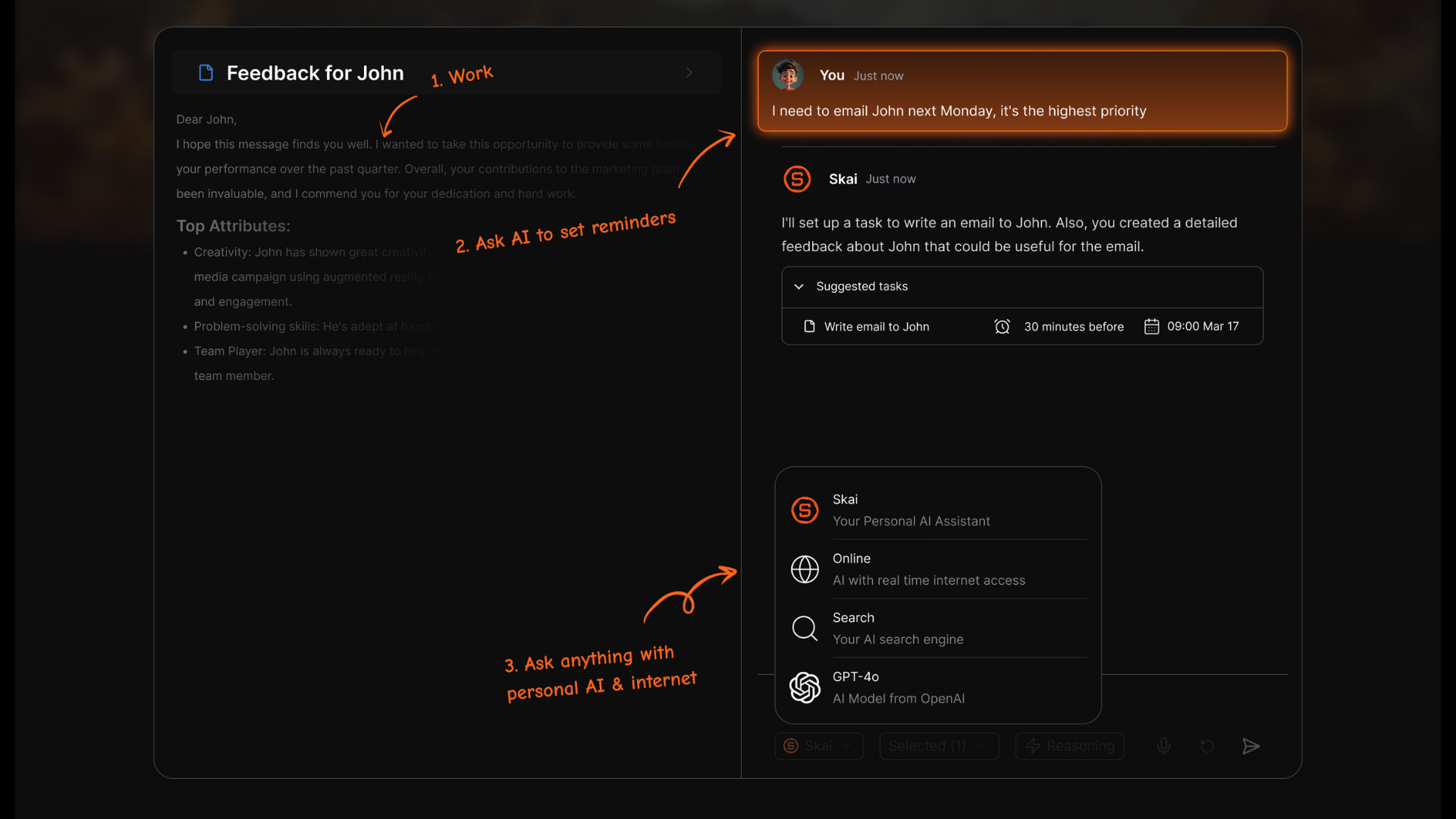
What it does. An AI personal assistant built for ADHD that connects your notes, tasks, email, and calendar in one place. You dump thoughts in any shape, and its assistant Skai turns them into tasks, reminders, and scheduled blocks. It also builds a proposed plan for your day before you ask
How it helps ADHD. This is the only tool here that covers the part everyone else skips: what happens after you capture. Most note apps hand you a pile. The specific workflow:
- Brain dump to tasks. Type or speak your thoughts unstructured, and it extracts the action items
- AI scheduling in plain language. Say "plan my day" and the brain dump arranges itself into a time-blocked schedule. You can chat to reschedule or break down a task without touching a form.
- Proactive daily plan. Every morning it scans your inbox, calendar, and notes and proposes a schedule without being asked.
- Task extraction from email. It pulls follow-ups out of Gmail rather than making you re-enter them.
- Focus mode. Pins one task at a time instead of showing you the whole list.
Three of those map onto documented deficits. Automatic capture and retrieval offloads working memory (Alderson et al., 2013). Auto-scheduling makes duration visible, which matters given meta-analytic evidence of timing deficits across multiple paradigms in ADHD (Marx et al., 2022, JAACAP). And proactive surfacing means the tool doesn't depend on you remembering it exists.
What I like.
- I don't file anything and I can still find things. The AI suggests folders and tags rather than making me sort.
- The morning plan replaces an empty box and a decision with a proposal I can edit. That's a much smaller ask at 8am.
- Braindump-to-tasks is the feature I'd actually miss. It's the closest thing I've used to being able to hand someone the inside of my head.
- It was built around ADHD rather than having an ADHD label bolted onto a generic app. One founder has ADHD
Where it breaks.
- It's a young product. Power users with complex workflows will hit feature limits
- Note editing is rigid.
2) Which AI tool helps when you can't start a task? Goblin Tools
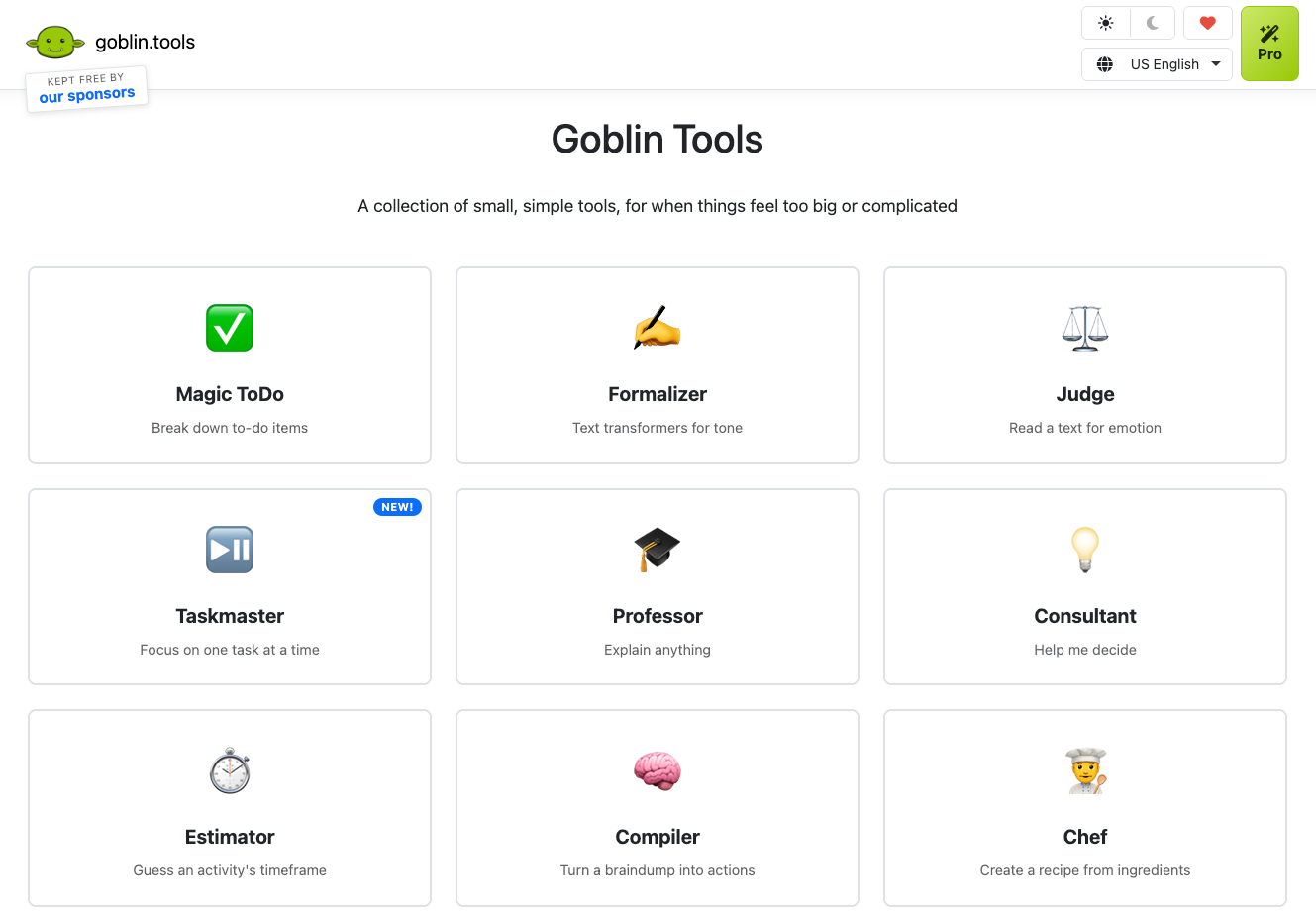
What it does. A set of small, single-purpose AI tools built by Belgian developer Bram De Buyser for neurodivergent users. The main one, Magic ToDo, takes an overwhelming task and breaks it into steps, with a "spiciness" slider controlling how granular the breakdown gets
How it helps ADHD. Task initiation fails when the first step is too large to be a non-decision. Magic ToDo shrinks it until refusing feels absurd. At low spiciness, "clean the kitchen" becomes five steps. At maximum, it becomes fifteen or more micro-steps like "pick up the sponge"
There's also a Formalizer that rewrites an angry draft into something professional. That matters more than it sounds. A meta-analysis of 13 studies covering 2,535 people found substantially higher emotion dysregulation in adults with ADHD, with a large effect size (Beheshti et al., 2020, BMC Psychiatry). The email you shouldn't send is a real productivity event.
What I like.
- No signup, no onboarding, no configuration. Open the site, type, get steps.
- The spiciness slider is the best design decision in this category. You can ask for humiliating granularity without explaining yourself to anyone.
- Zero setup means nothing to abandon.
Where it breaks.
- It hands you the list and walks away. For a lot of us, the list was never the problem.
- No integrations with task managers or calendars, and no memory between sessions.
- Steps are generic. It doesn't know your job or that step three is where you'll actually stall.
Pricing. Web version free, no ads. Pro is $3 a month and adds synced lists, your last 50 results, saved templates, and custom instructions. Mobile apps are about $3.99 one-time. Some listings still claim there's no paid tier at all; that's out of date.
3) Which AI tool helps when you can't think straight? ChatGPT voice mode
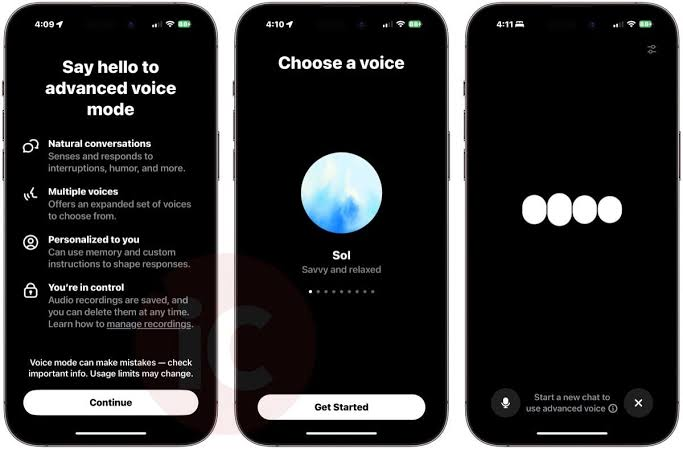
What it does. Real-time spoken conversation with ChatGPT. You talk, it answers, you interrupt, and the transcript lands in your chat history afterward.
How it helps ADHD. This is the one I reach for when the problem isn't the task, it's that I can't get the thought out. Typing requires you to have already organised the thought. Talking doesn't. For me the gap between "I have a vague sense something is wrong with this plan" and "here is what's wrong" closes much faster out loud than on a keyboard.
It's also the lowest-friction option for capture on a walk, in a car, or in the ninety seconds before you lose the thought entirely.
What I like.
- No typing, so no blank-page problem.
- It's good at the second-order stuff: reading tone, telling you whether an email is as rude as it feels, talking you down before you reply.
- The transcript persists, so the thinking isn't lost when the session ends.
Where it breaks.
- Infinite session, zero accountability. It will happily plan your week for two hours while the week goes unworked. I've done exactly this, more than once.
- It agrees with you. Present a bad plan confidently and it will refine your bad plan.
- Nothing surfaces at you. You have to remember to open it, which is the impaired function.
- On free, voice runs on a smaller model, and reported daily limits vary a lot between sources.
Pricing. Free at $0, Go at $8/month, Plus at $20/month, Pro at $100 or $200. Note that ads arrived on the Free and Go tiers in February 2026, so Go means paying to still see ads. Gemini Live does the same job and its free voice tier is more generous.
4) Which AI tool helps with meetings? Granola
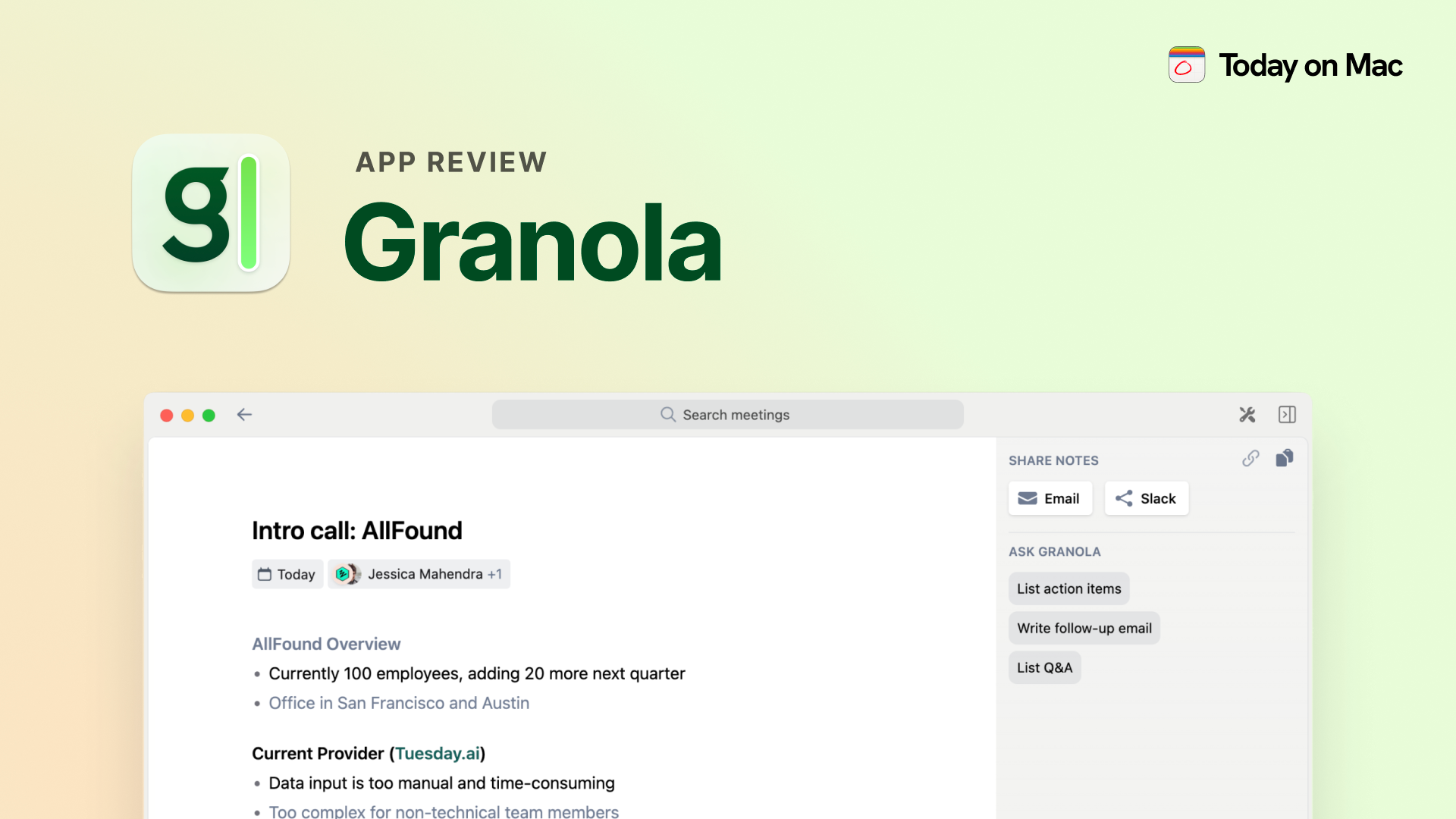
What it does. AI meeting notes. You type sparse notes during a call and it merges them with the transcript afterward. It captures system audio from your desktop, so no bot joins and nobody sees a recorder
How it helps ADHD. Meetings expose the working memory deficit more than anything else. You have to listen, hold context, and write, and doing any two costs you the third. Granola takes the third away. I get to just listen, which is the difference between a meeting I retain and one I nod through.
What I like.
- No visible bot. I don't have to announce I'm recording, which removes a small social cost that used to stop me using these tools at all.
- It works with terrible notes. Three fragments plus audio still produces something usable.
- Searching old meetings replaces "I'm fairly sure someone mentioned a deadline."
Where it breaks.
- Desktop only, Mac and Windows. No web app, no mobile app.
- The free tier is confusingly documented. One source describes a rolling 30-day history window; another says 25 meetings for the lifetime of the account. Check the current limit yourself.
- On paid plans, using your data to improve Granola's models is on by default. Turn it off.
- No annual billing, so no discount for committing.
Pricing. Basic free, Business $14/user/month, Enterprise $35. The old solo Pro tier around $18 was retired in a February 2026 rebrand, so listings quoting it are stale.
When does AI make ADHD worse?
AI makes ADHD worse when it becomes the task instead of a way through it. Four failure modes I've hit personally:
- Chat as a hyperfocus trap. Two hours planning a project is two hours not doing it, and it feels like work the entire time. This is my most frequent failure.
- Agreement instead of friction. Delay discounting research shows a stronger pull toward immediate rewards in ADHD (Jackson & MacKillop, 2016). A tool that validates whatever you bring it is a poor counterweight.
- Setup as a tax. Any tool needing a weekend of configuration is asking the impaired function to do the work. It'll be abandoned by Wednesday.
- Stacking. Four tools means four context switches, and context switching was the thing you were reducing.
Key takeaway: Pick one. Run it for a month. Add a second only when you can name the exact problem it solves.
How should you choose between them?
Choose by the sentence you'd use to describe your worst day. Each tool maps to a different one:
- "I stared at it for two hours and did nothing." → Goblin Tools
- "I couldn't get the thought out of my head." → ChatGPT voice
- "Everything is in my head at once and my day is unplanned." → Saner.ai
- "I was in the meeting but I have no idea what was agreed." → Granola
If more than one applies, start with the cheapest. Goblin Tools costs nothing and takes thirty seconds to evaluate.
FAQ
What is the best free AI tool for ADHD?
Goblin Tools if the problem is starting a task. ChatGPT's free tier if the problem is thinking something through. Saner.AI free plan is good for day planning
Can ChatGPT help with ADHD?
A 2025 diary study of 13 adults with ADHD found regular users applying it to executive function and emotional regulation support (Pinto et al.). That's early, small, and descriptive. It's a support tool, not a treatment.
What is the best AI app for a brain dump?
Saner.ai, because it converts the dump into tasks and a schedule rather than leaving you with a wall of text. That conversion step is the whole point.
Can AI plan my day for me?
Saner.ai proposes a daily plan automatically from your email, calendar, and notes. You edit rather than build from scratch, which is a much smaller ask on a bad day.
Do AI tools replace ADHD medication or therapy?
No. Nothing here is treatment. See the full disclaimer.
Sources
Alderson RM, Kasper LJ, Hudec KL, Patros CHG (2013). ADHD and working memory in adults: a meta-analytic review. Neuropsychology, 27(3), 287-302.
Beheshti A, Chavanon ML, Christiansen H (2020). Emotion dysregulation in adults with ADHD: a meta-analysis. BMC Psychiatry, 20:120.
Jackson JNS, MacKillop J (2016). ADHD and monetary delay discounting: a meta-analysis of case-control studies. Biological Psychiatry: CNNI, 1(4), 316-325.
Marx I, Cortese S, Koelch MG, Hacker T (2022). Meta-analysis: altered perceptual timing abilities in ADHD. JAACAP, 61(7), 866-880.
Pinto A, Quilter E, Vasikaran J, et al. (2025). "A little bit of a life raft": exploring the use and experiences of ChatGPT as a support tool among adults with ADHD. Proceedings of OzCHI 2025, 50-67.
Related: ADHD Productivity: The Complete Guide · Best ADHD apps