Todoist Review for ADHD: Does It Still Make sense?

I've used Todoist for quite a long time. That's a compliment and a warning. Todoist is very good at holding tasks. It is much worse at making an ADHD brain look at them.
This review covers what changed recently (a price increase and a voice feature called Ramble), what works for ADHD, what doesn't, and a 25-minute setup that fixes most of the problems.
>> If you already know you want out, skip to my Todoist alternatives for ADHD instead.
Quick answer: is Todoist good for ADHD?
Yes, for capture. Only partly, for follow-through. Todoist is one of the fastest ways to get a task out of your head and into a trusted list, and the free plan covers that well. It won't plan your day for you, it doesn't nag hard, and a list of overdue tasks grows quietly in the background until you're scared of it.
- Rating for ADHD: 3.5 / 5
- Best for: people whose main problem is forgetting things, who will check a list if it's fast and clean
- Not great for: people who freeze when they open a list, or who need the app to say what to do now
- Price (October 2026): free Beginner plan; Pro is $5/month billed yearly or $7/month billed monthly
- Biggest 2026 change: Ramble, a voice feature that turns rambling speech into tasks
What is Todoist?
Todoist is a cross-platform to-do list app made by Doist. It runs on iOS, Android, Mac, Windows, web, and as browser extensions. Tasks live in projects, get priorities (P1 to P4), labels, and due dates. You type tasks in plain English ("call dentist friday 3pm p1") and it parses the date and priority for you.
It's a list app. Not a planner, not a calendar, not a coach.

What Todoist does well for ADHD
Capture is fast
This is the reason to use Todoist. Quick Add takes natural language, so "renew passport every 10 years starting jan" or "email Priya tomorrow 9am #Work" becomes a dated, filed task in one line. No menus. No date picker.

SDHD thoughts arrive at bad times. In the shower. Mid-meeting. At 1am. If capture takes more than five seconds, the thought evaporates before you finish. Todoist gets it under five.
Ramble lets you dump tasks by talking
Launched in January 2026, Ramble lets you talk through everything on your mind and watch it turn into separate tasks, with dates and priorities pulled out as you go.
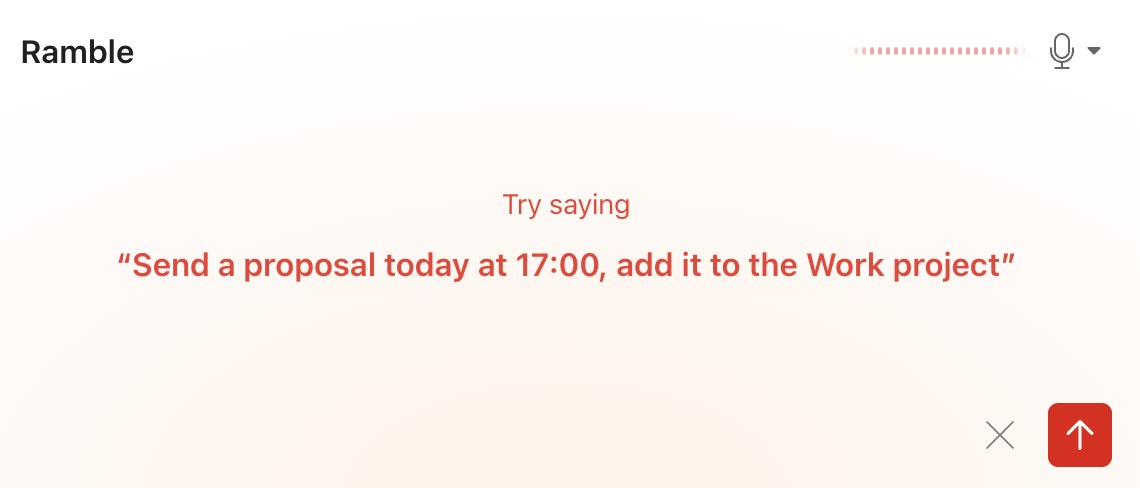
For ADHD this is the best thing Todoist has shipped in years. Speaking a brain dump is easier than typing one, especially when you're overwhelmed. It isn't perfect. TechCrunch reported Doist's own beta numbers, where successful task creation climbed from about 40% to about 62% of sessions. Location reminders on the free plan
For "I'll remember when I get there" people (you won't), this is gold.
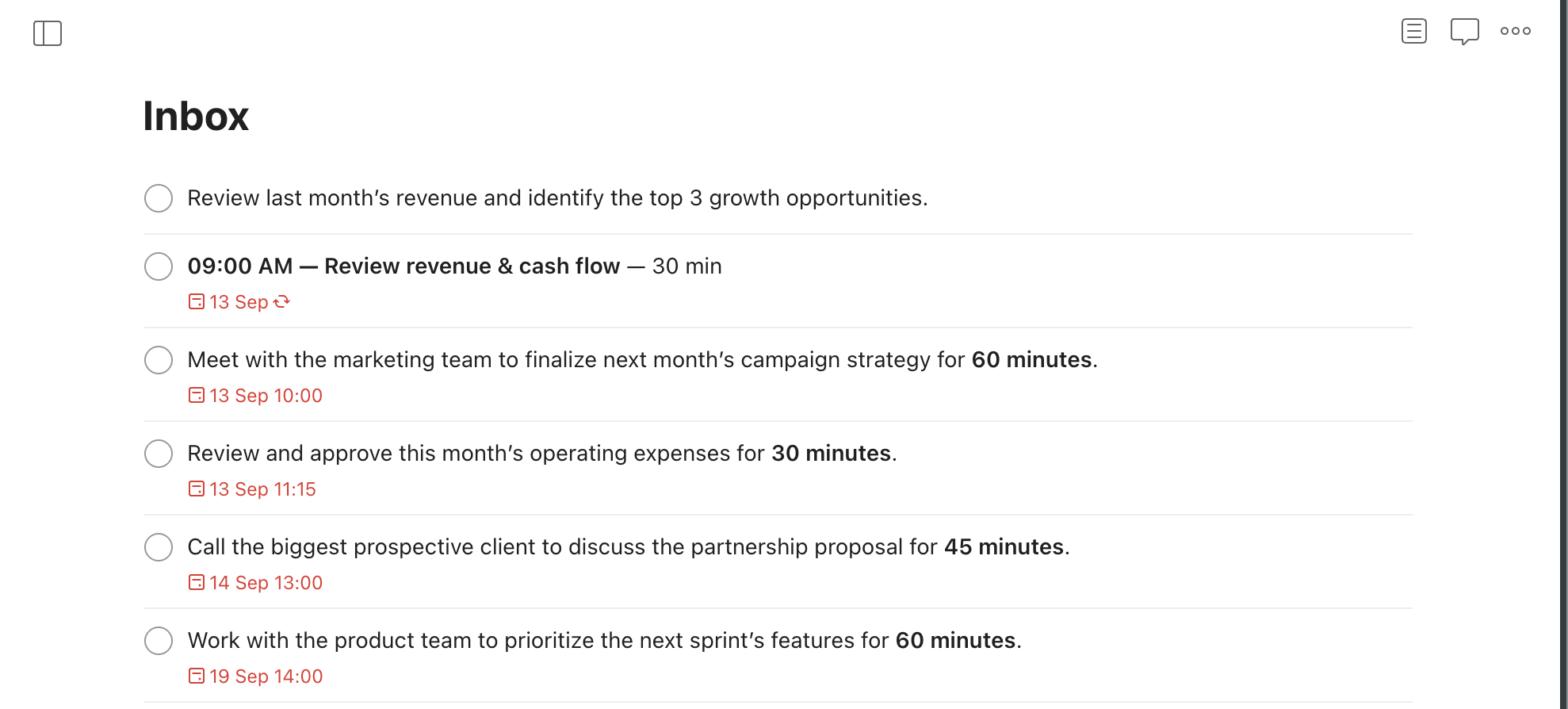
The interface stays out of your way
Todoist is calm. White space. One list at a time. No flashing badges. If busy screens make you close apps, this matters more than any feature list.
It works everywhere and syncs fast
Phone, laptop, watch, browser extension, email forwarding. ADHD capture fails when the app is on the other device. Todoist is basically always on the device you're holding.
Where Todoist falls short for ADHD
It waits for you to open it
Todoist is passive. It holds your list perfectly. Then it sits there. If you're the type who forgets the app exists (hi), the list rots.
Automatic reminders need a time
This trips up a lot of people. Automatic reminders are relative to a task's time. Give a task a date but no time ("call landlord tuesday") and it won't ping you. It'll just appear in Today and hope you look.
Fix: always add a time to anything you can't afford to miss. "call landlord tuesday 10am."
Overdue tasks pile up like dishes
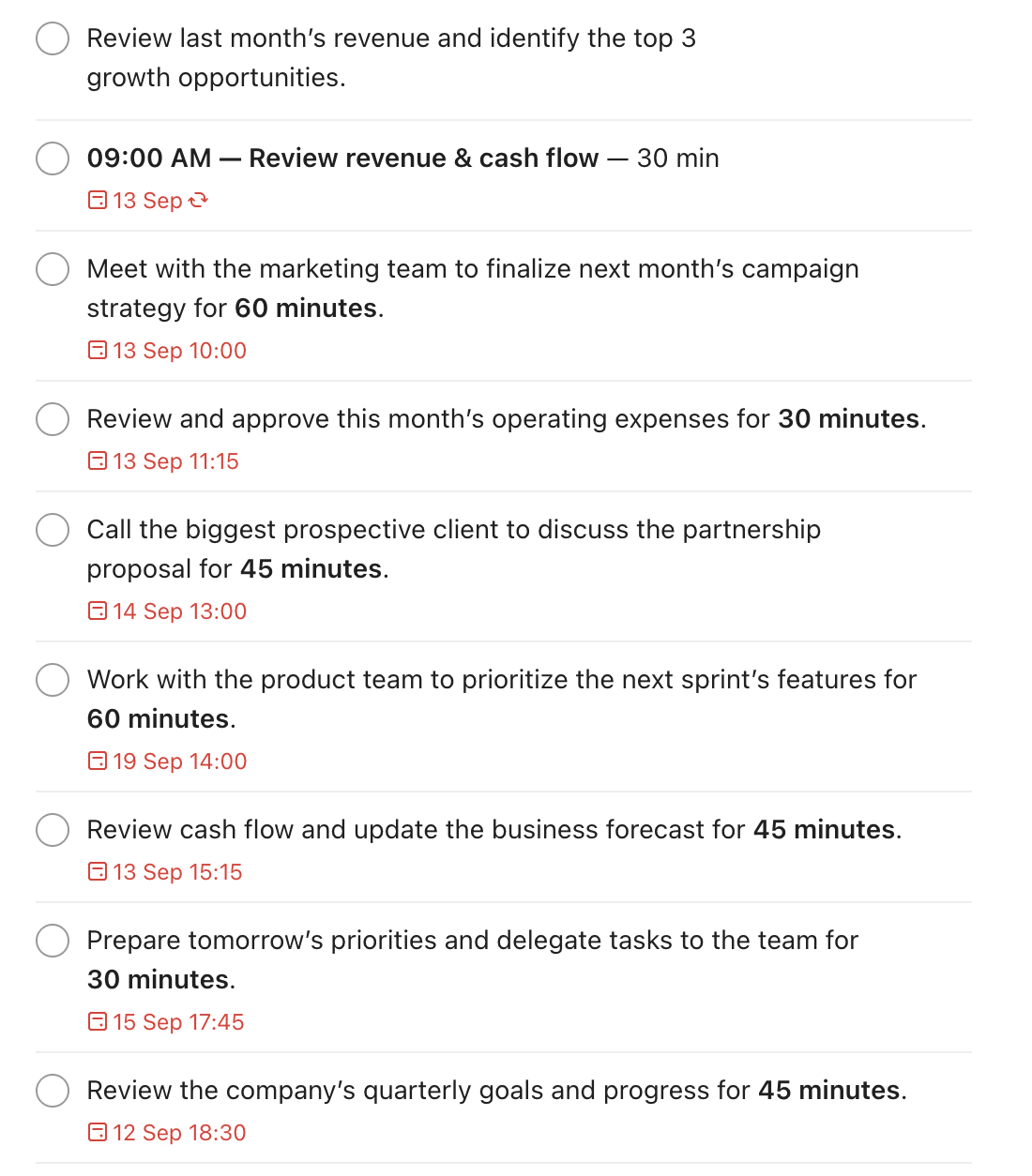
Todoist doesn't punish you for missing a date. It just keeps the task in a red "Overdue" section. After two bad weeks, that section is 60 items long and opening the app feels like opening your bank statement after a vacation.
>> For a lot of us, that's exactly when ADHD paralysis kicks in.
It doesn't decide what to do next
Priorities and filters help, but Todoist never says "do this now." If choosing is your bottleneck, you'll stare at 14 P1 tasks and do none of them.
>> Pair it with a decision method from my guide on how to prioritize tasks with ADHD, or use an app that plans for you.
The good planning stuff is behind Pro
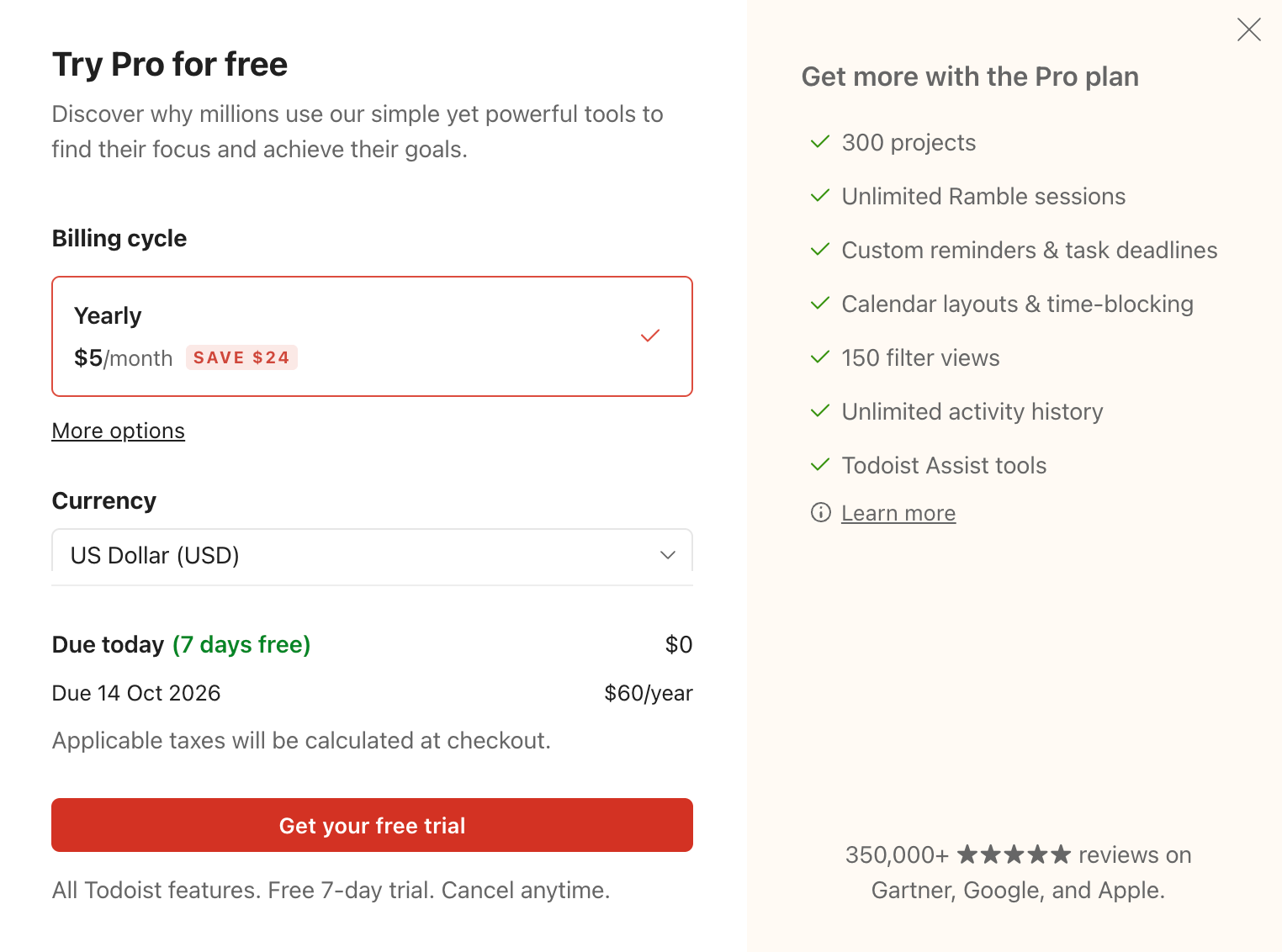
Calendar layout, task durations and deadlines are Pro-only. Free also caps you at 5 personal projects and 3 filter views. And per the calendar layout help page, you drag tasks between days, not into a proper hour-by-hour timeline. Want real time blocking? Wrong tool.
Karma is fine, for about a week
Todoist's Karma points and streaks give a small dopamine hit. Then the novelty wears off, like every gamification system I've met. Don't pick Todoist for Karma.
Todoist Free vs Pro: is Pro worth it for ADHD?
| Feature | Beginner (Free) | Pro |
|---|---|---|
| Personal projects | 5 | 300 |
| Filter views | 3 | 150 |
| Reminders | Task reminders | Custom task reminders |
| Location reminders | Yes (mobile alerts) | Yes |
| Calendar layout | No | Yes |
| Task duration | No | Yes |
| Deadlines | No | Yes |
| Ramble (voice AI) | Limited sessions | Unlimited |
| Activity history | 1 week | Full |
| Price | $0 | $5/mo yearly, $7/mo monthly |
My take: start free. Five projects is plenty for an ADHD setup (fewer projects is better anyway). Upgrade only if you catch yourself using Ramble daily and hitting the limit, or you want multiple custom reminders per task. Pay yearly or not at all; $7 a month for an app you might abandon in March is a classic ADHD tax.
Todoist vs other ADHD task apps
| App | Best for | Plans your day? | Nags you? | ADHD catch |
|---|---|---|---|---|
| Todoist | Fast capture, calm list | No | Lightly (needs a time set) | Overdue pile grows silently |
| TickTick | Reminders, timer and habits in one app | No | Yes, persistent alarms | Busier screen |
| Saner.ai | Pulling tasks out of notes, email and calendar into a daily plan | Yes, proposes a plan | Through the daily plan | Newer, AI-dependent |
| Apple Reminders | Free, iPhone-only simplicity | No | Yes | Apple ecosystem only |
| Sunsama | Guided daily planning ritual | Yes, with you | Some | Pricey, takes daily effort |
Saner.AI reads your notes, email and calendar, pulls the commitments out, and drafts a plan for the day. You can also manage your tasks via chat.
>> For the bigger picture, see the full best ADHD task management apps roundup, if you want to compare everything side by side.
How to set up Todoist for ADHD: a 25-minute setup
Most "Todoist for ADHD" templates are too clever. Twelve projects, nine labels, a filter for every mood. You'll maintain it for four days. This setup is boring on purpose.
Step 1: Make only four projects (5 minutes)
- Inbox (already there): everything lands here first
- Work
- Home & Life: bills, chores, appointments, errands
- Someday: ideas you don't want to lose but won't do this month
That's it. You stay under the free plan's limit, and you never wonder where something goes.
Step 2: Use priorities as a traffic light, not a ranking (2 minutes)
- P1 (red): has a real consequence if missed this week. Rent, deadlines, prescriptions.
- P2: should happen this week.
- P3 / P4: everything else. Most tasks belong here, and that's fine.
Rule: no more than 3 P1s on any day.
Step 3: Turn on reminders properly (3 minutes)
- Settings → Reminders → set automatic reminders to 30 minutes before (or whatever beats your transition time)
- Train yourself to add a time to anything important: "pay credit card friday 6pm p1"
- Add location reminders on your phone for errands: pharmacy, grocery, post office
If Todoist's reminders still aren't loud enough for you, my best reminder apps for ADHD list has apps that nag harder.
Step 4: Build one filter called "Now" (5 minutes)
Create a filter with this query:
(today | overdue) & (p1 | p2)Make it your start page (Settings → General → Home view). Now opening Todoist shows only today's important stuff, not the whole scary list. Free gets 3 filters, so you have room.
Step 5: Put Quick Add and Ramble where your thumb already goes (3 minutes)
- Add the Todoist Quick Add widget to your phone's home screen
- On desktop, learn the global Quick Add shortcut
- Try Ramble once tonight: talk for 60 seconds about everything bugging you and see what comes out
Step 6: Schedule a 10-minute "overdue amnesty" twice a week (2 minutes to set up)
Make a recurring task: "Overdue amnesty every mon, thu 6pm p1." When it fires:
- Anything overdue more than 7 days: reschedule it, move it to Someday, or delete it. No guilt.
- Anything that's been rescheduled three times: it's too big. Break it down (my guide to using AI to break down tasks helps) or admit you won't do it.
- Select-all overdue and push to today only if there are fewer than 5. Otherwise, triage.
Step 7: Do a 15-minute weekly look-ahead (5 minutes to set up)
Add a recurring Sunday task and use the Upcoming view to scan the week. Drag things off overloaded days.
>> My guide on how to plan a week with ADHD has a full script for this.
Who should use Todoist (and who shouldn't)
Use Todoist if:
- Your main problem is forgetting things, not starting them
- You like a clean screen and get overwhelmed by busy apps
- You think out loud and want voice capture that actually files tasks
- You want something free that works on every device
Skip Todoist if:
- You open task lists and freeze. You need an app that picks for you.
- Your day lives in your calendar and you want time blocks, not a list
- You've already abandoned Todoist twice. A third try with the same tool usually ends the same way.
My Conclusion
Todoist is a good capture tool. The quick add is fast enough to keep up with ADHD thoughts, and Ramble made it faster. But capture is half the job. Todoist leaves the other half, deciding and doing, entirely to you, and that's the exact half ADHD makes hardest.

So I'd use it as a capture inbox and a clean list, add the "Now" filter and the overdue amnesty, and pair it with something that helps you plan. If that sounds like too many moving parts, pick an app that plans for you instead.
Frequently asked questions
Is Todoist free good enough for ADHD?
Yes, for most people. The free plan includes natural-language capture, 5 projects, 3 filters, task reminders, location reminders and limited Ramble sessions. You lose calendar layout, durations and deadlines, which matter more for planning than for capture.
How much does Todoist Pro cost in 2026?
$5 per month billed yearly ($60/year) or $7 per month billed monthly. Prices went up from $4 and $5 on renewals after December 10, 2025,
Does Todoist have AI features for ADHD?
Yes. Ramble turns spoken brain dumps into tasks with dates and priorities. It doesn't plan your day or decide what to work on next. For that, you need a planner-style app like Saner.AI
Can a to-do app replace ADHD treatment?
No. Skills-based therapy has research behind it (see the López-Pinar meta-analysis above). A to-do app is a place to practice organization skills, not a treatment. Talk to a clinician about all your options, including medication.