The 5 Best Free ADHD Apps for Focus, Planning and Working

I have ADHD. I've also downloaded, tried, and abandoned somewhere north of 40 productivity apps in the last several years, which is well, bad. Half of them are still sitting on my phone's second screen, judging me. So when I say "tested," I mean it in the most literal, occasionally humiliating sense.
This list only includes apps that are actually free, not apps with a "free trial" that turns into a $15 charge the moment you forget about it 😦
👉 For more on what "ADHD-friendly" actually means versus what's just good marketing, I break down the research in my complete guide to ADHD productivity.
What are free ADHD apps?
Free ADHD apps are tools that help manage specific ADHD-related challenges, like task initiation, working memory, time blindness, or distraction, without a subscription or paywall blocking the core function.
A free ADHD app either works fully at no cost (Goblin Tools, your phone's voice memo app) or has a free tier that does one real job on its own, even if a paid tier exists for people who need more of it (Saner.AI, Focusmate, Refocus).
How I tested these apps
I didn't just read the app store descriptions and call it a day, though I wish that were the job. Here's what actually went into this list, and you can read the full breakdown of my standards on the editorial policy page:
- I used every tool myself, on my own tasks, for at least two weeks. Not a five-minute click-through. Long enough to hit the annoying parts
- I tested the free tier specifically, not the paid version with a discount code. If a "free" app pushed me to upgrade before I could finish a basic task, I noted exactly where that wall showed up, and you'll see it called out under "the catch" for each one.
- I looked for the failure point, not just the win. Every tool on this list has a specific thing it doesn't do well. Goblin Tools won't remember anything. Focusmate caps you at three sessions.
- I checked pricing and free-tier limits against the vendor's current page, not a review from eighteen months ago that may not reflect what changed since. App pricing moves. I verified every number in this post directly before publishing.
- I didn't take payment or free credits from any company on this list to be included. If that ever changes for a specific tool, I'll disclose it above the section, same as my affiliate policy requires.
- I ran each recommendation against the research, not just my own experience. My brain is one data point. Where a claim about ADHD and attention, memory, or time is doing real work in this post, it's linked to the actual study
The 5 best free ADHD apps
1. Goblin Tools — for task paralysis
Best for: Breaking an overwhelming task into steps small enough to actually start.
Cost: Free, no account required.
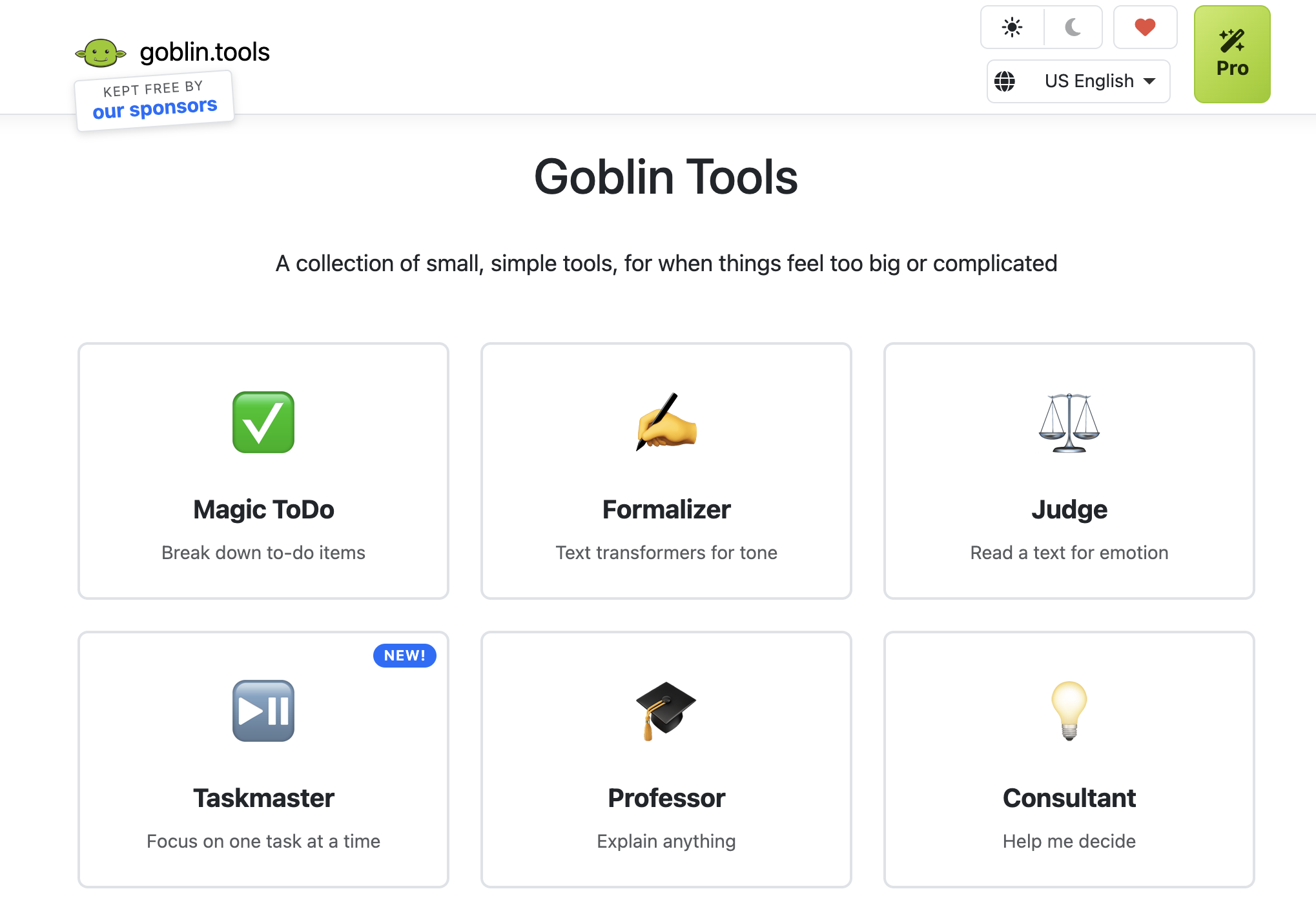
You paste in the thing you're avoiding ("clean the garage," "respond to that email from HR") and Goblin Tools' Magic ADHD-to-Do List breaks it into small, sequential, non-terrifying steps. It's blunt, occasionally funny, and completely free. If your brain freezes at the size of a task rather than its difficulty, this is the tool. I go deep on why task breakdown works and what the research actually says about starting a task when you have ADHD.
The cons: It's a web tool, not a system. It won't remember your tasks or nag you later. Pair it with a task app for that part.
2. Your phone's built-in voice memo app - for capturing thoughts
Best for: Working memory failures. The idea that disappears between having it and writing it down.
Cost: Free. It's already on your phone.
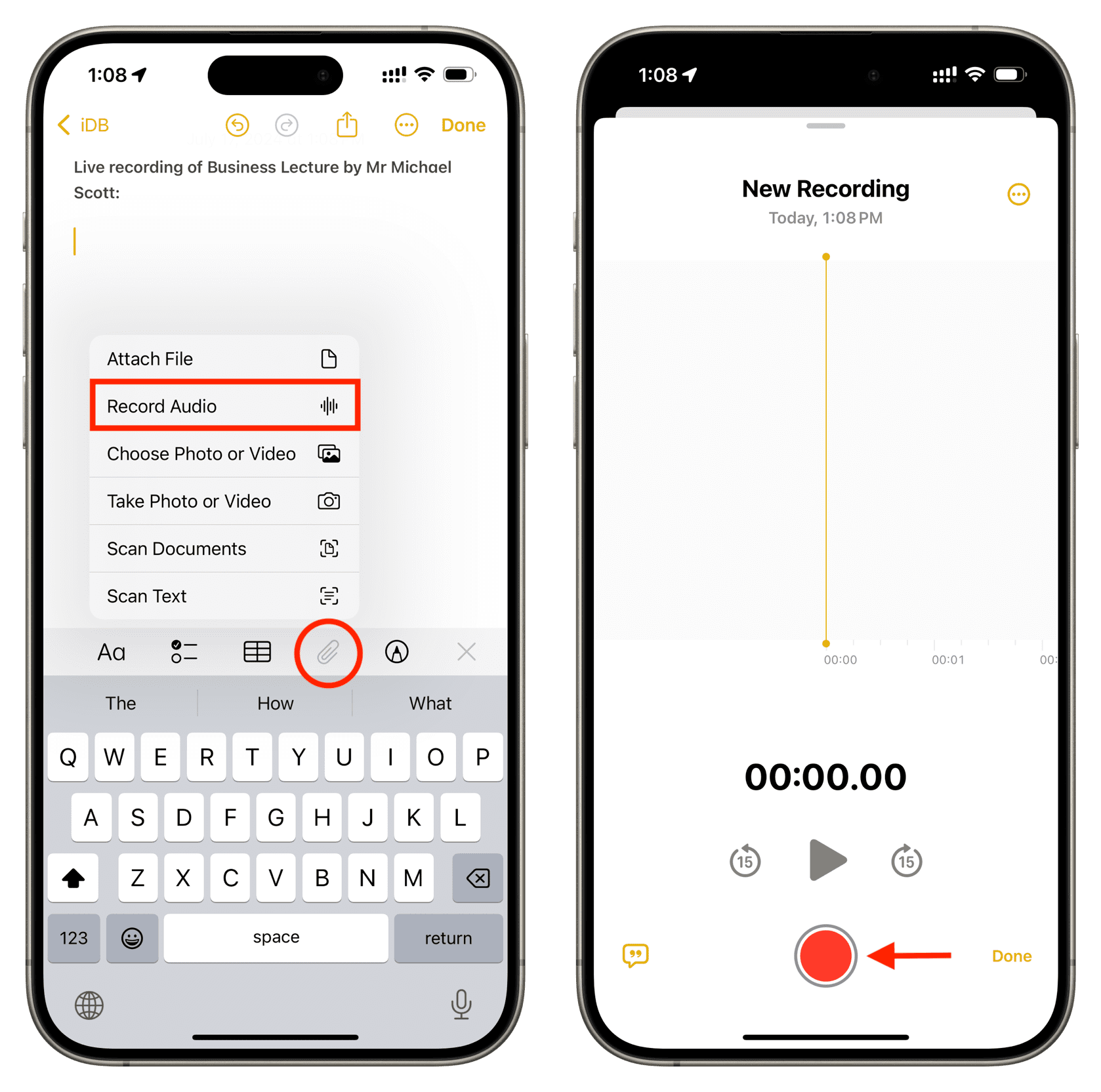
This one feels almost too simple to include, and that's the point. Voice capture bypasses the exact bottleneck the working-memory research above describes: you don't have to hold the thought in working memory long enough to type it, you just say it. I did a full breakdown of voice-to-text tools for ADHD if you want something with better transcription than the stock app, but the built-in one costs nothing and works today.
The catch: A pile of forty unlabeled voice memos is its own kind of overwhelm. Review them at least weekly or they become a graveyard.
3. Saner.AI — for proactive daily planning and calendar
Best for: People whose actual problem is that nothing ever gets scheduled against their real calendar
Cost: Free tier, no credit card required. Paid plans start around $8 to $12/month if you need more AI messages per month.
You connect your calendar and email, brain-dump whatever's rattling around your head (typed or spoken), and say "plan my day." Saner AI, turns that mess into an actual time-blocked schedule against your real meetings, not a fantasy version of your day where you have six free hours.
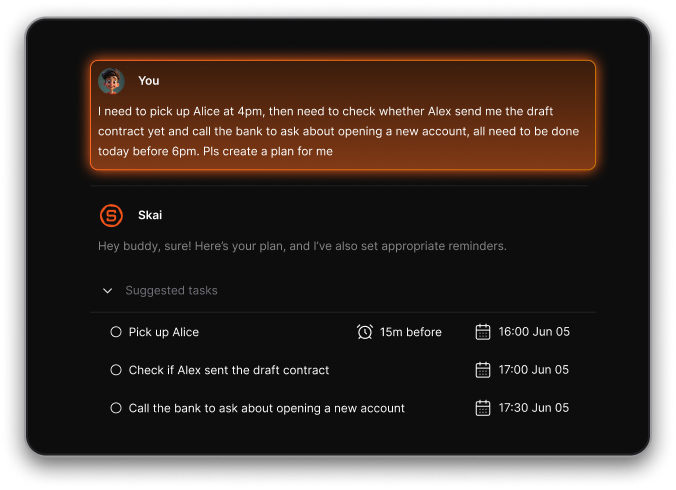
Every morning it proactively scans your inbox and calendar and hands you a prioritized plan before you've had to open a single app to figure it out yourself
The free tier includes the core planning and calendar connectors, so you can test whether proactive scheduling actually changes anything for you.
I wrote a full review of Saner.AI as an ADHD task manager if you want the honest pros and cons before deciding whether the free tier's message cap is livable for you.
The catch: The free message cap will feel tight fast if you're the type to renegotiate your day with the AI all the time. It also needs your calendar and email connected to do the proactive part, so if you're not ready to hand over that access, you won't get the feature that makes it worth including here.
4. Refocus — for phone-distraction during focus time
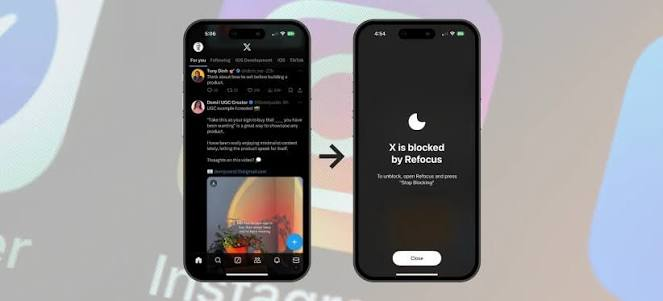
Best for: The specific flavor of task avoidance where you pick up your phone eleven times in ten minutes and somehow end up on TikTok without deciding to.
Cost: Free, with an optional one-time or subscription unlock for advanced blocking modes.
Refocus is an app and website blocker that lets you lock distracting apps behind a passcode, a timed delay, or a "strict mode" that's deliberately annoying to bypass. The free version already covers scheduled blocking (say, every weekday from 9 to 5), time limits per app, and basic screen-time analytics, which is enough friction for most people to actually notice the habit instead of sliding past it on autopilot.
The catch: It only manages phone distraction. It does nothing about the other nine ways your brain can derail a work session, and if you're determined to get around it, the free tier's blocks are easier to bypass than Strict Mode.
5. Focusmate — for task initiation through body doubling
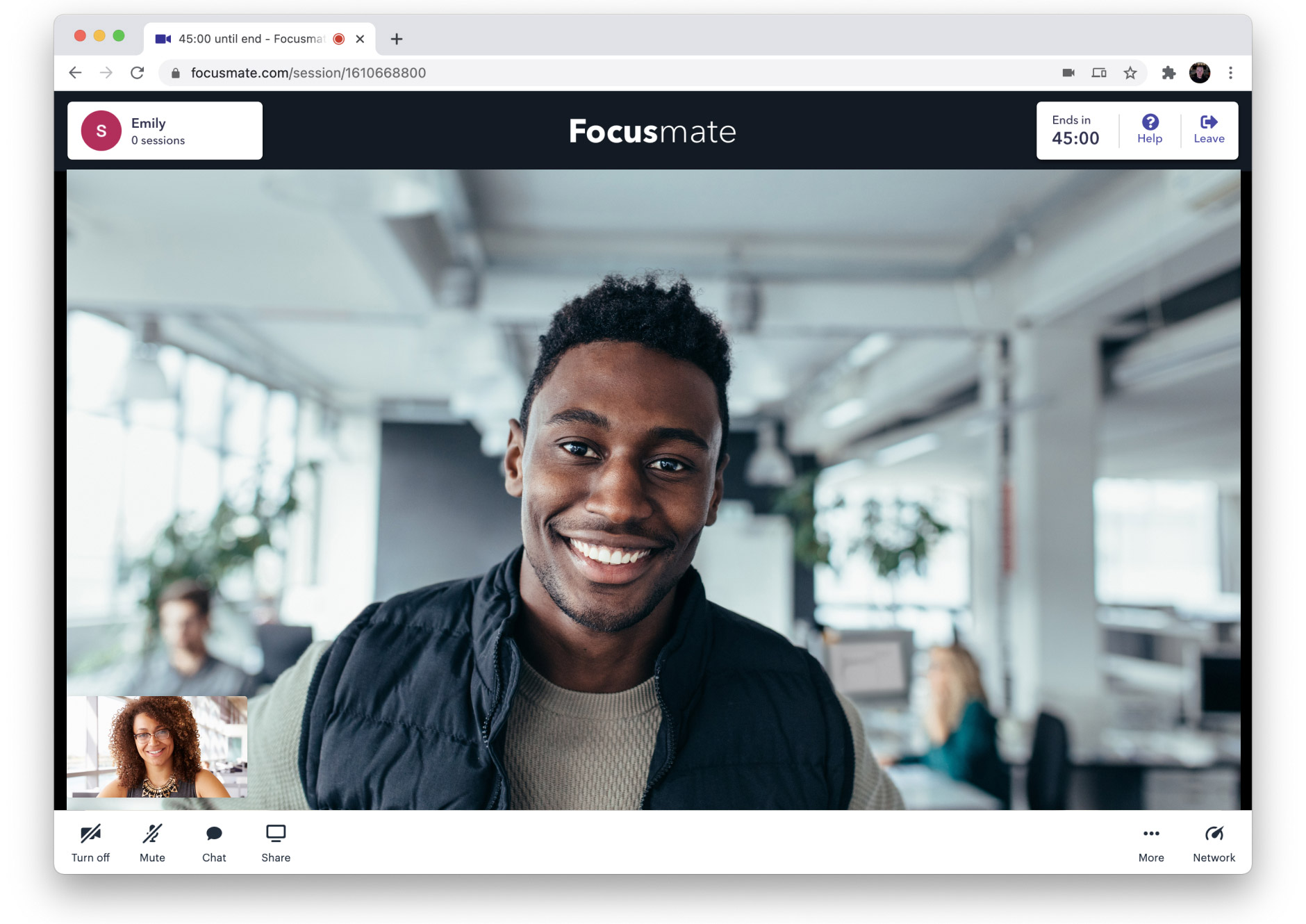
Best for: The task you've been "about to start" for three days.
Cost: Free for 3 sessions per week, no credit card required.
You book a video slot, get matched with a stranger who's also trying to get something done, say hello, work in silence, then say goodbye. Nobody helps with your task. Nobody even talks to you during it. The mere presence of another person doing the same thing appears to lighten the load on the exact planning and initiation systems ADHD affects, which is why body doubling shows up so often in ADHD communities as an informal strategy.
👉 I cover the research behind why this works, including the one large survey that's been done on it, in body doubling for ADHD.
The catch: Three sessions a week sounds like a lot until it's your only structure and you blow through them by Tuesday.
If free stops being enough
Free tools are good starting points, and for a lot of people they're all you'll ever need. But if you've tried two or three of these and you're still drowning specifically in the coordination between tasks, calendar, and email, that's usually the point where an AI layer earns its cost.
I compared the free and paid options side by side in my full ADHD apps roundup, and separately reviewed the best AI tools I actually use for my own ADHD, free and paid included.
FAQ
Are free ADHD apps actually effective, or just cheap versions of paid ones?
Neither, really. Most ADHD apps, free or paid, lack published clinical evidence a review of ADHD apps found none provided scientific evidence for their effectiveness. What predicts whether a tool helps is whether it targets a specific bottleneck (memory, time, attention, or initiation) and whether you'll actually keep using it, not the price tag.
What's the single best free app if I can only pick one?
Depends entirely on your bottleneck. If tasks feel too big to start, Goblin Tools. If your day is a mess, Saner.AI can solve it. If you can't get moving without another person around, Focusmate's free tier.
Do I need a diagnosis to use these apps?
No. None of these are medical devices, and using them isn't a substitute for an evaluation. If you suspect you have ADHD and haven't been formally assessed, that's worth pursuing with a professional. My full medical disclaimer covers what this site can and can't tell you.
I have ADHD, I write about ADHD, and I have personally tested every tool on this list, which you can read more about in my editorial policy. This isn't medical advice, and if you're dealing with symptoms that are seriously disrupting your life, please talk to an actual clinician, not just an app.