Saner.AI vs Akiflow for ADHD: Which Planner is better?

Akiflow and Saner.AI both promise to pull your scattered tasks into one place. They go about it in very different ways, and they cost very different amounts. If you have ADHD, the difference that matters most is who does the planning: you, or the app.

The quick answer
- Pick Akiflow if you already like time blocking, your tasks live in lots of work tools (Slack, Asana, Jira, Notion and friends), and you want a fast, keyboard-driven command center. Budget for $19–34 a month.
- Pick Saner.AI if your tasks are tangled up with notes, emails and ideas, and you'd like an assistant that drafts a plan for you each day. There's a free plan, and paid plans are $8 or $16 a month.
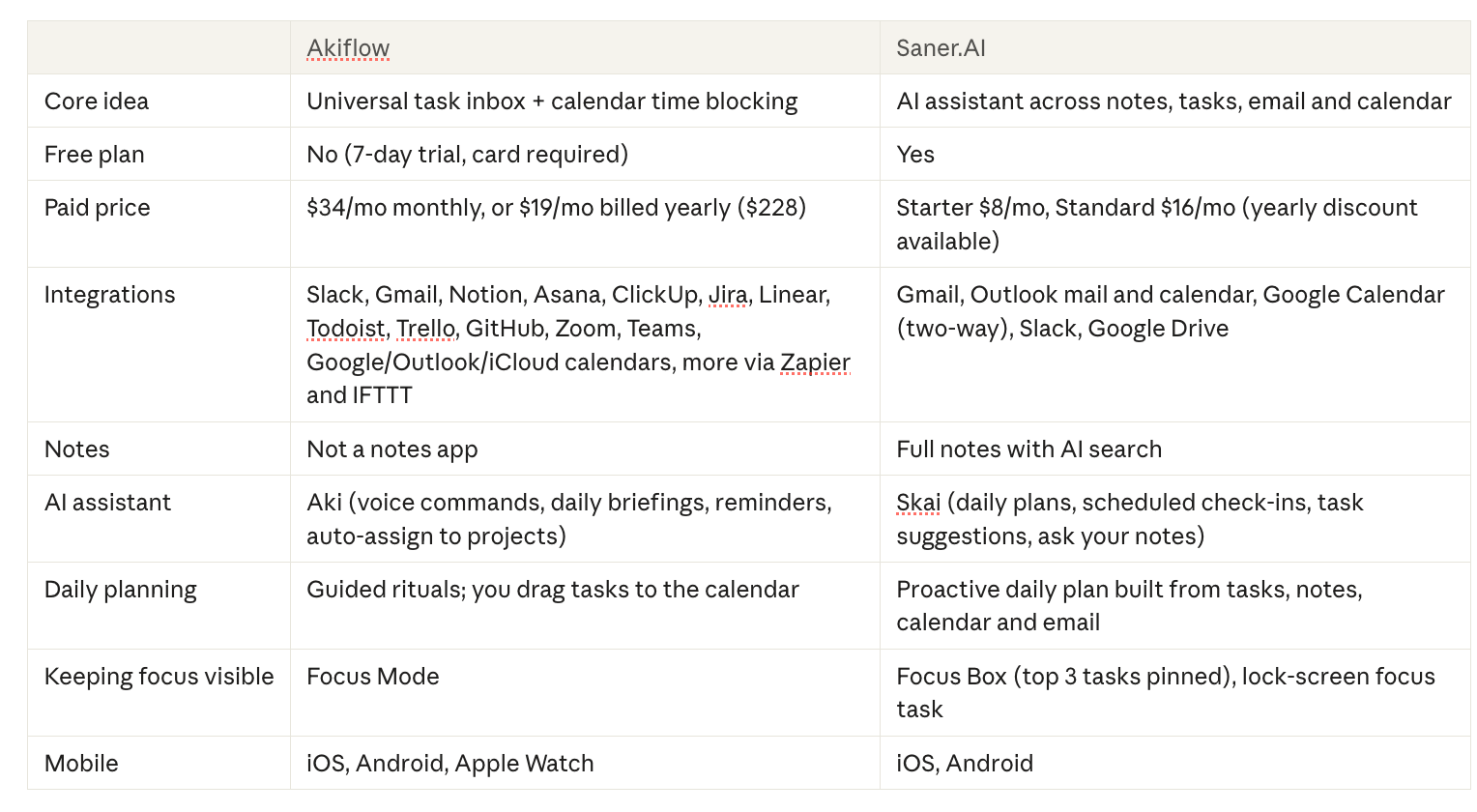
Akiflow and Saner.AI comparison table
Why the "who plans?" question matters with ADHD
Planning is an executive function, and ADHD hits executive functions. A 2018 review of meta-analyses in Archives of Clinical Neuropsychology found planning and organization among the areas with the largest average deficits in ADHD, alongside working memory and response inhibition.
So a tool that hands you a beautiful empty calendar and says "go" can work great on a good day. On a bad day? You stare at it. For a while. It's just the question to ask about any planner: what happens on the days you can't plan? 🤨
If you've ever frozen in front of a long list, you know the feeling. We wrote a whole piece on ADHD paralysis.
Akiflow: the fast command center
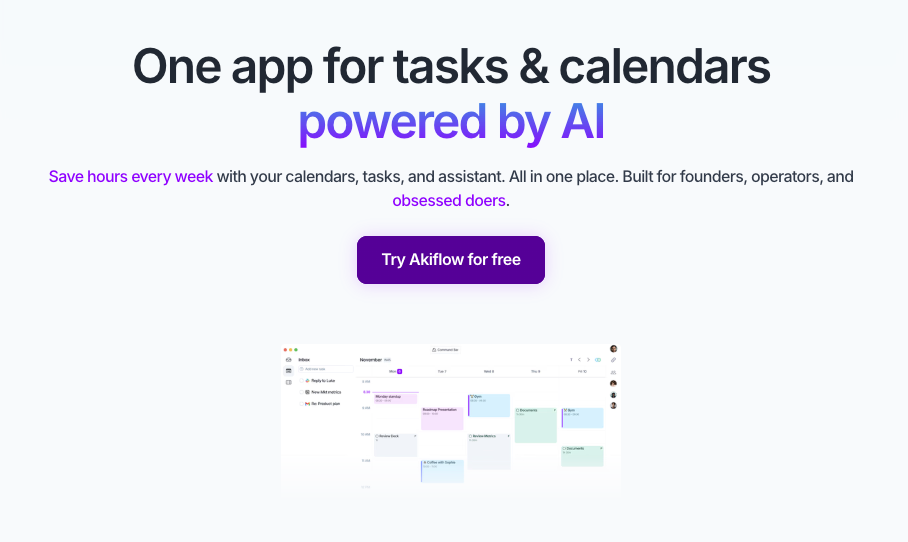
Everything you need to do, from every tool, in one inbox. Then you drag it onto your calendar.
Where Akiflow shines for ADHD
- The universal inbox. Tasks from email, Slack and project tools land in one list. You stop checking six apps to figure out what you owe people. Emails become tasks in one click, and Slack messages can be saved to reply to later
- Huge integration list. Their integrations page lists Slack, Gmail, Notion, Asana, ClickUp, Jira, Linear, Todoist, Trello, GitHub, Zoom, Microsoft Teams, Outlook, Microsoft To Do and Google, Outlook and iCloud calendars.
- Speed. A Cmd+K command bar and natural-language capture.
- Time blocking that doesn't take forever. Drag a task onto the calendar and it's blocked. (More on the method in our ADHD time blocking guide.)
- Rituals. Guided daily planning and shutdown give the day bookends. Our Akiflow review found these useful for keeping daily goals short.
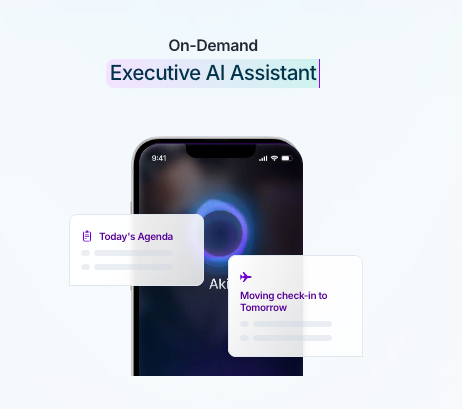
- Aki, the AI assistant. According to Akiflow, Aki handles voice commands, daily briefings and reminders, and can sort tasks into projects for you.
Where Akiflow falls short for ADHD
- Price. It's not cheap. $34 a month on monthly billing, or $19 a month if you pay $228 for the year. The AI meeting assistant is another $19 a month on top
- No free plan, and the trial wants your card. It's a 7-day trial that converts to paid unless you cancel. Forget to cancel trials? (Hi, it's me)
- The inbox can become a guilt pile. Pull in five sources and you'll have 200 items by Wednesday.
- You still make the decisions. The tools are excellent. But on a low day, a blank calendar stays blank.
- No notes. Meeting notes, research, ideas and random thoughts live somewhere else. Another app. Another place to forget.
Saner.AI: the assistant that plans with you
Saner combines notes, tasks, email and calendar, with an AI assistant called Skai on top. The pitch: dump everything in. Let the assistant help sort and schedule it.
Where Saner shines for ADHD
- A daily plan you don't have to build from scratch. It drafts a daily plan from your tasks, notes, calendar events and emails. You edit it instead of staring at a blank page.
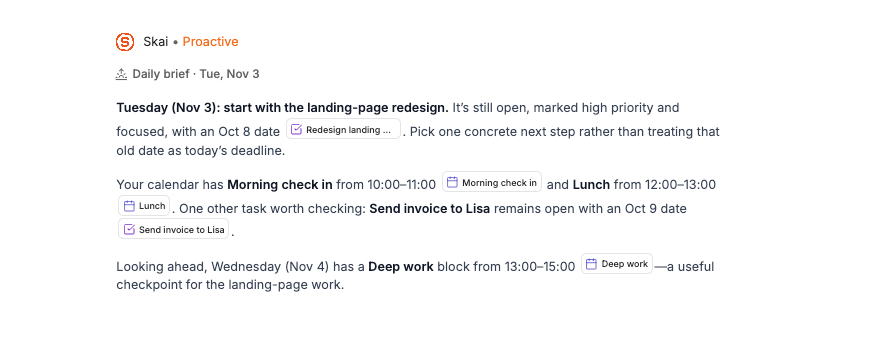
- Check-ins that come to you. Skai Proactive sends a scheduled daily summary of your calendar, overdue tasks and recent notes
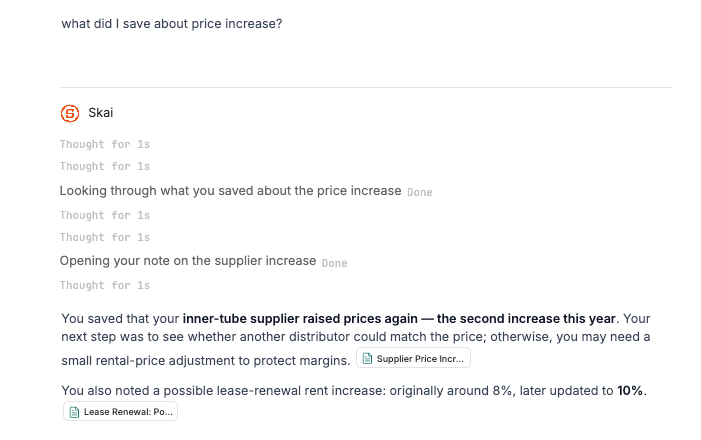
- Notes and tasks in one place. Brain dumps, meeting notes and saved web clips sit next to your tasks. Tasks can link back to the note they came from. Ask Skai a question in plain language and semantic search finds notes by meaning, not exact words.
- Focus Box. Pin your top three tasks and they stay visible on desktop while you work. On mobile, Live Activities can show your focus task on the lock screen.
- Email turns into tasks. Gmail and Outlook are both supported, and emails can become tasks with reminders.
- Two-way Google Calendar sync and task durations that show as blocks in calendar view.
- AI subtasks. Big tasks can be broken into subtasks by the AI, which helps when "do taxes" is too vague to start.
- Cheap to try. Free plan is available. Starter is $8/month and Standard is $16/month, per the pricing page.
Where Saner falls short for ADHD
- Fewer integrations. Saner connects to Gmail, Outlook, Google Calendar, Slack and Google Drive. No native Asana, Jira, Linear or ClickUp sync. If your tasks come from project tools, Akiflow wins. Easily.
- Less of a keyboard-power-user tool. Akiflow is built for people who live on shortcuts. Saner leans on the AI and chat instead.
- AI plans need a human edit. A drafted plan is a starting point. You'll still move things around. That's normal.
Setup guides you can do today
Saner.AI in 20 minutes
- Sign up for the free plan.
- Connect Gmail or Outlook and your Google Calendar.
- Do one big brain dump into a note. Everything in your head, unsorted. Ask Skai to turn it into tasks.
- Pin your top three tasks in the Focus Box.
- Turn on the daily check-in so overdue tasks come to you.
- Install the Chrome extension and the mobile app so capture is one tap from anywhere.
Either way, run a short weekly review so the system doesn't rot. Our how to plan a week with ADHD guide has a template.
Akiflow in 20 minutes
- Start the 7-day trial. Immediately set a phone reminder for day 6.
- Connect your calendar and only one or two task sources (email plus your main work tool).
- Learn three shortcuts: new task, plan task, command bar. Ignore the rest for a week.
- Run the daily planning ritual. Keep your daily goal to 2–3 tasks.
- Drag those tasks onto your calendar with realistic durations. Then add 50%. ADHD time estimates are fiction.
- Run the shutdown ritual at the end of the day.
Who should pick which?
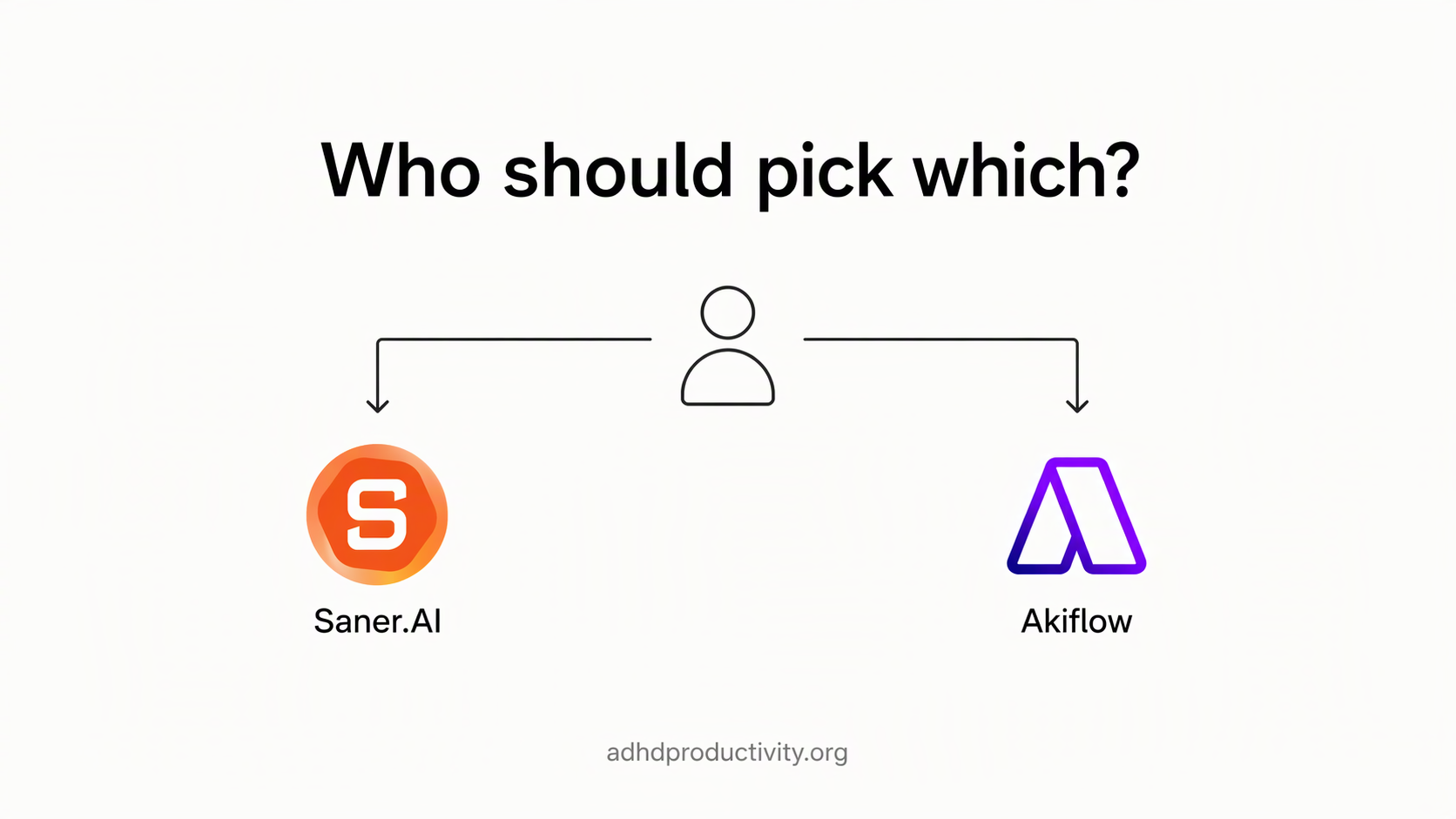
Choose Akiflow if:
- Your tasks come from many work tools and you need them in one place.
- You already enjoy time blocking and just want it faster.
- You like keyboard shortcuts and a command bar.
- The price isn't a problem, or your employer pays.
Choose Saner.AI if:
- Your tasks hide inside notes, emails and brain dumps.
- Planning from a blank slate is the hard part for you.
- You want a free plan to try for real before paying.
- You'd rather one app hold notes and tasks than juggle two.
Still shopping? My roundups of the best ADHD task management apps and the best AI calendars for ADHD cover more options. If Sunsama is on your shortlist too, see Saner.AI vs Sunsama.
My take
Akiflow is a superb tool for people who already plan, and it's priced like one. Saner is the better pick when planning itself is the thing you avoid, and it's cheaper to find that out. Try one for a full week before you judge it. Day one with any planner feels amazing. That's the novelty talking.
FAQ
Does Akiflow have a free plan?
No. Akiflow offers a 7-day full-access trial that needs a card and converts to paid unless you cancel. After that it's $34/month, or $19/month billed yearly ($228).
Is Saner.AI free?
There's a free plan with 100 notes and 30 AI requests a month. Paid plans are Starter at $8/month and Standard at $16/month, per the Saner.AI pricing page.
Which is cheaper, Saner.AI or Akiflow?
Saner.AI. Its top plan ($16/month) costs less than Akiflow's cheapest option ($19/month billed yearly).
Can Saner.AI replace Akiflow?
If your tasks mostly come from email, your calendar, Slack and your own notes, yes. If they come from Jira, Asana, Linear or ClickUp, Akiflow's native integrations are hard to replace.
Do they work on mobile?
Both have iOS and Android apps. Akiflow also lists Apple Watch support. Saner can show your focus task on the iPhone lock screen through Live Activities.