The 5 Best Note-Taking Apps for ADHD (Tested and Ranked)

The best note-taking app for ADHD is the one that captures a thought before it's gone and then files it without asking you to. Those are two separate jobs, and most note apps only do the first one.
Standard note apps are storage. You capture something, and then you owe the app a decision: which notebook, which tag, which folder. That decision is the exact function ADHD taxes hardest, so the note goes in unfiled, the app fills with unfiled notes, and eventually you stop opening it. I have a note from March that says "the thing with the guy re: pricing." It has outlived two subscriptions.
I've ranked these by how much of the filing they do for you, not by feature count.
Key answer: what are the best note-taking apps for ADHD?
- Best overall, when capture and filing both fail: Saner.AI
- Best free option, and the fastest thing to a captured thought: Apple Notes or Google Keep
- Best if you want to own your notes for the next twenty years: Obsidian
- Best for meetings: Granola
How I tested these apps
Three weeks minimum in each one, with real notes in them, on a MacBook and an iPhone. I paid for everything myself. My editorial policy covers how I handle vendor contact.
I ignored each app for five days, then opened it and tried to find one specific thing I'd written in week one. If finding it required remembering where I put it, that's a fail. Capture is easy to demo. Retrieval a week later is where note apps actually die.
What I graded on:
- Time to captured. Seconds from thought to saved, counting the phone unlock.
- Filing tax. How much sorting the app demands after capture.
- Retrieval without recall. Can you find a note when you've forgotten what you called it?
- Neglect survival. What does it look like on day five of not touching it?
- Whether it comes back to you. Does anything resurface, or is it a hole you drop things into?
What ADHD actually breaks about note-taking
Worth understanding, because it changes which features matter to you and I:
- Working memory is measurably reduced. A meta-analytic review of adults with ADHD found impairments in both working memory and short-term memory relative to controls (Alderson et al., 2013, Neuropsychology).
- Remembering to do a thing later is separately impaired. Adults with ADHD performed worse on a complex prospective memory task than matched controls (Fuermaier et al., 2013, PLOS ONE).
- External reminders close the gap, and the effect is large. In a study of 268 people, participants with higher working memory fulfilled more intentions when forced to rely on memory alone, and that advantage disappeared entirely once they were allowed to offload onto reminders (Ball et al., 2022, Memory).
- But friction kills offloading. Across two pre-registered experiments, people set fewer reminders when setting them was physically more effortful, and the accuracy benefit shrank as a result (Chiu & Gilbert, 2024, Quarterly Journal of Experimental Psychology). Every extra tap between you and a captured thought is a thought you won't capture.
And on the pen-versus-keyboard argument, which comes up every time:
- The famous longhand study (Mueller & Oppenheimer, 2014) did not hold up well. A direct replication with extensions found no consistent performance differences between longhand and laptop notes (Morehead, Dunlosky & Rawson, 2019, Educational Psychology Review), and a later systematic review and meta-analysis found no effect of notetaking method on performance under controlled conditions (Voyer, Ronis & Byers, 2022, Contemporary Educational Psychology).
- For ADHD specifically, the case for typing is stronger. In a study of college students oversampled for ADHD diagnoses, higher ADHD symptoms were associated with slower handwriting speed, while typing speed showed no such difference (Shimko et al., 2025, Educational Psychology). A classroom study by the same group found that as inattentive symptoms rose, learning from a lecture went down for handwritten notes and up for laptop and tablet notes (Shimko et al., 2025, Applied Cognitive Psychology).
- The finding I'd actually act on from that first study: people with higher ADHD symptoms learned significantly more when they took notes at all, by hand or by keyboard, than when they took none. So the bullet journal aesthetic is optional. Taking notes is not.
None of this means an app fixes ADHD. It means the right app removes a load your brain is genuinely short on. More on the mechanism in executive dysfunction vs. laziness.
Comparison table
| App | What it does for you | Files it for you? | Price (verify) | Free tier |
|---|---|---|---|---|
| Saner.AI | Captures messy input, sorts it, surfaces it later | Yes | ~$8/mo annual | Yes, limited |
| Apple Notes / Google Keep | Instant capture, nothing else | No | Free | Yes, fully |
| Obsidian | Local markdown files you own outright | No | Free personal use | Yes |
| Granola | Writes your meeting notes from device audio | Yes | Free / $14 per user/mo | Yes, limited history |
| Otter.ai | Transcribes and summarises long recordings | Partly | Free / ~$8.33/mo annual | Yes, 300 min/mo |
1. Saner.AI
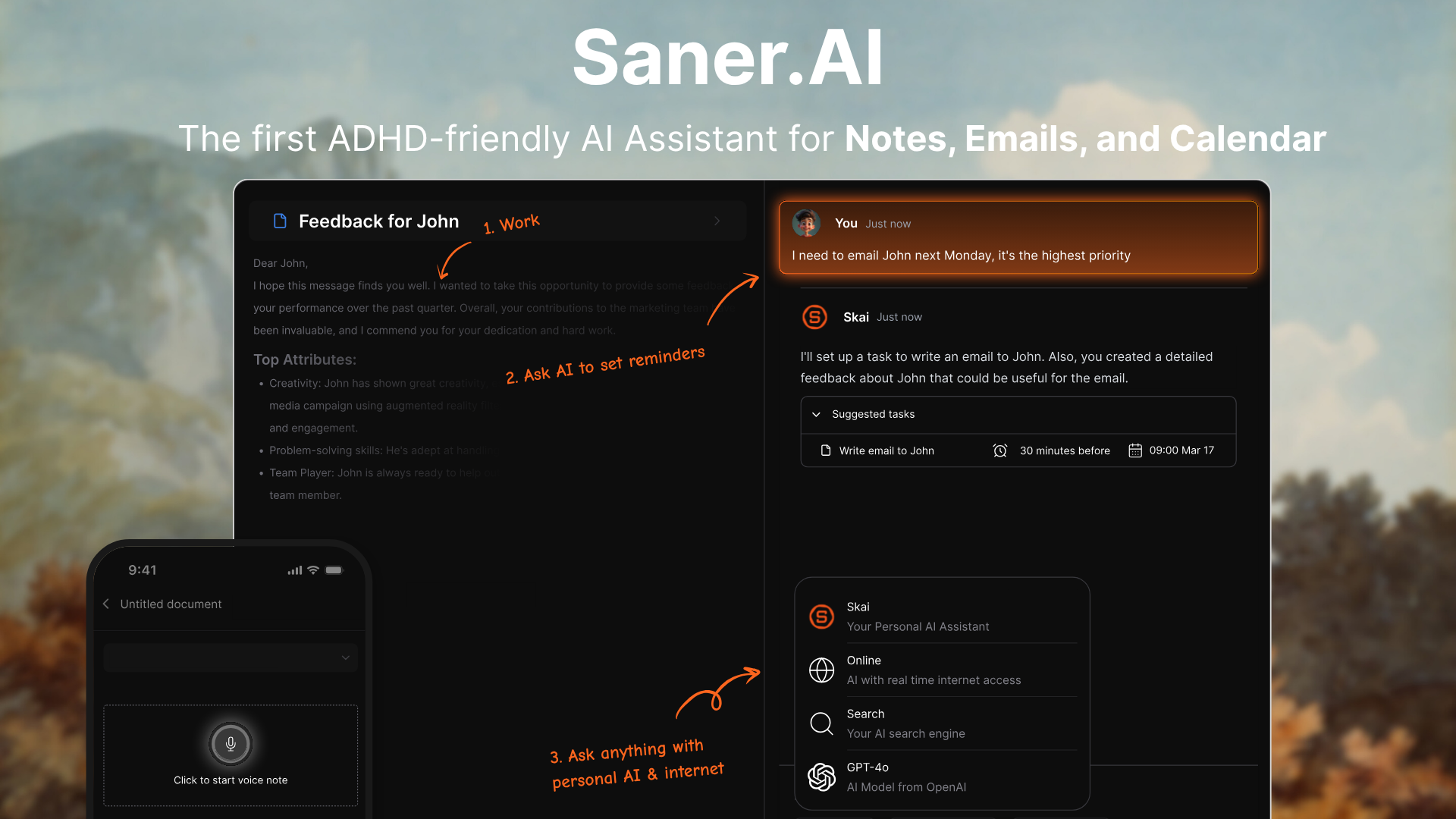
What it does. Notes, tasks, email, and calendar in one workspace with an AI assistant sitting across all of it. You dump things in messily, in any order, and it sorts them into notes and tasks, pulls out anything that looks like a commitment, and brings the relevant ones back to you later.
Why it's first. The filing step is where ADHD note-taking dies, and Saner is the only tool here that removes it entirely. You don't pick a notebook. You don't add tags. You put the thing in and it goes somewhere sensible without a decision from you.
The second reason is retrieval. I can ask a question about my own notes in plain language instead of remembering the title I gave a file. When I ran the five-day neglect test, this was the only app where I found what I was looking for on the first attempt, because I didn't have to reconstruct my own filing logic.
What I like. It comes back to me. Things I wrote down and forgot about reappear when they're relevant, which matters given how badly prospective memory holds up under ADHD. It also handles the pasted mess well: a wall of unpunctuated voice-dictated text goes in, structured notes come out.
Where it breaks. It's a younger product. If you want deep formatting control, elaborate database views, or a decade of integrations, you'll notice the gaps against something like Notion or Obsidian.
Ideal user. You lose thoughts before you write them down, and the ones you do write down disappear into an unsorted pile you never open again.
Pricing. Around $8 a month on annual billing, with a free tier. Check the site, pricing moves.
→ Related: the best AI tools I use for my ADHD
2. Apple Notes or Google Keep
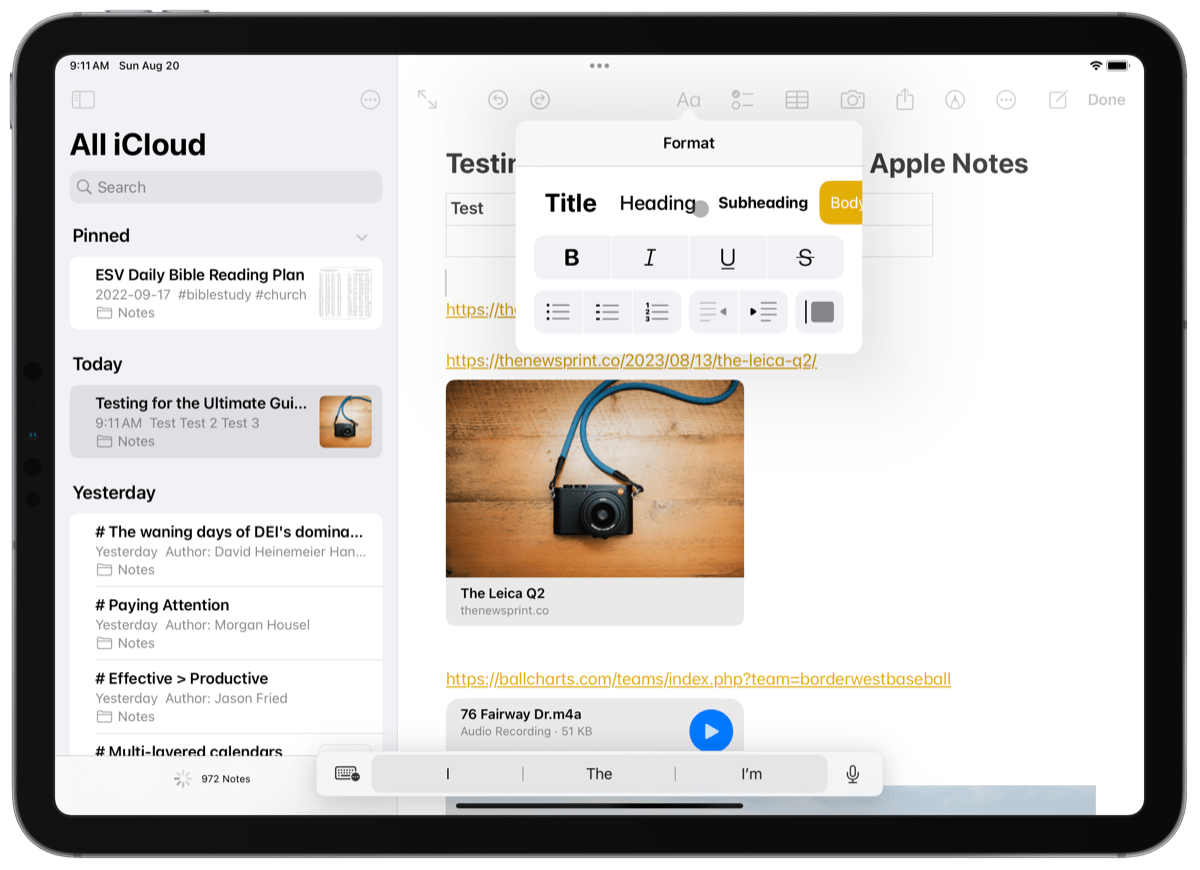
What it does. Exactly what you think. A blank note, one tap away, already on your phone, already synced.
Why it works for ADHD. Nothing beats it on time to captured. Widget on the home screen, tap, type, done. Given that reminder-setting drops off as soon as it gets more effortful (Chiu & Gilbert, 2024), the app you already have and already trust has a structural advantage over the better app you have to remember to open.
It's also free. If you've abandoned four subscriptions in two years, a free tool you might abandon is a completely different decision from a $15 one.
What I like. Zero setup. No system to design. There is no version of Apple Notes you can spend a Sunday configuring instead of doing your actual work, and for some of us that's a feature.
Where it breaks. It's a bucket. After about 400 notes it becomes an archaeological site. Search only works if you can remember roughly what words you used, which on the notes you most need to find is exactly the thing you can't do. Nothing resurfaces on its own.
Ideal user. You're starting from nothing and want to build the capture habit before you spend money. Genuinely the right first step for most people.
Pricing. Free.
3. Obsidian
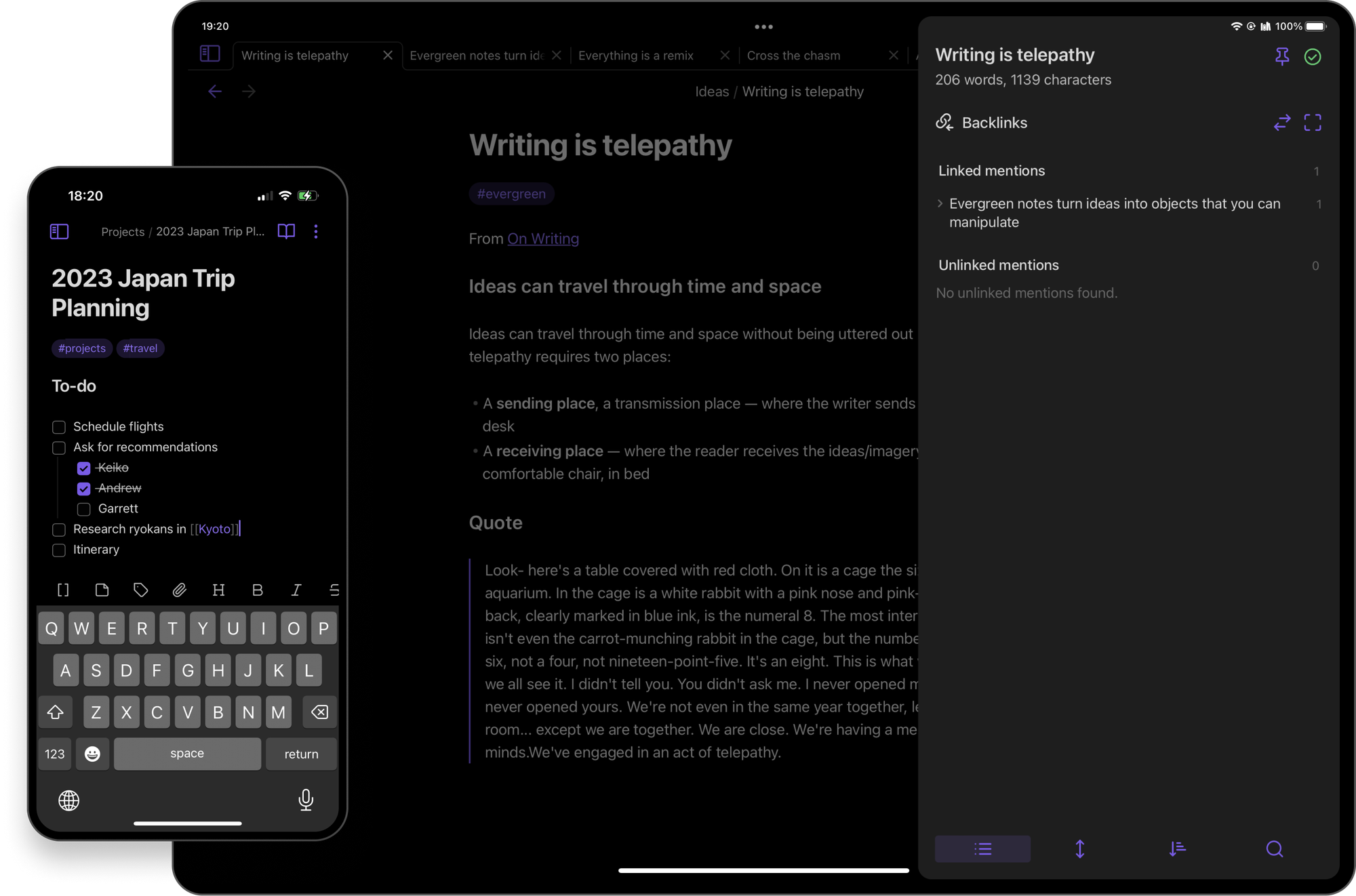
What it does. A note app running on plain markdown files stored on your own machine. You link notes together, and it builds a map of how your thinking connects.
Why it works for ADHD. Two reasons. First, ownership: the files are yours, on your disk, readable in any text editor in 2045. Obsidian removes the fear of losing everything
Second, linking beats filing. You don't have to decide the one correct folder for a note. You just connect it to another note. That's a much lower-stakes choice.
What I like. It's fast, it's local, it works offline, and the personal-use version is free. The plugin ecosystem is enormous.
Where it breaks. It gives you a blank canvas and full control, which is a trap if configuring systems is how you procrastinate. I've watched people spend three weekends on their Obsidian setup and produce no notes. The mobile capture flow is also slower than Apple Notes, and slower capture means fewer captured thoughts. If you want it, install it and ban yourself from plugins for the first month.
Ideal user. You write a lot, you want to keep it forever, and you have enough self-awareness to know whether "customisable" means freedom or quicksand for you.
Pricing. Free for personal use. Sync and Publish are paid add-ons.
4. Granola
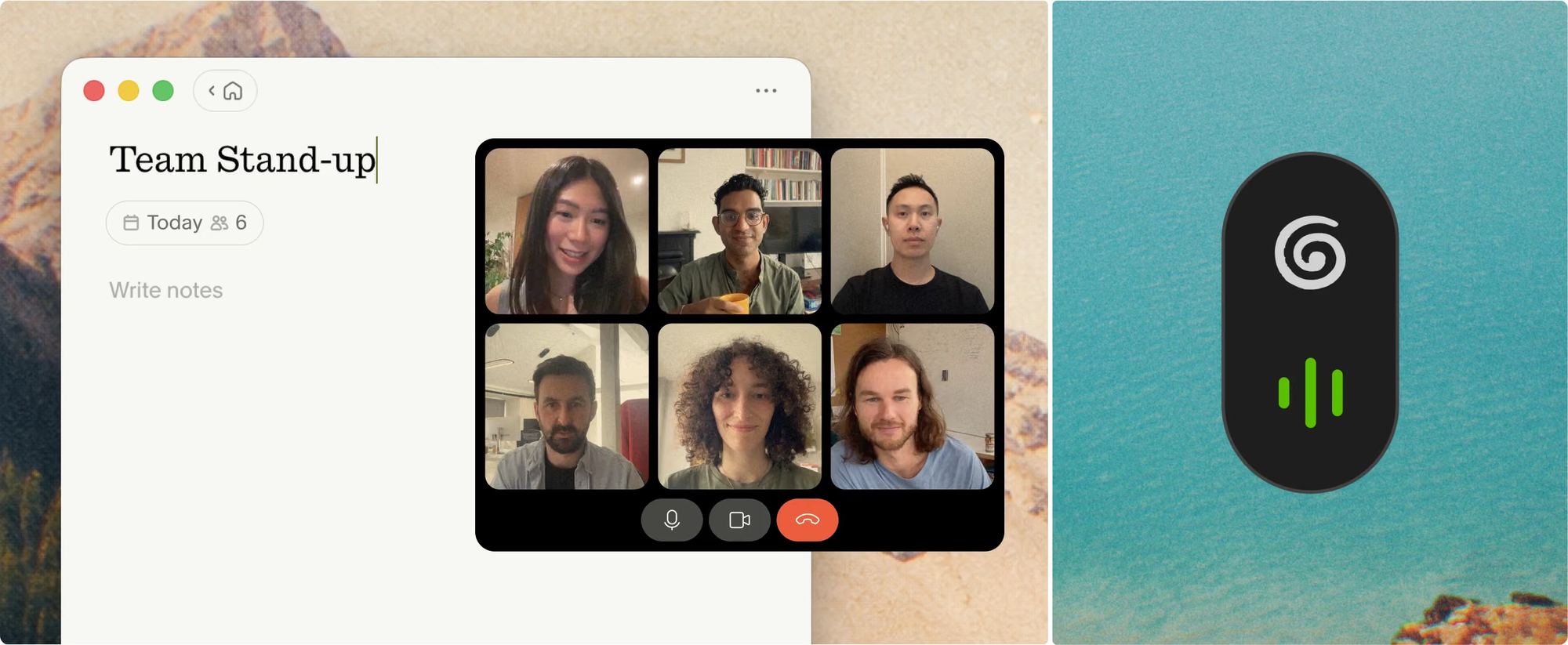
What it does. Sits on your laptop during a call, listens to your device audio, and turns the meeting plus whatever you typed into a clean set of notes afterwards. No bot joins the call.
Why it works for ADHD. Taking notes in a meeting means splitting attention between listening and writing, and ADHD makes that split expensive. Granola takes the transcription job so you can just listen. You type the odd fragment when something matters, and it fills in everything around it.
The no-bot part isn't cosmetic either. There's no awkward "AI Notetaker has joined" moment, which removes the small social friction that would otherwise stop you using it in client calls.
What I like. I stopped leaving meetings with a vague feeling I'd agreed to something. The action items come out labelled, which is the part I would previously have lost.
Where it breaks. No audio or video playback, so you can't go back and re-listen to check what someone actually said. Windows support lags macOS, and there's no Android app. The free tier limits how far back your history goes, which is the usual reason people upgrade. And it only helps with meetings, so it's an add-on to a note system, not a replacement for one.
Ideal user. Your day is calls and your notes from those calls are unusable.
Pricing. Free Basic tier. Business around $14 per user per month. Verify on their site, they changed the plan structure this year.
What I don't recommend
- Notion, for most people with ADHD. Great software. Also a system you have to build and then maintain using the exact function you're short on. A second brain you construct beautifully and then never open is a brain in a jar. If you already have a Notion setup that works, keep it. Don't start one to fix your notes.
- Any app that requires tags to be useful. Tagging is a decision, and decisions at capture time are where notes die. If the app is useless without a taxonomy, it's useless.
- Paper, as your only system, if your handwriting is slow. Nothing wrong with paper as a thinking surface. Just don't make it the only place a commitment exists, because paper doesn't remind you of anything.
- Judging any of these in week one. Everything works in week one. Novelty is doing the work and it's about to run out. People with ADHD discount delayed rewards more steeply than controls (Jackson & MacKillop, 2016), which is exactly why a tool whose payoff arrives in a month loses to one that helps you today. Judge at day 21.
How to pick your suitable ADHD note taking app?
One question: what failed last week?
- The thought vanished before you got to a keyboard. Apple Notes or Google Keep. Widget on your home screen tonight.
- You captured everything and then never found any of it again. Saner.AI.
- You have notes everywhere and no idea which app the good one is in. Saner.AI, and delete the others.
- You're scared of losing years of writing to a shutdown. Obsidian.
- You leave every meeting having absorbed nothing. Granola.
- You're a student sitting through lectures. Your own typed notes, with Otter running underneath as backup.
If speaking is easier than typing for you, and for a lot of us it is, pair whichever you pick with dictation. I went through the options in the best voice-to-text tools for ADHD.
How to Set up your note taking app tonight
Fifteen minutes, and you're done:
- Pick one app. One. Install it.
- Put capture one tap from your lock screen. Widget, home screen icon, or shortcut. If capture takes more than five seconds you will not do it, and the reminder-effort research is unambiguous about why.
- Do a brain dump. Twenty minutes, everything currently rattling around in your head, unsorted and ugly. Ugly and written beats perfect and remembered.
- Delete the other note apps. Or at least move them off your home screen. Two systems means neither is trusted.
- Set one recurring alarm for a ten-minute weekly review. You will not remember to review. That's the entire premise of this article.
Then try it for three weeks before you decide anything.
Frequently asked questions
What is the best note-taking app for ADHD? Saner.AI, if your notes pile up unfiled and you can't find them later, because it sorts and resurfaces them without asking you to make filing decisions. Apple Notes or Google Keep if you're starting from zero and want the fastest possible capture for free.
Is there a good free note-taking app for ADHD? Yes. Apple Notes and Google Keep are free and already installed. Obsidian is free for personal use. Otter and Granola both have free tiers with usage caps. Start free before you spend anything.
Should I take notes by hand or type them if I have ADHD? Type them, in most cases. Higher ADHD symptoms are linked to slower handwriting speed while typing speed is unaffected (Shimko et al., 2025), and a classroom study found lecture learning went down with handwritten notes and up with laptop or tablet notes as inattentive symptoms increased (Shimko et al., 2025, Applied Cognitive Psychology). The general-population "pen beats keyboard" claim did not survive replication (Morehead et al., 2019).
Why do I keep abandoning note apps? Usually because of the filing debt. Every unfiled note is a small open loop, and after a few hundred of them opening the app feels like opening a bill. Pick something that files without you, or pick something so simple there's nothing to file.
Does writing things down actually help ADHD, or is it just a productivity fad? It helps, and the mechanism is documented. Offloading intentions onto external reminders eliminated the advantage that higher-working-memory participants had over lower-working-memory ones (Ball et al., 2022, Memory). If working memory is your bottleneck, external capture is the intervention with the most direct evidence behind it.
Can AI note-taking apps actually help with ADHD? For the mechanical parts, yes: sorting, summarising, pulling commitments out of a mess. That's genuinely the work you're least equipped to do at 11pm. They're much worse at knowing what matters to you, so treat the output as a draft. More on where the line sits in how to use AI to break down overwhelming tasks.
Do I need a separate note app and task app? Not necessarily, and fewer apps is usually better. Saner.AI handles both. If you want them separate, my ADHD task management app rankings cover that side.
Is there clinical evidence that any of these apps work for ADHD? No. Not one consumer note app on this page has controlled trial evidence in ADHD. I'm reasoning from working memory and cognitive offloading research about what a good tool should do, which is a weaker claim than proof that any specific app works.
Should I use an app instead of getting treated? No. The strongest evidence in adult ADHD is medication and structured CBT, including a randomised trial where CBT beat an active control in medication-treated adults and held at 12 months (Safren et al., 2010, JAMA). Apps sit underneath treatment. They don't replace it.
Sources
Alderson RM, Kasper LJ, Hudec KL, Patros CHG (2013). Attention-deficit/hyperactivity disorder (ADHD) and working memory in adults: a meta-analytic review. Neuropsychology, 27(3), 287-302.
Ball BH, Peper P, Alakbarova D, Brewer G, Gilbert SJ (2022). Individual differences in working memory capacity predict benefits to memory from intention offloading. Memory, 30(2), 77-91.
Chiu G, Gilbert SJ (2024). Influence of the physical effort of reminder-setting on strategic offloading of delayed intentions. Quarterly Journal of Experimental Psychology, 77(6), 1295-1311.
Fuermaier ABM, Tucha L, Koerts J, Aschenbrenner S, Westermann C, Weisbrod M, Lange KW, Tucha O (2013). Complex prospective memory in adults with attention deficit hyperactivity disorder. PLOS ONE, 8(3), e58338.
Gilbert SJ, Bird A, Carpenter JM, Fleming SM, Sachdeva C, Tsai P-C (2020). Optimal use of reminders: metacognition, effort, and cognitive offloading. Journal of Experimental Psychology: General, 149(3), 501-517.
Jackson JNS, MacKillop J (2016). Attention-deficit/hyperactivity disorder and monetary delay discounting: a meta-analysis of case-control studies. Biological Psychiatry: Cognitive Neuroscience and Neuroimaging, 1(4), 316-325.
Morehead K, Dunlosky J, Rawson KA (2019). How much mightier is the pen than the keyboard for note-taking? A replication and extension of Mueller and Oppenheimer (2014). Educational Psychology Review, 31(3), 753-780.
Mueller PA, Oppenheimer DM (2014). The pen is mightier than the keyboard: advantages of longhand over laptop note taking. Psychological Science, 25(6), 1159-1168.
Safren SA, Sprich S, Mimiaga MJ, Surman C, Knouse L, Groves M, Otto MW (2010). Cognitive behavioral therapy vs relaxation with educational support for medication-treated adults with ADHD and persistent symptoms. JAMA, 304(8), 875-880.
Shimko GA, et al. (2025). The effects of notetaking modality and symptoms of attention-deficit/hyperactivity disorder (ADHD) on learning. Educational Psychology, 45(5).
Shimko GA, James KH (2025). A classroom study on notetaking modalities and inattentive attention-deficit/hyperactivity disorder symptoms. Applied Cognitive Psychology.
Voyer D, Ronis ST, Byers N (2022). The effect of notetaking method on academic performance: a systematic review and meta-analysis. Contemporary Educational Psychology, 68, 102025.
Written by Matt Elior. I have ADHD and I used every app on this page with my own notes and my own money. This article is not medical advice and no app here treats ADHD. See the medical disclaimer and the glossary.